Programming manual
Programming terminals 41
ZONE TYPE
For Arming”, “Disarming”. “Switching”, “Following” and “Patrol” type zones, refer to the
glossary in the installation and programming support manual.
“Delayed” and “Delayed unhidden” zones are delayed both during entry and exit phases, in
accordance with the output “Entry Time” and “Exit Time” settings (refer to Table 5-1:
Parameters for single partitions). In particular, “Delayed unhidden” zones behave as follows:
•• if violated when the system is disarmed, it will switch Off the blue LED on the keypad
•• if the “View open zones” option is enabled, it will be shown on the keypad (refer to
Table 3-1: Parameters common to all keypads)
•• it will not generate “Partition not ready” events
•• on arming from a keypad the zone will appear as a violated zone, on confirming the
arming operation it will behave as a delayed zone and will not generate an alarm.
•• if the “OpenZonesArmLock” option is enabled and the zone is violated, it will appear as
a violated zone, on confirming the arming operation it will behave as a delayed zone
and will not generate an alarm (refer to Table 4-3: Control panel options).
•• if the “OpenZonesArmLock” option is enabled and the zone is violated when an instant
arming operation is requested, it will appear as a violated zone, on confirming the
arming operation the partitions the zone belongs to will not be armed.
DETECTOR TYPE
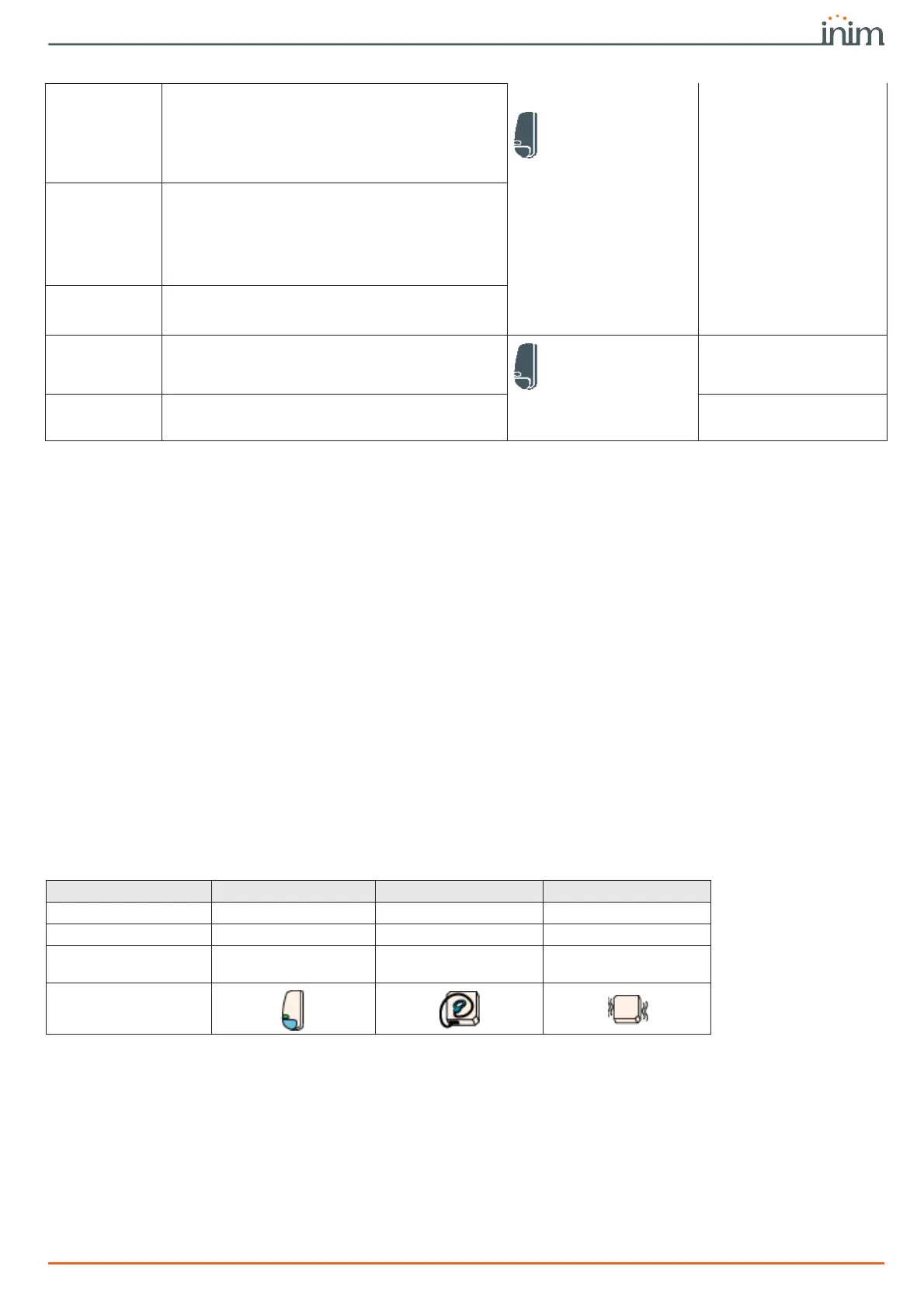
In the case where the zone is associated with a detector, you can set the type of detector
(generic, roller blind, shock) depending on the terminal in use:
Shock time
This parameter applies only when the “Shock pulses”
(see below) value is more than 1.
This is the time window during which the system
must detect a number of pulses equal to the value set
for “Shock pulses” before generating a zone alarm.
This time window can be expressed in seconds or
minutes.
Zones, selected zone,
Device parameters
“shock”
Zones, "shock zone"
Shock pulses
This is the number of pulses necessary to generate a
zone-alarm event.
If this value is more than 1, you must also program
the “Shock time” parameter.
If this value is 0, the alarm will be generated
exclusively in accordance with the “Shock sensitivity”
parameter.
Shock sensitivity
This is an empirical parameter which regulates the
sensitivity of the sensor.
Increasing this value decreases detection sensitivity.
Partitions
These are the partitions the zone belongs to.
A zone configured as “Automation” cannot be
assigned to any partition.
Zones, selected zone
Zones, "zone"
Events button
At the bottom of the section are the buttons that
directly access the programming section of the events
associated with the selected zone.
Events
Table 6-3: Zone parameters
Table 6-4: Zones - detector type
Zone Generic Roller blind Shock
Control panel terminals
any any any
Expansion terminals
any T1, T2, T3, T4 T1, T2, T3, T4
Keypad terminals
any
any
none for Alien/G
any
none for Alien/G
icon on software



 To Next Page