36 Programming partitions
Anti-intrusion control panels
Chapter
5
Programming partitions
The programming of the partitions of the Prime system can be performed either via software
or from a keypad.
Via software By clicking on the Partitions button on the menu on the left, the section on the right will
show a list of all the available partitions and their parameters. Selecting one of the options will
allow you to configure the parameters of the single partition by clicking on the button.
Via keypad
Type-in Code
(Installer PIN),
PROGRAMMING Partitions
This section allows you to program the various options of the selected partition.
5-1
Partition parameters
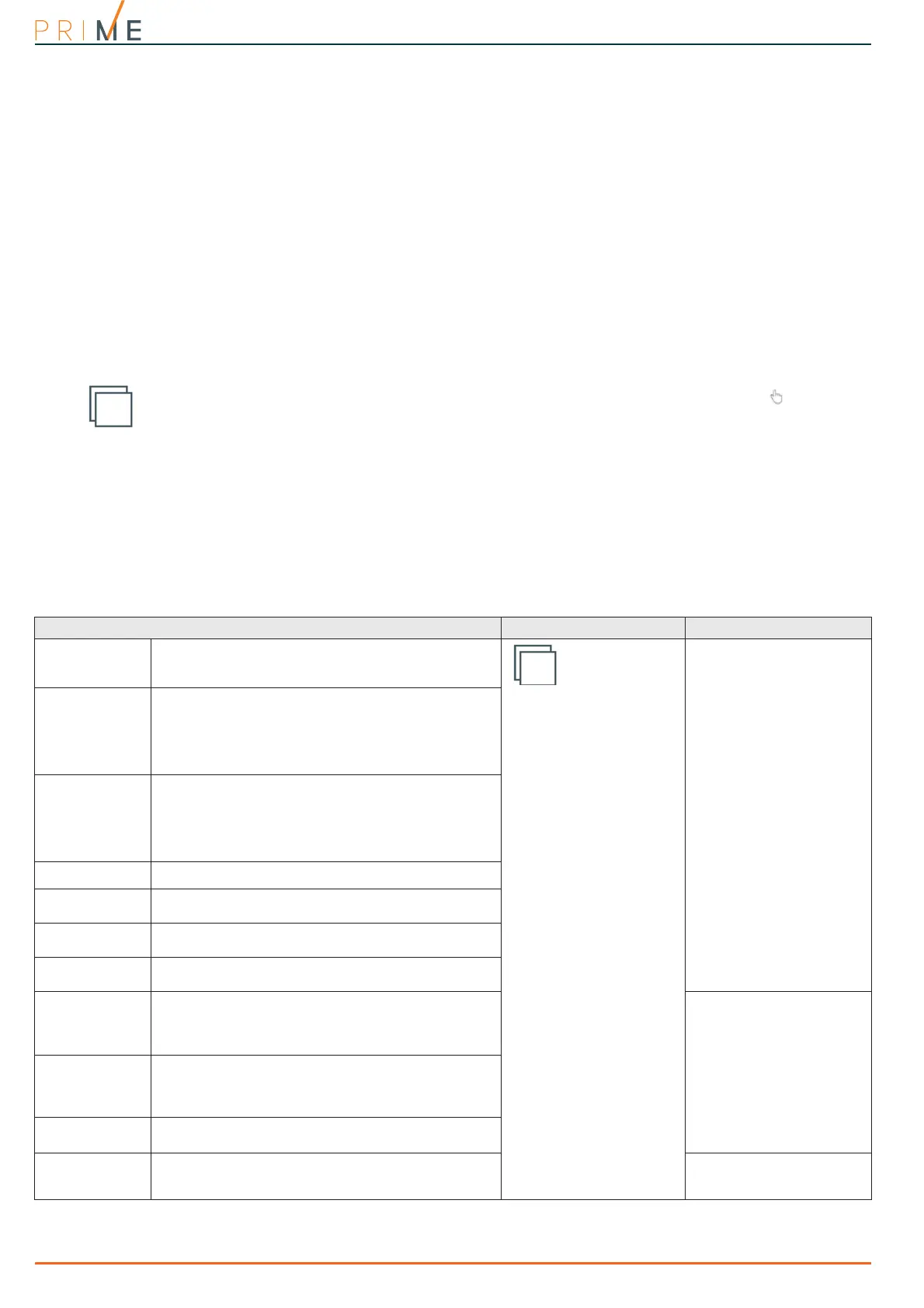
Table 5-1: Parameters for single partitions
Parameter Software section Installer menu section
Description
This is the editable partition label (description).
Partitions,
selected partition
Partitions, "parti-
tion"
Exit time
This is the Exit time window (programmable in
seconds or minutes)
If you set “0” in this field, there will be no Exit time.
Therefore, any delayed zones belonging to the
partition will generate alarms instantly if they are not
in stand-by status when the partition is armed.
Entry Time
This is the Entry time window (programmable in
seconds or minutes).
If you set “0” in this field, there will be no Entry time.
Therefore, any delayed zones belonging to the
partition will generate alarms instantly if violated
when the partition is armed.
Entry Time 2
This is the window for the second Entry time.
Pre-arm time
This setting is the delay, expressed in minutes, which
precedes automatic-arming on a partition.
Patrol time
This is the time window for patrol operations
(programmable in minutes).
Timers
Select the timer you want to associate with the
automatic-arming operations.
Autoreset mem-
ory on arming
If enabled, the partition alarm and tamper memory
will reset automatically when the partition arms.
Partitions, "parti-
tion", Options,
AutoresetMemories
Auto-arm in stay
mode
If enabled, the partition will arm in “Stay” mode at the
programmed time.
If disabled, the partition will arm in “Away” mode at
the programmed time.
Autoarm.STAYmode
Clear call queue
on disarm
If enabled, the call queue will clear when the partition
disarms.
StopTelOn Disarm
Events button
At the bottom of the section are the buttons that
directly access the programming section of the events
associated with the selected partition.
Events



 To Next Page