80 Events log
Anti-intrusion control panels
Chapter
16
Events log
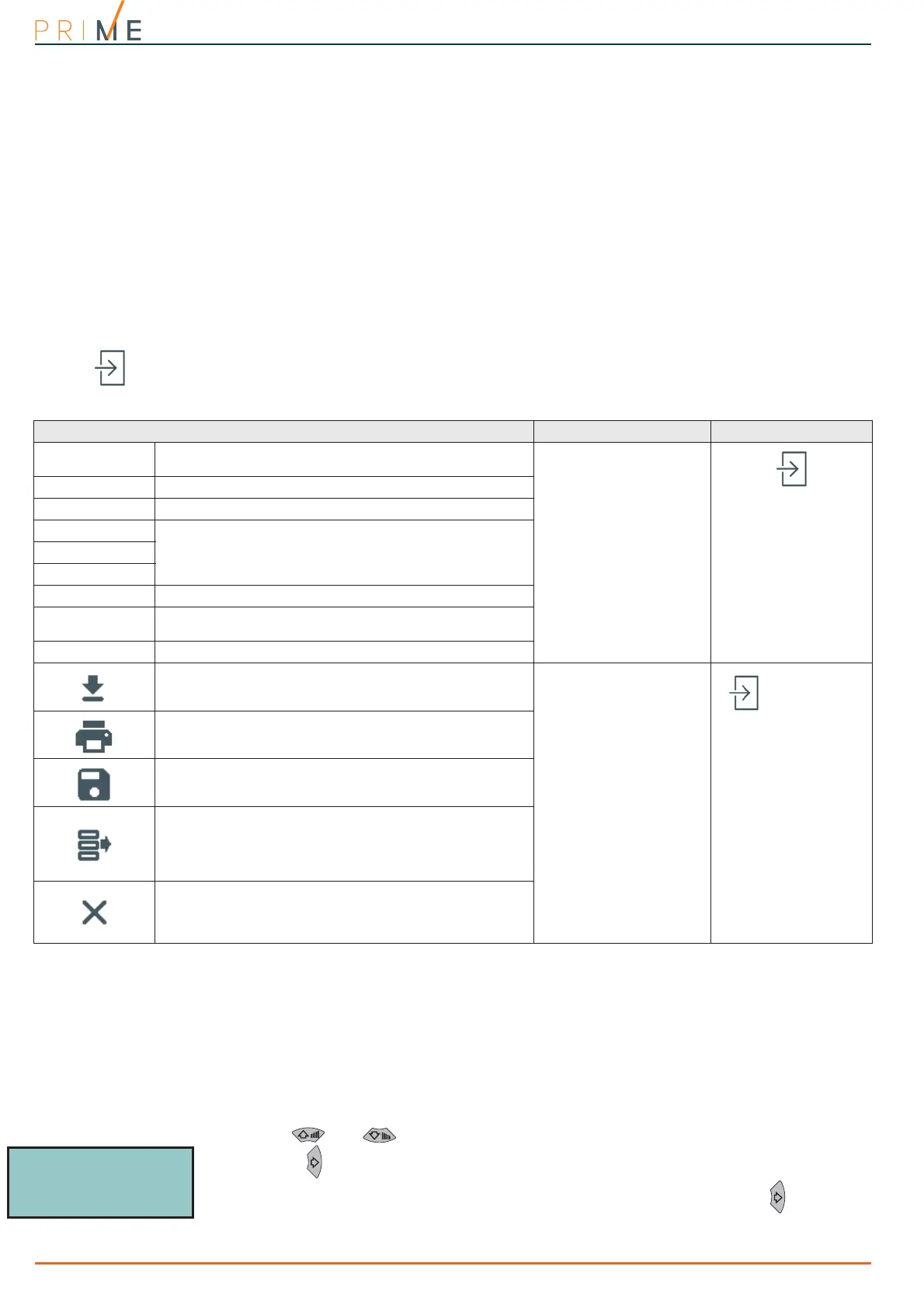
Via software Click on the Events log button on the menu on the left, the section on the right will allow you
to view all the events saved to the control panel log. The lines on the table show the single
events and the columns show the relative data.
Via keypad
Type-in Code
(Installer)
, PROGRAMMING User functions, View
This section allows you to display the event log on the keypad, also through the subdivision of
these:
• Events log - allows you to view all the events saved to the log.
• Alarms log - allows you to view all the events relating to zone/partition alarm and tamper
saved to the log.
• Faults log - allows you to view all the fault events saved to the log.
• Arm/Disarm ops. - allows you to view all the arm/disarm operations saved to the log.
Press keys and to scroll the list of events in chronological order. For some events,
pressing the button accesses the partition details. For example, the details of an “Arm”
command will show the code and keypad concerned and, by pressing the , the list of
partitions involved.
Table 16-1: Events log via software
Parameter Software section
Num.
Number which indicates the chronological order of the
events in the log.
You can group the events
into categories by
dragging the header of the
required category to the
grey line above the
columns.
Date/Time
Event date and time
Event
Type of event
Filter
Parameters for further event details.
Agent
Location
Category
Logic grouping of events
Num.
Number which indicates the chronological order of the
events in the log.
Date/Time
Event date and time
Button to download the events log from the control panel.
These buttons are active
only when you are working
on a solution or a
database.
In particular, the Save
button is enabled after a
reading from the control
panel.
Menu bar
Print button for the events log
Button to save the contents of the events log to the
database.
Button to load the contents of the events log from the
database.
A from-to period will be requested, if no particular period is
specified the entire contents of the Events Log will be
loaded.
Button to delete the Events log from the database.
A from-to period will be requested, if no particular period is
specified the entire contents of the Events Log will be
deleted.
Installer Code
18:23 01/01/2021
KEYP. 001



 To Next Page