38 Programming terminals
Anti-intrusion control panels
Chapter
6
Programming terminals
The terminals (with some exceptions) of the control panel, keypads and expansion boards can
be configured as:
ATTENTION!
For critical events or events of particular importance, it is advisable to use keypad terminals
T1 and T2 as the signal outputs. The status of these outputs may switch (On to Off and vice
versa) in the event of BUS reset.
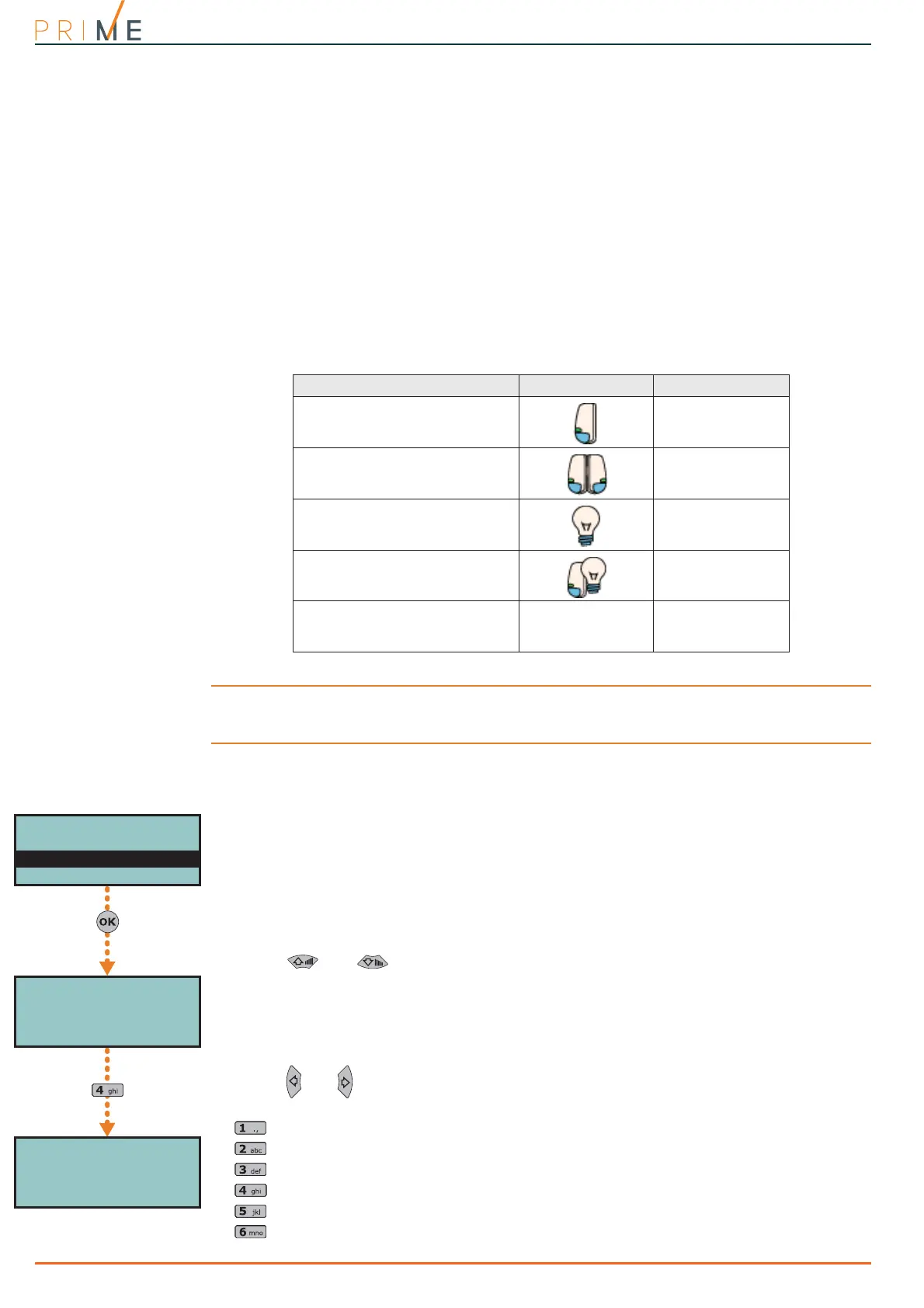
Via keypad 1. Access the “Programming Terminals” section.
Type-in Code
(Installer),
PROGRAMMING Terminals
The display will show the:
1° line: the number of terminals on the selected device
2° line: the selected terminal and the type of configuration
3° line: the description of the selected terminal
4° line: the description of the second zone of the selected terminal if configured as a double
zone, or the wording “Wireless” in the case of an expansion with the wireless attri-
bute.
2. Use and to select the device whose terminals you wish to configure. The ter-
minals are arranged as follows:
• terminals from 1 to 5 on the control panel
• terminals from 6 to 10 on the control panel
• terminals on expansion boards
• terminals on keypads
3. Use and to scroll across the terminals. The selected terminal will blink. The termi-
nal setting is applied by pressing:
• to configure the terminal as an input (“I”)
• to configure the terminal as an output (“O”)
• to configure the terminal as a controlled output (“H”)
• to configure the terminal as a double zone (“D”)
• to configure the terminal as UNUSED (“-”)
• to enable/disable the terminal as wireless (only for expansion terminals)
Table 6-1: Configuration of terminals
Configuration type Software Keypad
zone input
I
double zone input
(“doubling”)
D
output
O
Controlled output
(“I/O”, input-output)
H
unused
-
Terminals 12345
Panel 1-5 D----
T01 ControlPanel
T01DControlPanel
PROGRAMMING
Panel options
Terminals
Zones
Terminals 12345
Panel 1-5 I----
T01 ControlPanel



 To Next Page