52 Programming timers
Anti-intrusion control panels
8-1
Timer parameters
Note
It is also possible to program only activation or only reset of a timer.
The field not used for programming purposes must be set as “--:--”.
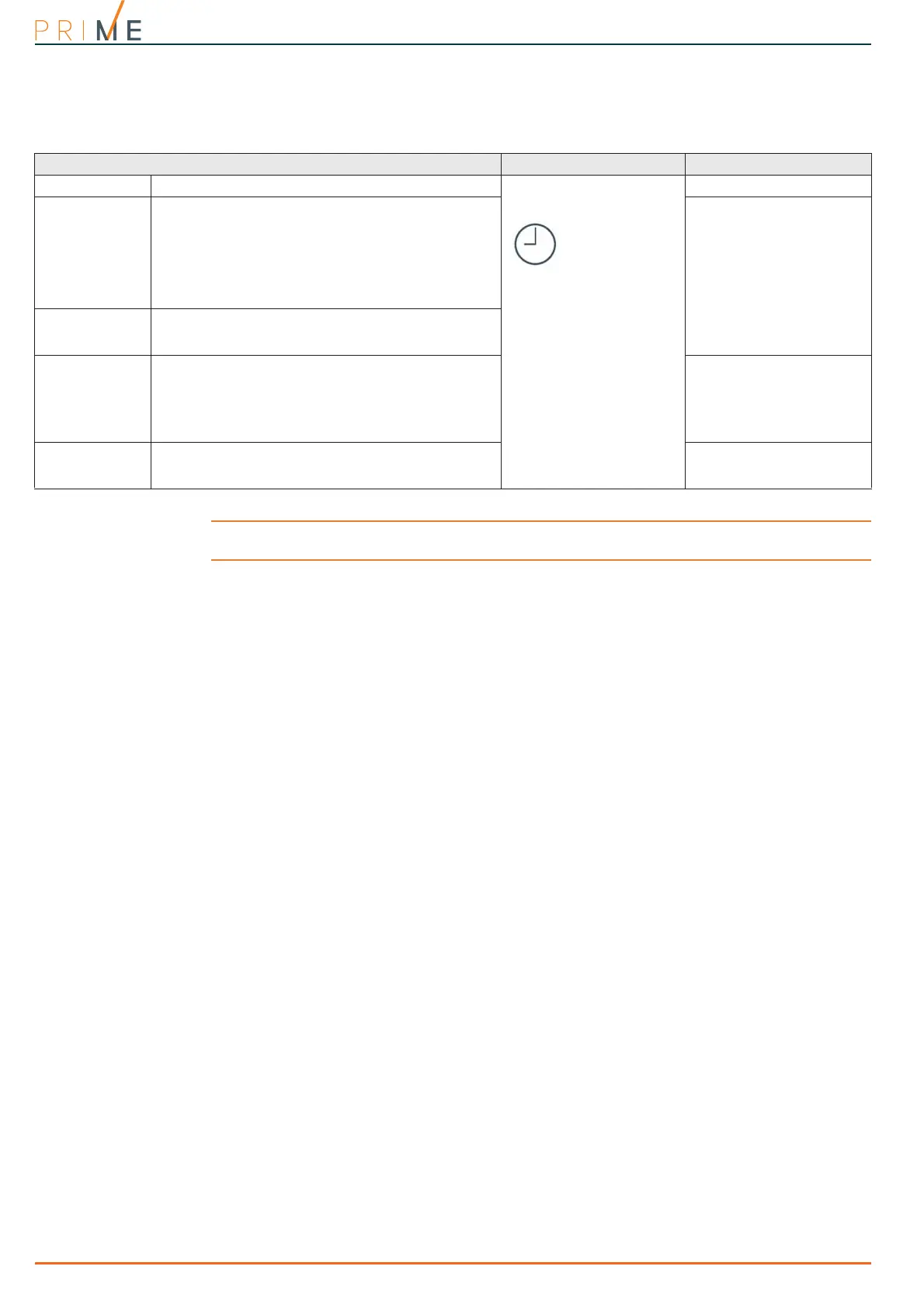
Table 8-1: Single timer parameters
Parameter Software section Installer menu section
Description
This is an editable field for the description of the timer.
Timer, selected
timer
Not available
Monday / ... /
Sunday
You can program two “ON” and “OFF” time frames for
each day of the week.
During the week, the timer will activate in accordance
with each “ON” indication and deactivate in
accordance with each “OFF” indication, regardless of
the number of times “ON” and “OFF” indications occur
and also regardless of whether the indications belong
to the same day of the week.
Timers, "timer"
Partition filter
for user-codes
This section indicates the partitions associated with
the codes and keypads which have access to timer
programming through the user menu.
Exceptions
Each exception allows you to define a time frame,
expressed in days, within which you can set an “ON”
time and an “OFF” (deactivation) time valid for all the
days included in the time frame.
Exceptions always have priority over the days of the
week.
Not available
Timer event
A key is provided that directly accesses the
programming section of the activation event of the
selected timer.
Events, Activated timer



 To Next Page