Programming manual
Programming events 67
Note
If an event is programmed with the “Automatic dialer” option enabled, the “Message type” parameter
will identify messages from 420 to 484, that is, messages containing descriptions of the event types.
DIGITAL MESSAGE
The digital message associated with the occurrence of the event follows the protocols in
accordance with the following parameters:
EVENT CODE
For zone and terminal events (alarm, tamper, bypass), the “CCC” field of the CONTACT-ID
protocol counts the number of hard terminals in accordance with the Hard terminals table (refer
to Appendix D, Voice messages).
SIA CODES
An explanatory table of all the SIA codes is provided in the support manual for the installer
and programmer.
12-1-2
Shortcut on event
Exclusively via software, you can program for each event the shortcut that will be activated on
the activation of the event itself.
These shortcuts function differently from those which can be activated by the user (refer to
Appendix B, Shortcuts by default) and allow the control panel to activate automatically
determined operations when the event occurs.
Sequence in the event
of Restoral
1. “Restoral” (97)
2. Message type
3. Message A
4. Message B
5. “Location” (244)
1. Message A
2. Message B
3. “Location” (244)
Table 12-2: Event-related messages
“Automatic dialer” option
enabled
“Automatic dialer” option
disabled
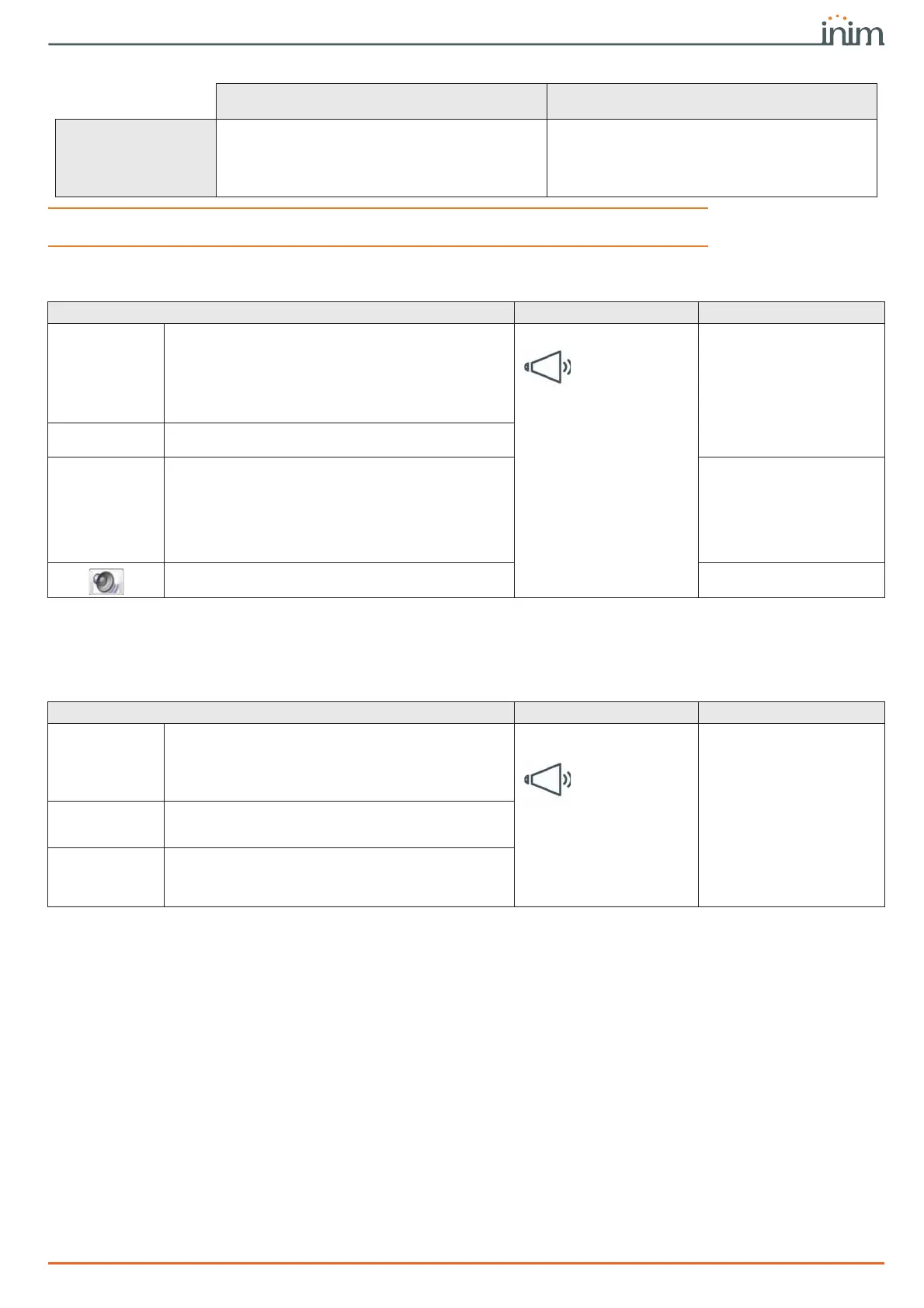
Table 12-3: Voice dialer parameters
Parameter Software section Installer menu section
Automatic dialer
If this option is enabled, the system will configure an
optimal sequence of the messages for the activation/
restoral of the event.
It is however possible to choose different messages
from those available, but the option activated in this
way imposes a limited choice depending on the type of
event.
Events list,
selected event,
Voice dialer
Events, "Event type",
"event", Activation/
Restoral, Options,
AutomaticDialler
Send address
Option that adds the message corresponding to the
recorded address to the message sequence.
Send address
Message type
Message A
Message B
Section for the selection of the messages.
Events, "Event type",
"event", Activation/
Restoral,
Message type
Message A
Message B
Button to listen to the combined message. Not available
Table 12-4: Voice dialer parameters
Parameter Software section Installer menu section
Class code
This is the CONTACT-ID reporting format Class-Code
which corresponds to the event.
Events list,
selected event,
Digital dialer
Events, "Event type",
"event", Activation/
Restoral,
Class code
Event Code on
Activation/
Restoral
This is the 2-character alphanumeric code, which
corresponds to the activation/restoral of the event
sent the alarm receiving centre (ARC).
Event code
SIA protocol
If the event is associated with calls using SIA protocol
or SIA-IP, this parameter allows you to program the
event code in accordance with SIA standard by
selecting it from the list.
SIA Codes



 To Next Page