Interroll 24-V/48-V Roller Conveyor
RM 8310/8310 DF, RM 8320/8320 DF, RM 8330/8330 DF
Maintenance and repair
Version 1.5 (07/2020) en
Translation of original operating instructions
69
Replacing the photo cell
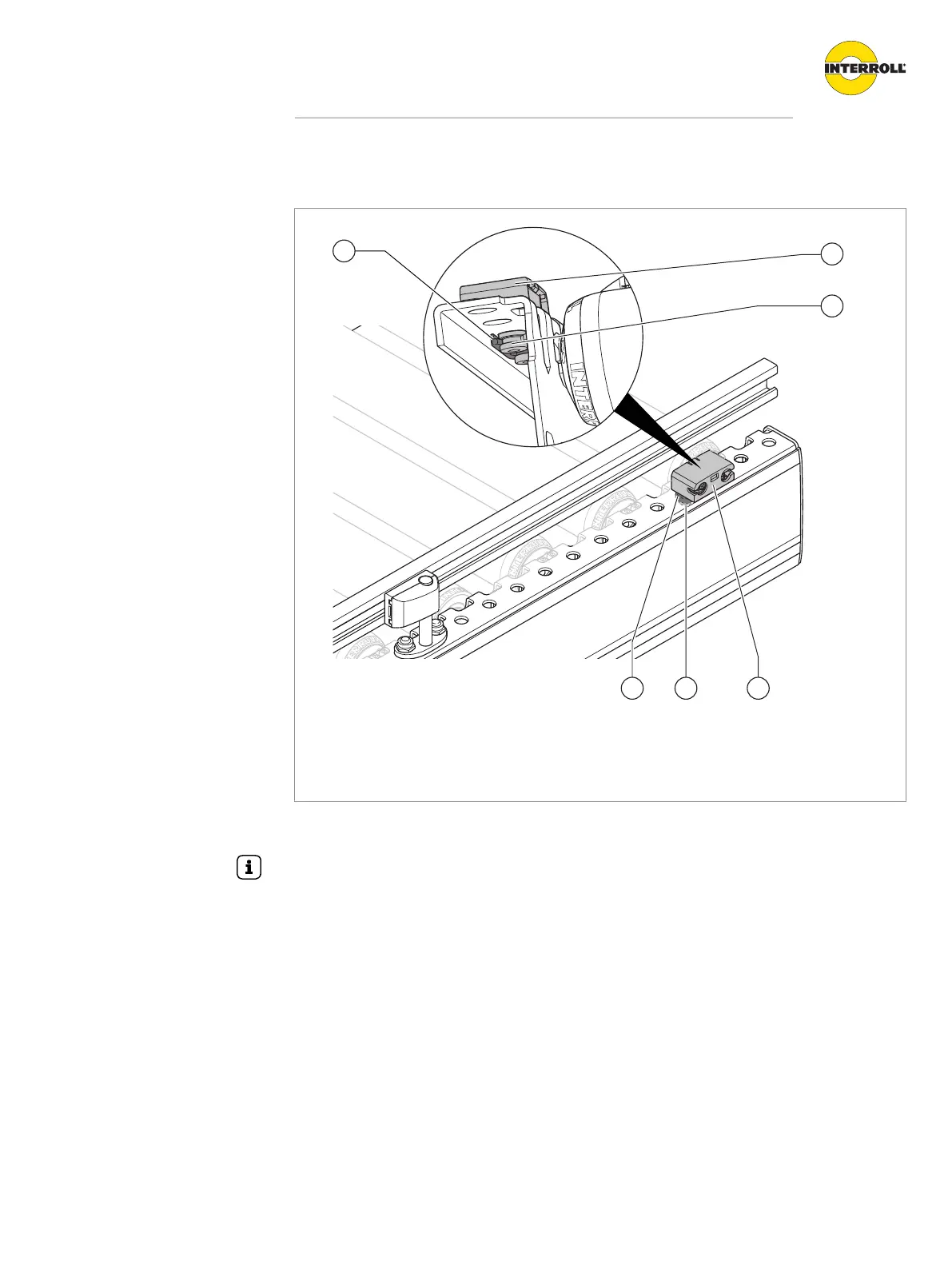
Photo cell with detail view of underside
1 Clip 3 Fastening cam
2 Photo cell
The photo cell is replaced together with the photo cell holder:
A setscrew in the foot of the photo cell holder is intended for fine adjustment of the photo cell.
Turning the setscrew in slightly raises the photo cell until it "sees" the reflector.
Requirement:
R The module is shut down.
4 Pull clip (1) off the fastening cams (3) of the photo cell.
4 Take old photo cell (2) out of side frame, mounting plate or side guide profile.
4 Insert the new photo cell in the same location.
4 Snap the clip into the fastening cams of the photo cell from below until it noticeably snaps in.
4 Connect the photo cell to the control system of the module with a cable.
4 Check whether both LEDs are lit.
4 If the yellow LED flashes, position reflector and photo cell relative to each other.



 To Next Page