Iridium Extreme™ User Manual 135
13: Using the Setup Menu
13: Using the Setup Menu
Locating the Setup Menu
Note: All instructions for the Setup menu start from the Main Menu as
shown.
About the Setup Menu
You can perform the following functions using the Setup menu:
Registered
Menu Help
16:28 14-May-11
T
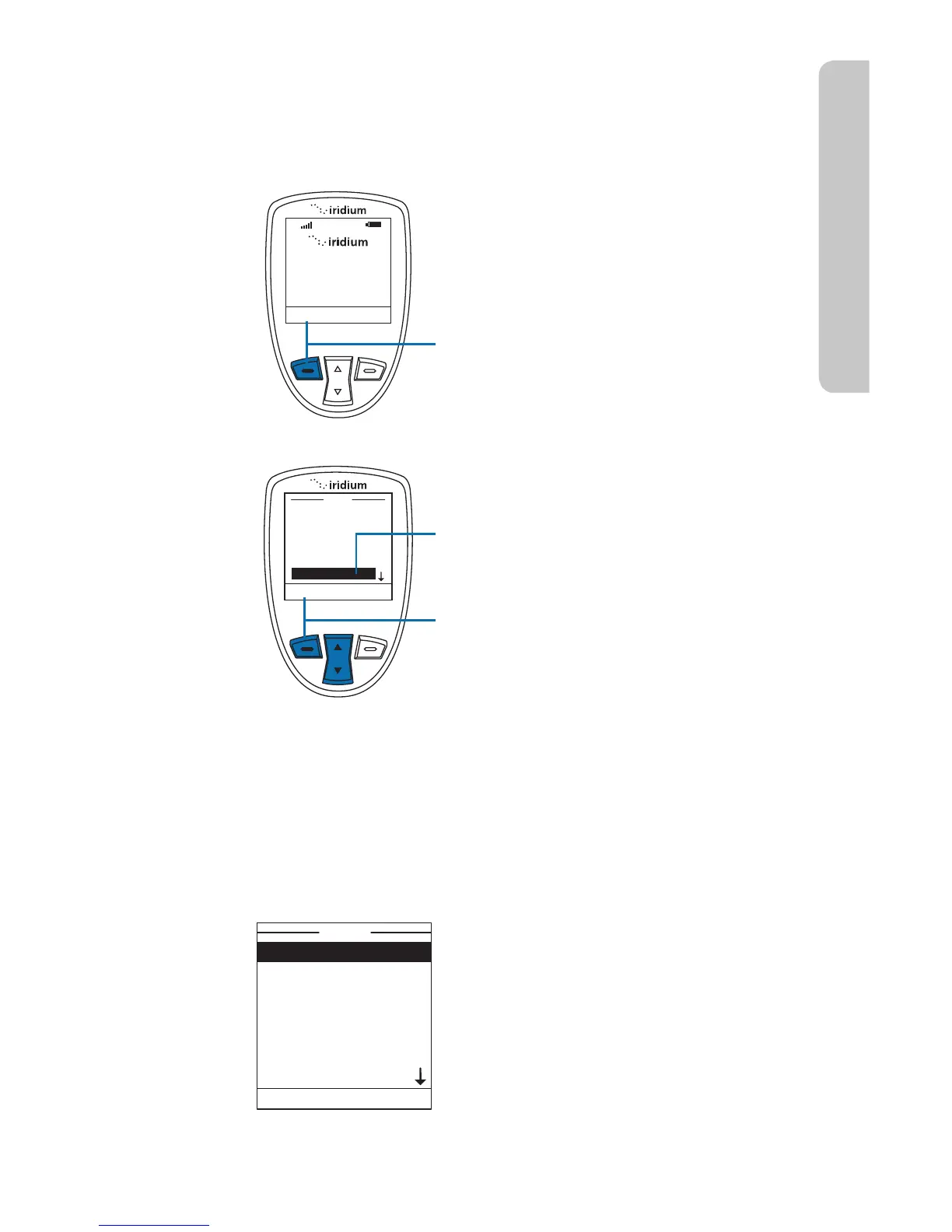
Starting from the Main Screen:
1. Press the left soft key, labeled Menu.
2. The Main Menu is displayed. Use the
2-way Navi-key to scroll until Setup
is highlighted.
3. Press the left soft key, labeled Select.
Menu
My Phonebook
SIM Phonebook
Messages
Voicemail
Data Modem
Call History
Setup
Select
Back
Call Options
Volumes and Tones
Time & Date
Language
Backlight
Contrast
Key Setup
Setup
Select Back
Number Entry
Phone Information
Reset to defaults
Setup
Select Back
r 4FUDBMMPQUJPOT
r 4FUWPMVNFTBOEUPOFTGPSZPVSSJOHFS
speaker and alert
r 4FUUJNF[POFUJNFBOEEBUFGPSNBU
r 4FUMBOHVBHF
r 4FUZPVSQIPOFMJHIUJOHQSFGFSFODFT
r 4FUUIFDPOUSBTUPOUIFEJTQMBZTDSFFO



 To Next Page