EasyManua.ls Logo

Iridium Extreme - The Keypad; Using the Menus; To Access the Main Menu

Iridium Extreme
230 pages
Print Icon
To Next Page IconTo Next Page

To Previous Page IconTo Previous Page
Loading...
54 Iridium Extreme™ User Manual
5: Using Menus and Keys
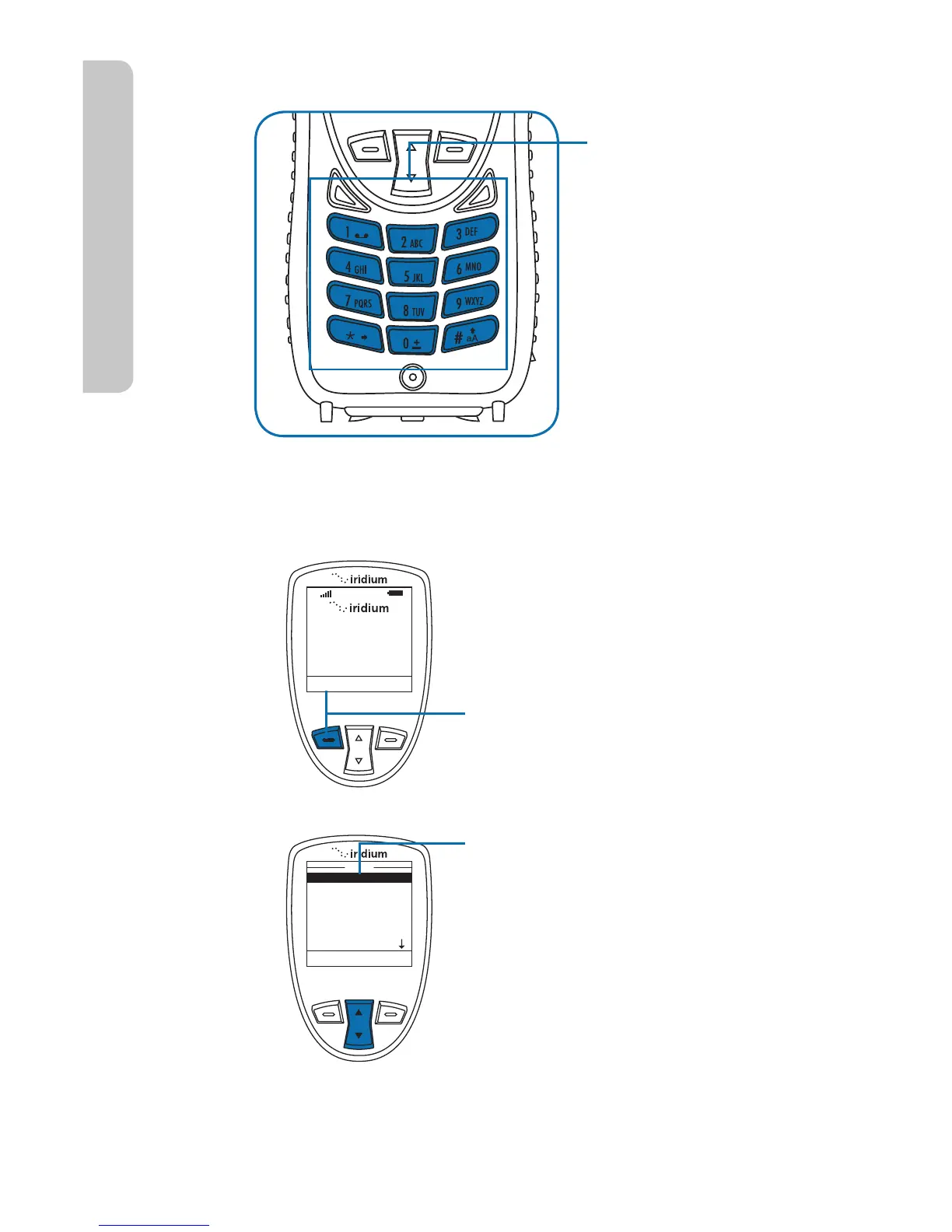
The Keypad
Using the Menus
To Access the Main Menu
Note: You cannot access the Menus during a call.
Save
Clear
New Entry
@
Bob
The numbered and
alphabetized keys
make up the Keypad.
Use the keys to enter
text, numbers and
punctuation marks
into various elds in
display screens. See
entering characters
on page 56 for more
information.
Menu
Help
T
16:28 14-May-11
My Phonebook
SIM Phonebook
Messages
Voicemail
Data Modem
Menu
Select Back
Press the Left soft key,
labeled Menu.
Starting from the
Main Screen:
The Main Menu appears. The Main
Menu consists of:
r .Z1IPOFCPPL
r 4*.1IPOFCPPL
r .FTTBHFT
r 7PJDFNBJM
r %BUB.PEFN
r $BMM)JTUPSZ
r Setup
r Security

Table of Contents

Other manuals for Iridium Extreme

Related product manuals