Connected
Mute Speaker
T
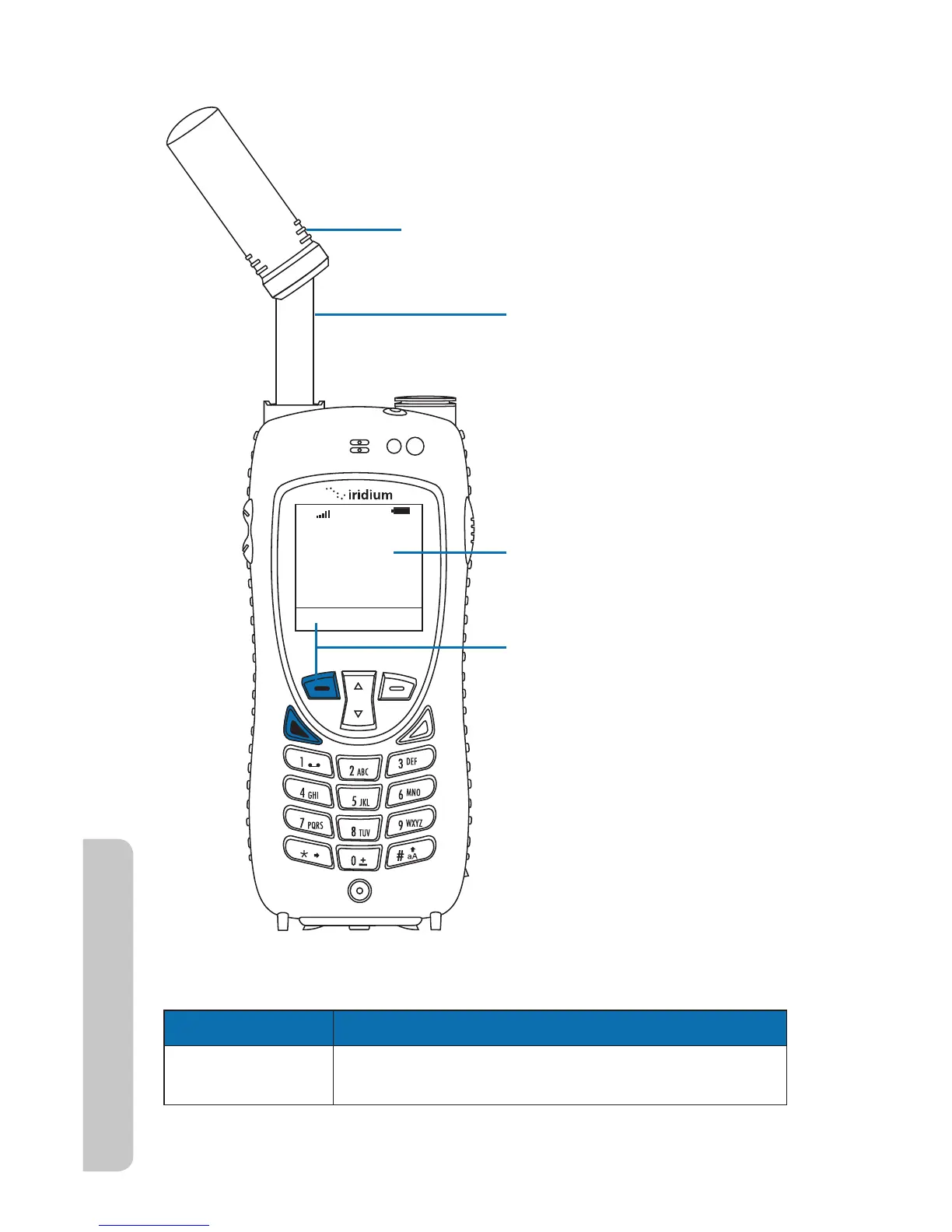
1. Extend antenna directly up
and rotate the antenna top
left or right until it locks into
position.
2. Press the left
soft key or the green key.
Mute is displayed above the
left soft key and Speaker is
displayed above
the right soft key.
3. Phone displays Connected.
Antenna lines
44 Iridium Extreme™ User Manual
4: Getting Started
Answering the call with the Antenna Extended
If the call does not connect properly, the following message appears:
Message Directive
Call Failed The antenna is not properly positioned or the
network signal is not strong enough.



 To Next Page