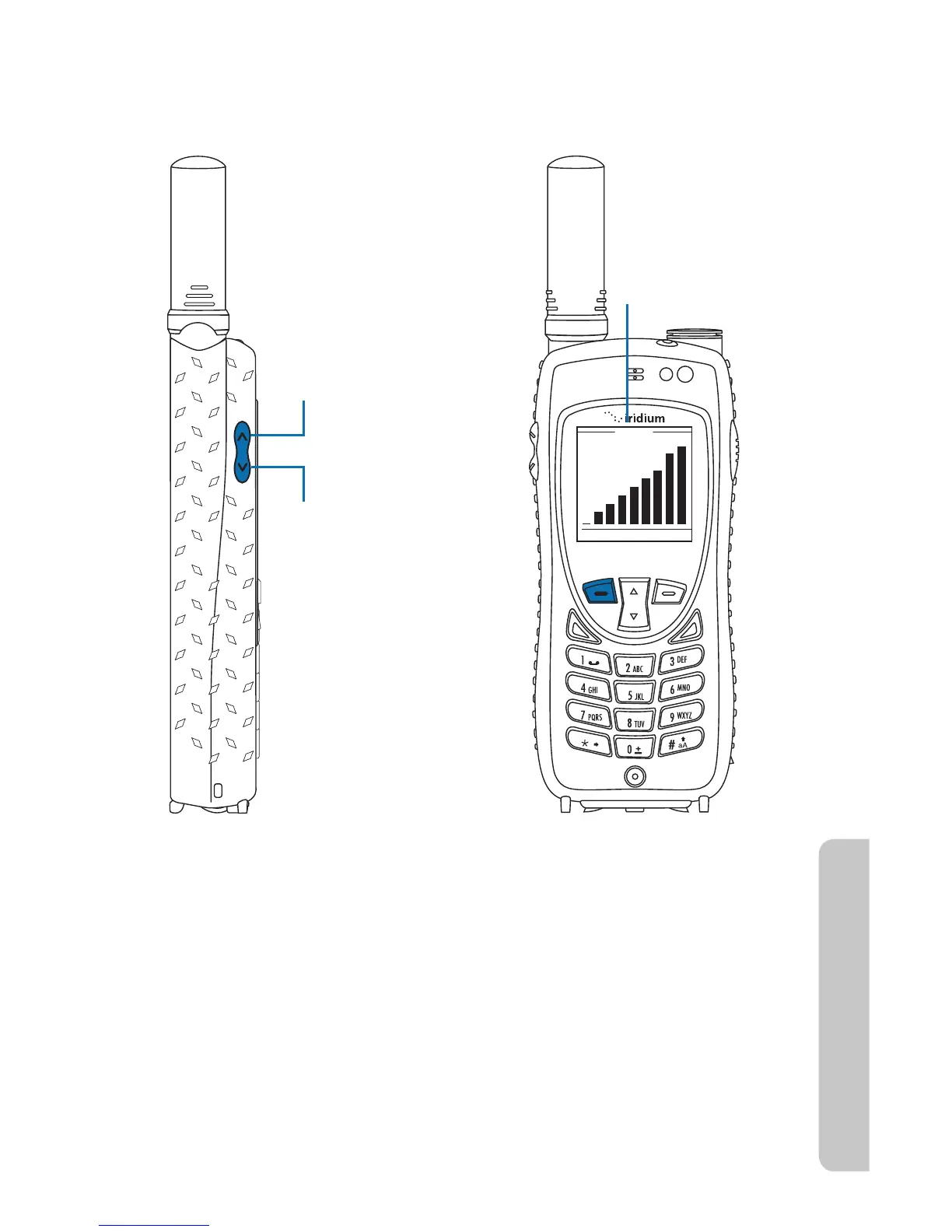
Volu me
OK Back
Upper volume
control increases
ringer volume
Lower volume
control increases
ringer volume
Bar graph for
ringer volume
Iridium Extreme™ User Manual 49
4: Getting Started
r "TZPVQSFTTUIFLFZTZPVIFBSUIFOFXWPMVNFMFWFM5IFCBSHSBQIPO
the display indicates the volume level; the higher the graph, the louder
the volume.
Unanswered Calls
If you are away from your phone or choose not to answer a call the screen
displays the number of missed calls.
Messages from Missed Calls
If you are not able to answer your phone, or are not connected to the
network, callers can leave you a voice message which can be accessed
from the voicemail system. When connected to the network, a message
icon appears on your screen indicating a new voicemail message.
For more information on retrieving messages, see “Using the Voicemail
Menu” on page113.



 To Next Page