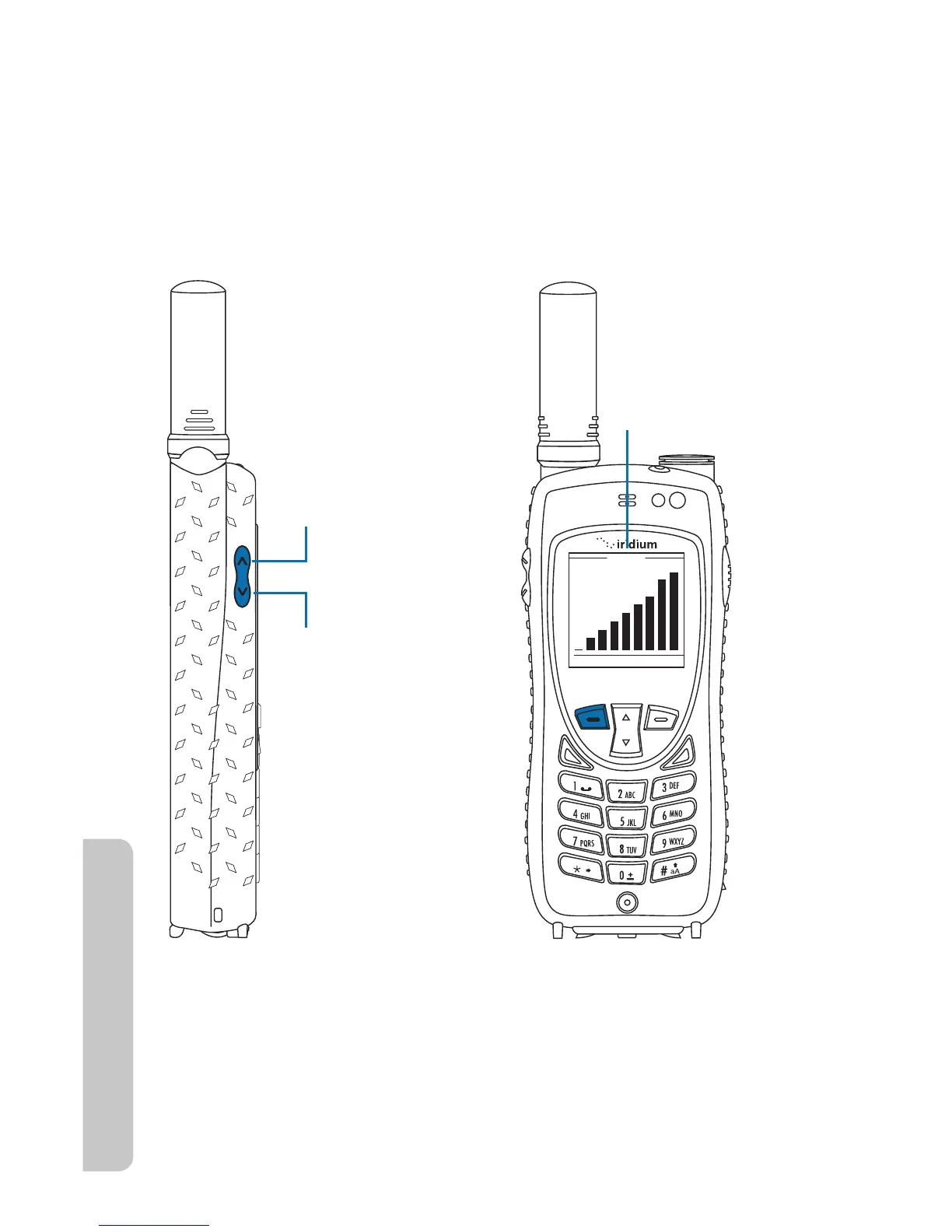
Volu me
OK Back
Upper volume
control increases
speaker volume
Lower volume
control increases
speaker volume
Bar graph for
speaker volume
48 Iridium Extreme™ User Manual
4: Getting Started
key, during a call. Once you are satised with the volume press OK. If
you would like to cancel the change to the volume press Back.
2. Decrease the speaker volume by pressing the lower volume control
key, during a call.
As you press the keys, you hear the new volume level. The bar graph on
the display indicates the volume level; the higher the graph, the louder the
volume.
Ringer Volume
The ringer volume may be adjusted with the Volume and Tones menu
located under the Setup menu.
r *ODSFBTFUIFSJOHFSWPMVNFCZQSFTTJOHUIFupper volume control key.
r %FDSFBTFUIFSJOHFSWPMVNFCZQSFTTJOHUIFlower volume control key.



 To Next Page