Accessory Adapter
Iridium Extreme™ User Manual 21
3: Overview
r /PUFUIBUUIF$IBSHJOH64#&YUFSOBM"OUFOOBBEBQUFSTIPVMEPOMZ
be used if you are planning to connect an external antenna. When this
adapter is connected, use of your phone’s antenna will temporarily
be suspended while the Charging / USB External Antenna adapter is
connected.
Removal of the adapter
r 5PSFNPWFUIFBEBQUFSIPMEZPVSQIPOFXJUIZPVSMFGUIBOEBOEHSBTQ
the adapter on both sides. Press the bottom portions of the side clasps
with your thumb and index ngers and pull the adapter away from the
phone.
r -BTUNPWFUIFBDDFTTPSZDPOOFDUPSDPWFSCBDLUPUIFBDDFTTPSZ
connector and press it so it is securely in place.
Accessories
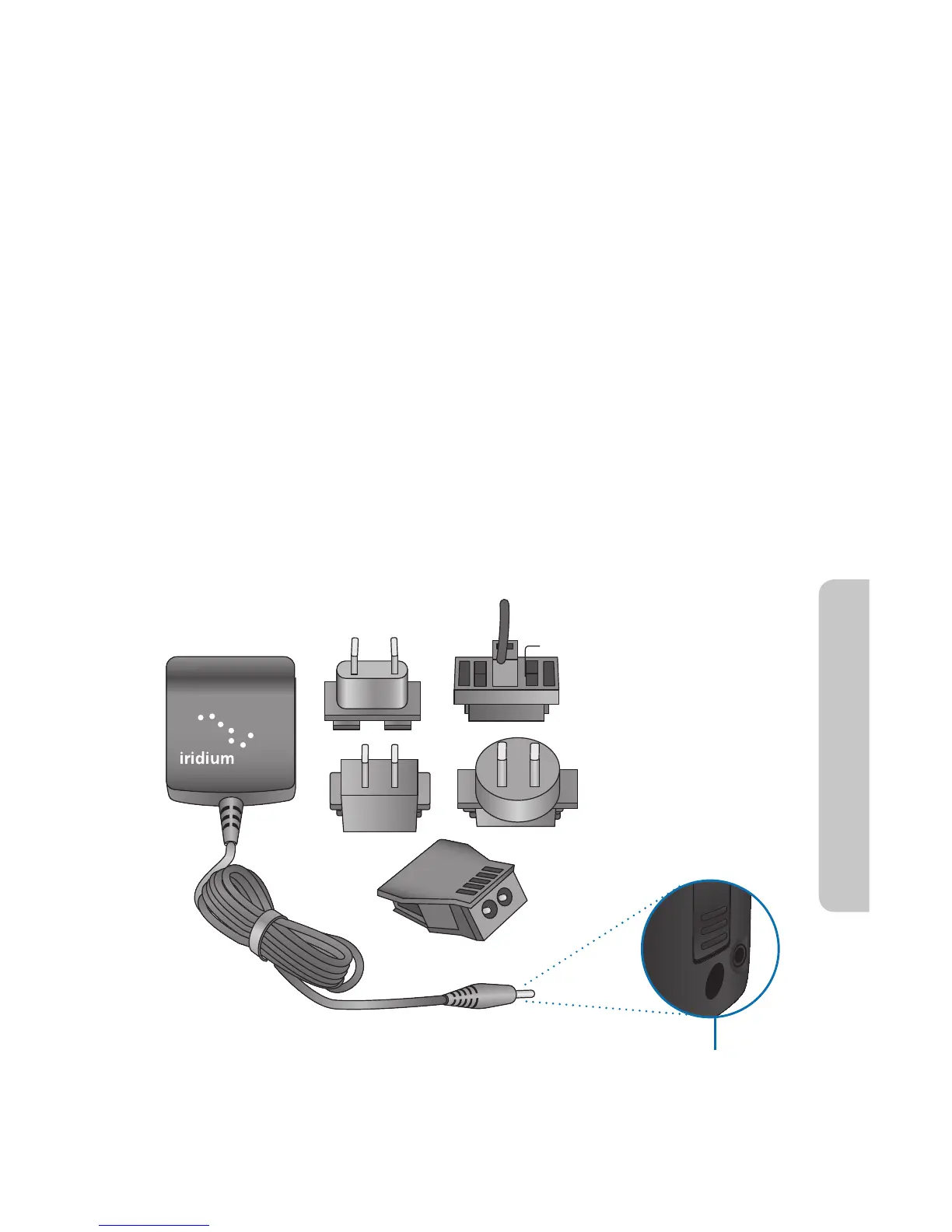
AC Travel Charger and International Plug Kit
The AC Travel Charger and International Plug Kit provides rapid charge for
optimal performance. The AC Travel Charger plugs directly into the power
connector on the right side of your adapter.
r $BOCFVTFEUPQPXFSUIFQIPOFXIFOUIFCBUUFSZJTEFQMFUFE



 To Next Page