Settings
138 USER MANUAL FPC 200 - 3/2017
4.3.2.3 Settings
Reading the settings
To read device settings, the communication connection
to the device must be established.
To read the device settings
Choose one of the following:
Click on Read settings button on toolbar,
Select Read settings from File menu or press
Ctrl+R,
On the left side click Settings icon and
then click Read settings button,
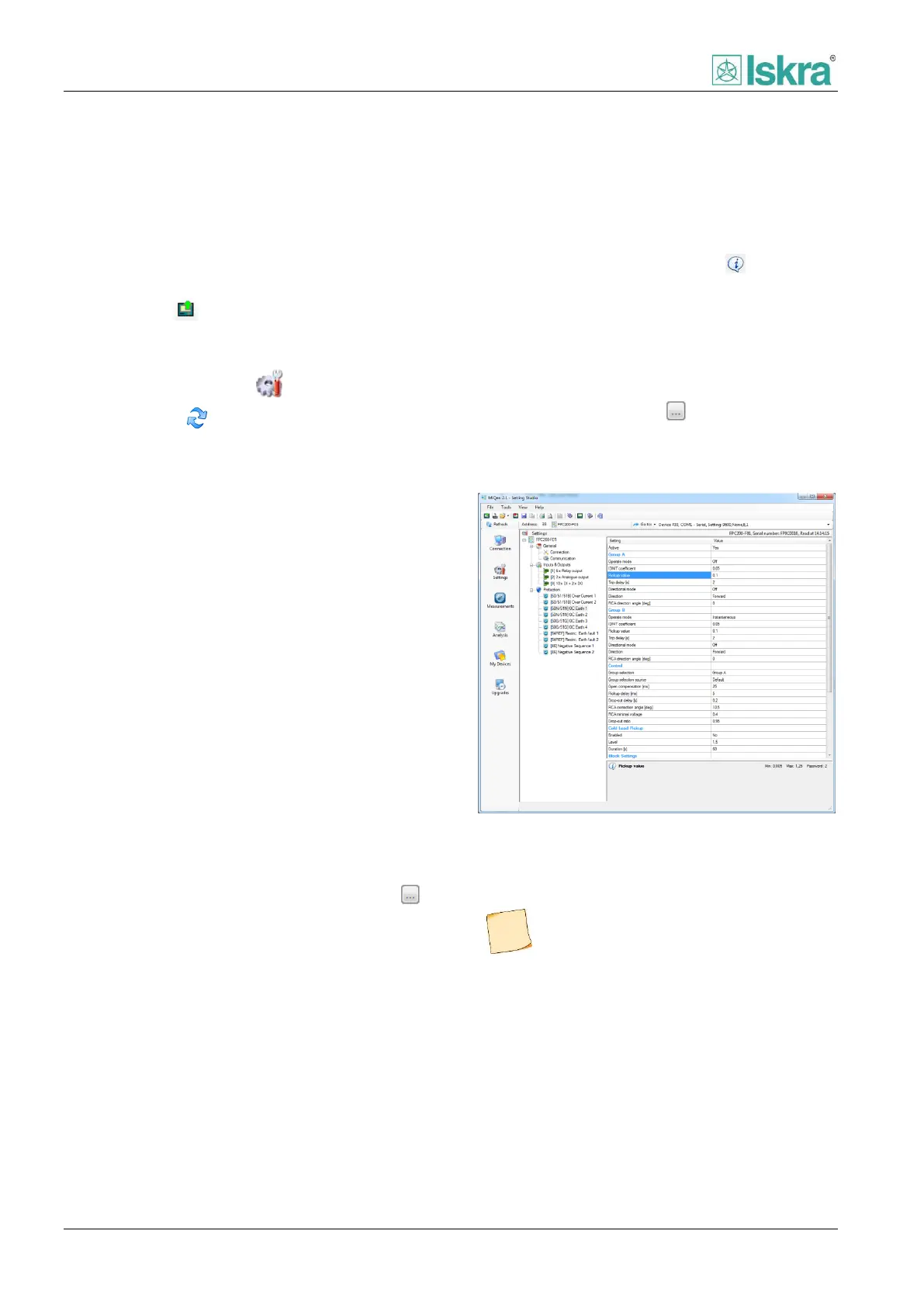
Settings form appears after successful reading. There is
a tree structure with setting groups on the left side of
the settings form. Table with available parameters
opens up by clicking on the group on the right side of
the settings form. The device type, serial number and
reading date are displayed on the top of the settings
form.
4.3.2.3.1 Editing the settings
Settings can be changed after they have been read from
device or opened from settings file. There is a tree
structure with settings groups on the left side of the
settings form. Table with available settings opens up by
clicking on the group in right side of the settings form.
All settings except those greyed out can be changed.
The greyed out settings are read only information about
the device.
To edit the selected setting
1. Choose one of the following:
a. Click on setting to access dropdown
menu,
b. Select the setting and click on Edit
button, displayed on right border of
the table,
c. Click on setting you wish to change
and enter number.
2. Change the parameters in opened form. Short
explanation of setting is displayed on bottom
part of settings table near the information
icon. Additional information about device
settings can be found in User’s manual of the
product. Required password level for download
(if device is password protected) is displayed on
right bottom part of settings table next to the
information icon.
3. In case of using Edit button, click OK for
confirmation.
Figure 4.45 Editing pickup value parameter of [50N/51N] OC
Earth 1 protection in FPC 200-F1 Relay.
In the settings table text is coloured blue after
new value has been entered.



 To Next Page