USER MANUAL
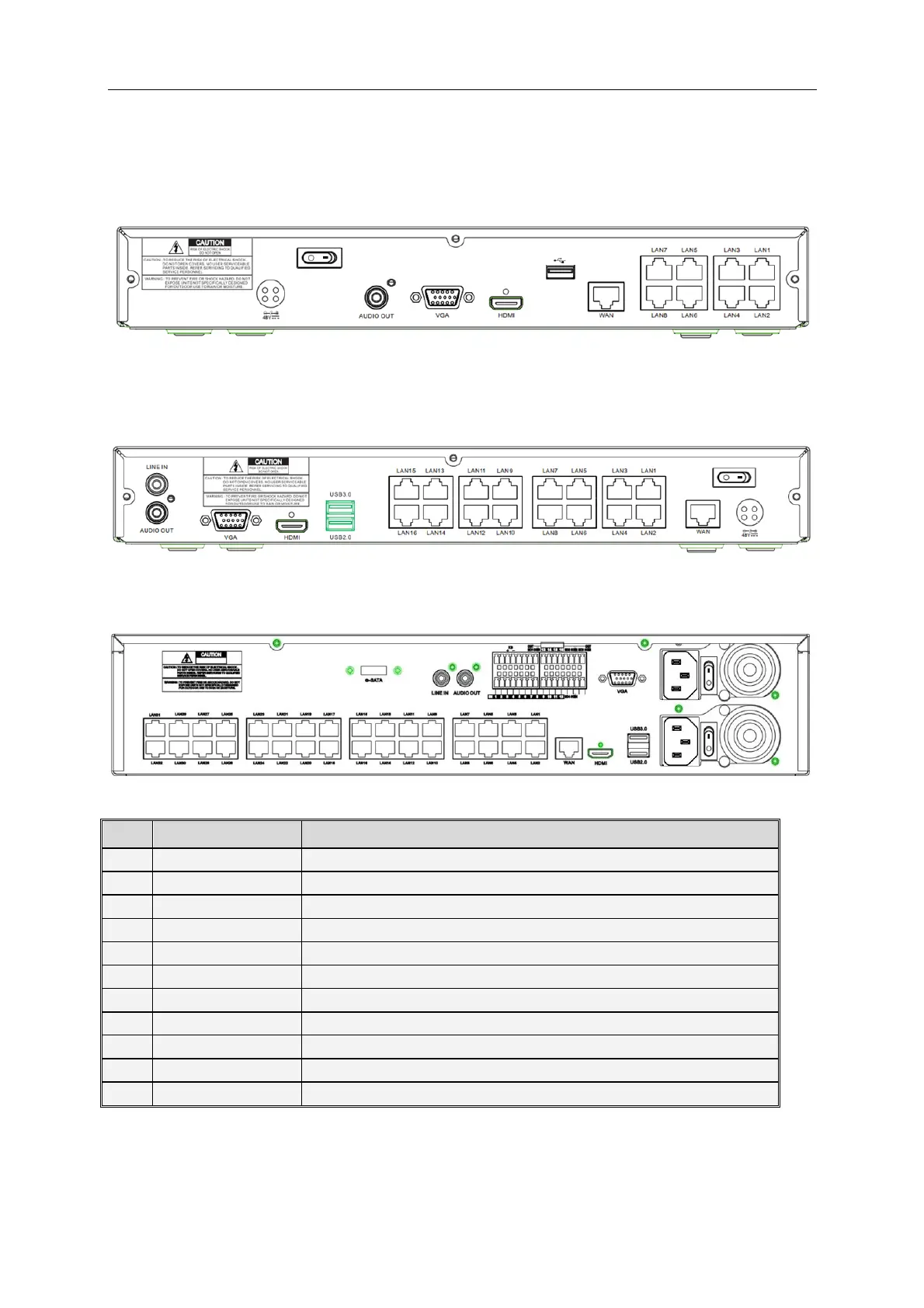
1.5 Rear Panels (IVSEC NVR Model Comparison)
IVSEC NR308X* – 8 Channel NVR with 8 POE+ ports, 1 hard drive bay (Some models may
include alarm input / outputs)
IVSEC NR316X* – 16 Channel NVR with 16 POE+ ports, 2 hard drive bays (Some models may
include alarm input / outputs)
IVSEC NR532XA / NR564XA – 32 /64 Channel NVR with 32 POE+ ports, 8 hard drive bays, Alarm
input / outputs
Connect the attached power supply
Connect USB devices, such as USB mouse and USB stick.
Connect to sensor or alarming device (available on NR532XA only)
HDMI high definition port
Connect to VGA monitor, such as PC monitor
Audio signal output, RCA interface
Connect to your modem / router
Supports Auto POE, ePOE and manual mode
Connect to e-SATA HDD for recording & backup (NR532XA only)



 To Next Page