USER MANUAL
5.1 Channel
In this section, you are allowed to configure the camera, live view display, manage IP cameras,
adjust IP camera’s image, PTZ setup, motion setup, covert mode, and more.
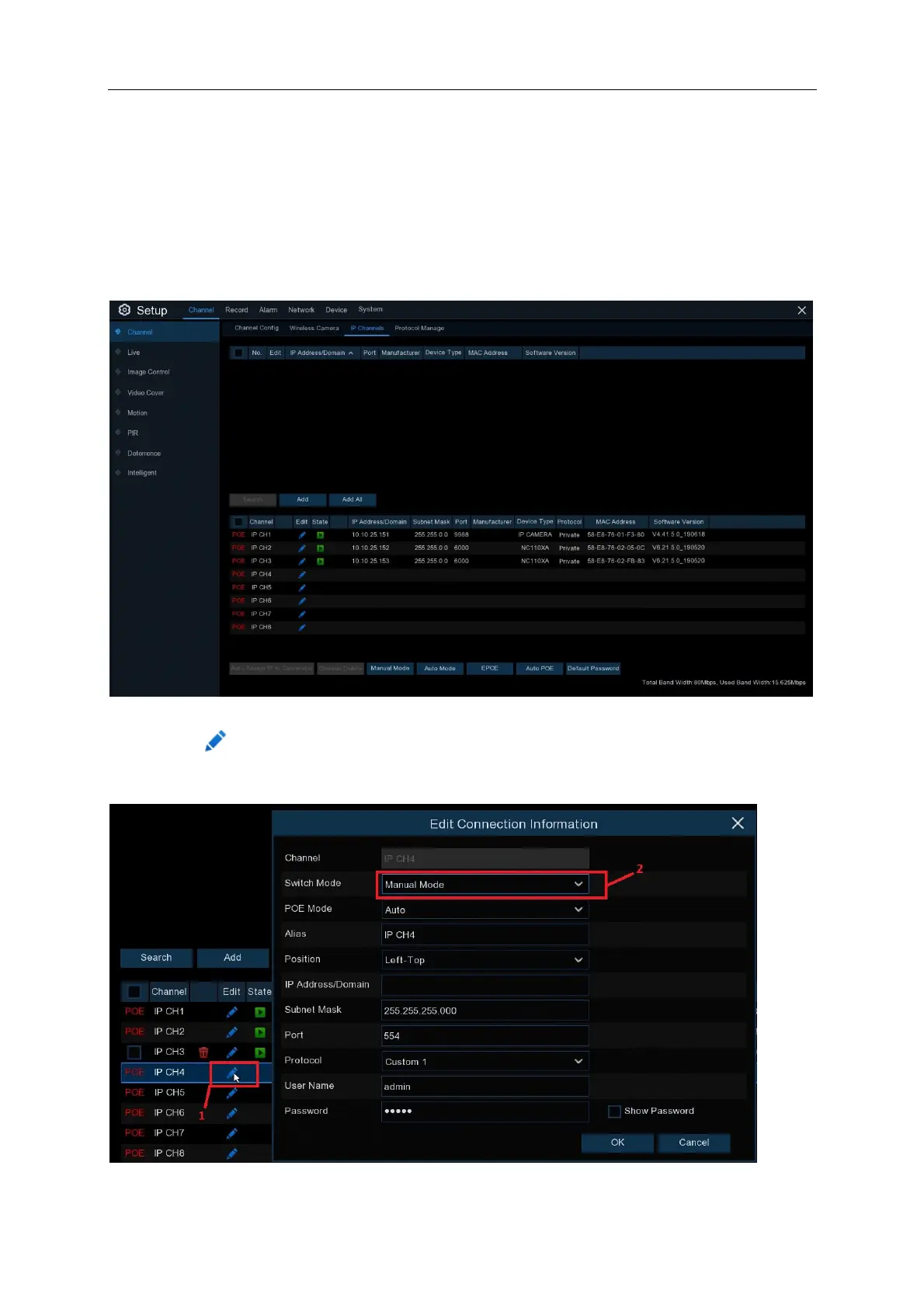
5.1.1 Manually adding IP Channels
Click on the icon in the ”edit” column. Set the Switch mode to “manual mode”. Click “OK”



 To Next Page