USER MANUAL
5. 5.2 Disk Group
If your NVR supports to install multiple HDDs, you can configure the HDD to be different groups.
HDD groups allow you to balance recordings across multiple hard drives. For example, you can
record channels 1~4 to one hard drive and 5~8 to a second hard drive. This can reduce the
amount of wear on the hard drives and may extend the life of the hard drives.
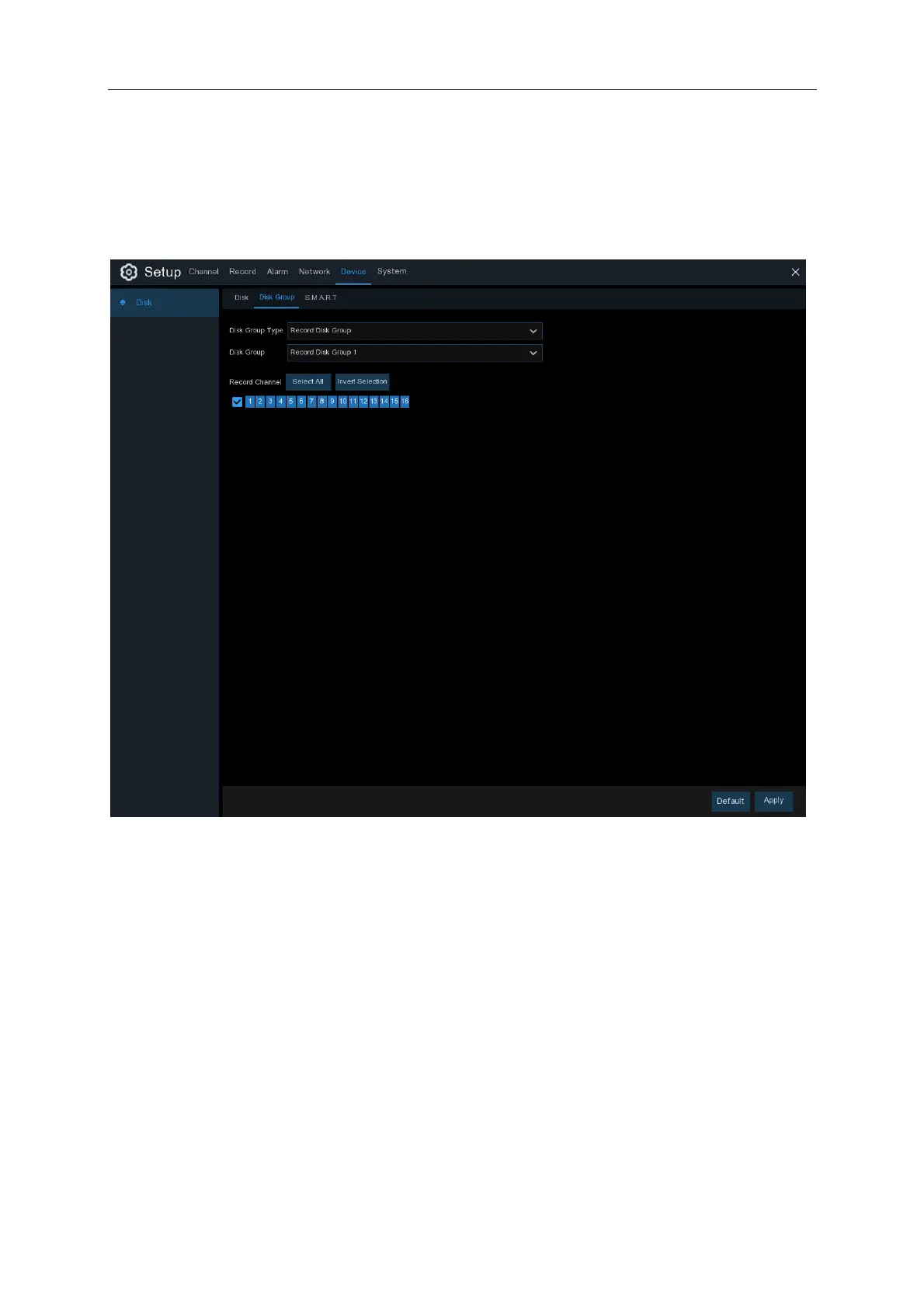
1. Use the dropdown next to Disk Group Type to select the type of group to configure.
2. Use the dropdown next to Disk Group to select the specific group within the selected group
type.
3. Click the numbered boxes representing channels to record channels to HDDs in the selected
group.
4. Click Apply to save.



 To Next Page