USER MANUAL
5.1.8 Deterrence
The IVSEC NC305X* camera supports Deterrence functionality. This includes spot light, siren and
2-way audio intercom (intercom functionality accessible via the mobile application)
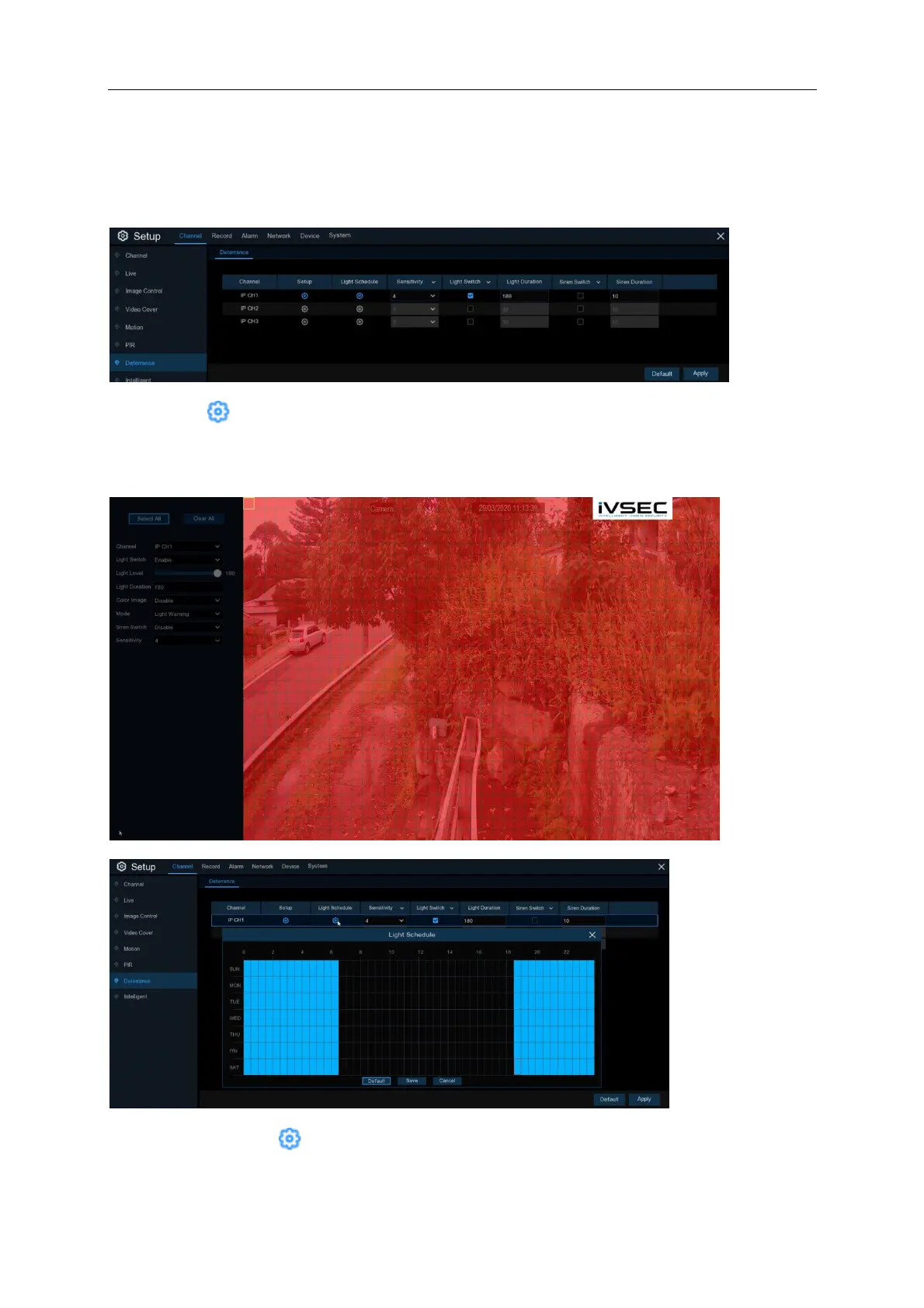
Setup: Click icon to adjust the spot light settings including light duration (in seconds), light
level (brightness), mode (light warning or strobe) and sensitivity. Deselect the red squares as
required to minimise false deterrent events.
Light Schedule: Click icon to adjust the light schedule times. The times selected in the table
(highlighted in blue) signifies when the spot light is schedule to activated if an event is triggered.



 To Next Page