USER MANUAL
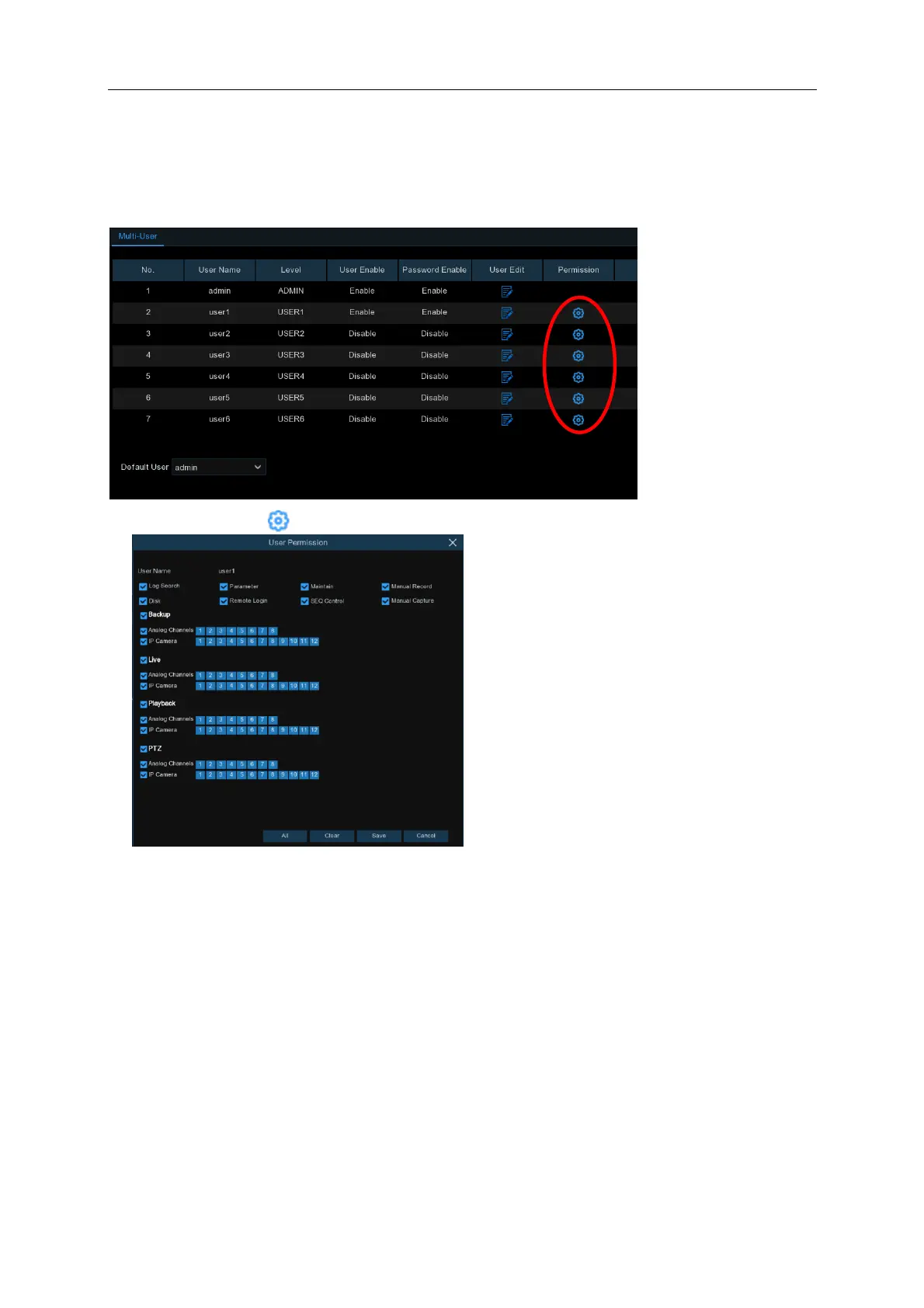
5.6.3.3 Setting User Permissions
The administrator account is the only account that has full control of all system functions. You can
enable or disable access to certain menus and functions of each user account.
1. Click the edit icon under Permission tab.
2.
Check the boxes next to any system menus or capabilities you would like the user to
access. Click All to check all boxes. Click Clear to check none of the boxes.
3.
Click Save to save your modifications.



 To Next Page