USER MANUAL
4.2. Start Menu
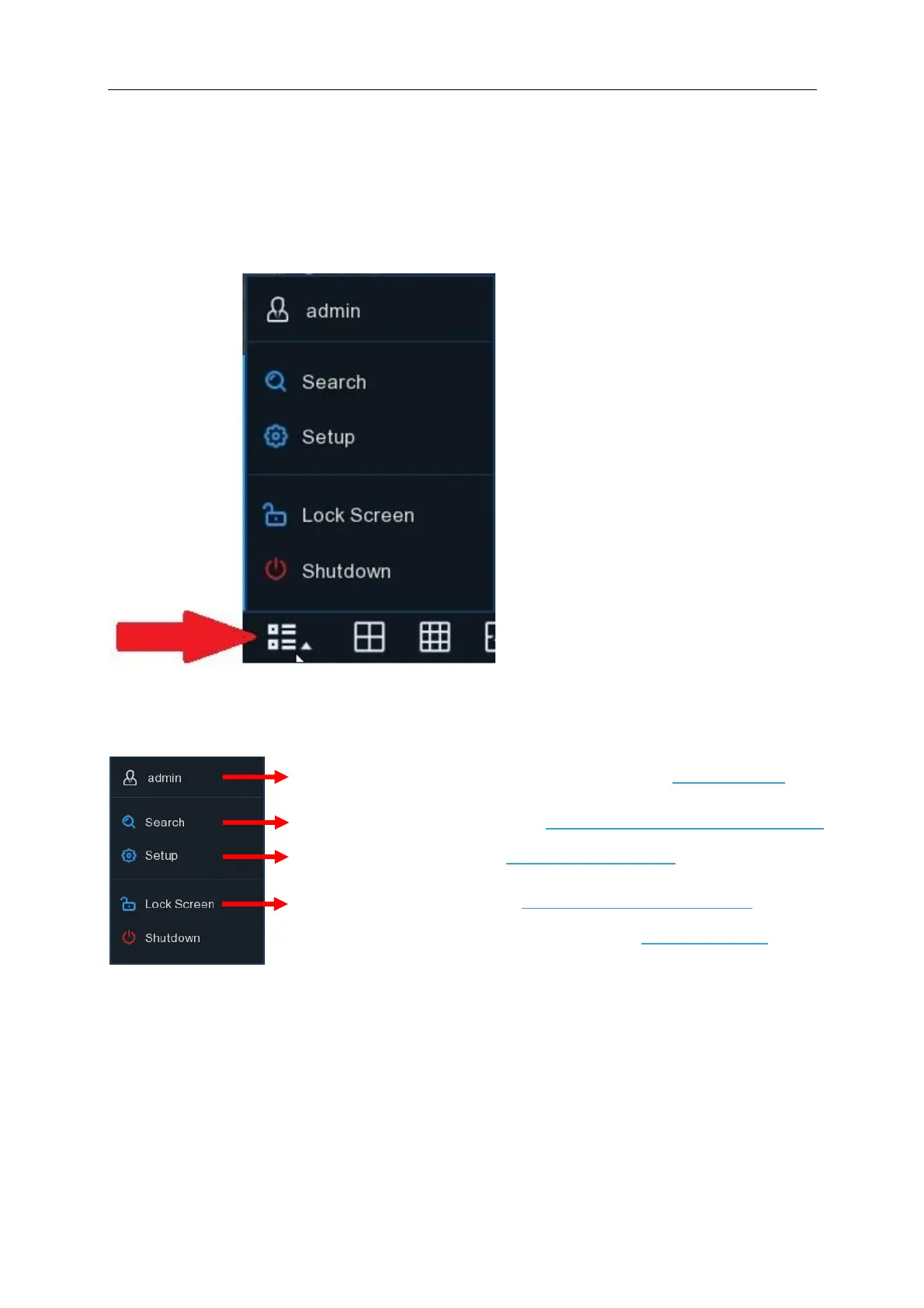
The Start menu is located on the bottom left hand corner of the screen
With the start menu, you can switch user, search & playback, enter system setup menu, lock &
unlock the screen, shut down, reboot & logout the system.
Admin – Clicking on “admin” allows you to switch to a different user if additional users have been
previously configured
Search – Review, playback and backup (when a USB stick is connected to the NVR) previously
recorded footage
Setup – Access to camera configuration, record settings, network configuration, hard drive and
system configuration
Lock Screen – Once the screen is locked you will need to enter the NVR password to unlock it
Shutdown – Allows you to Shutdown, Reboot or Logout of the NVR (password required)
To switch user. To enable multi-user, please view on 5.6.3 Multi-user.
Search & Playback. View more on Chapter 6 Search, Playback & Backup
NVR System Setup. View on Chapter 5 NVR System
Setup
Lock & unlock screen. View on 4.2.3.1 Unlock and Lock Screen.
Shutdown, reboot & logout the system. View on 4.2.3.2 Shutdown.



 To Next Page