USER MANUAL
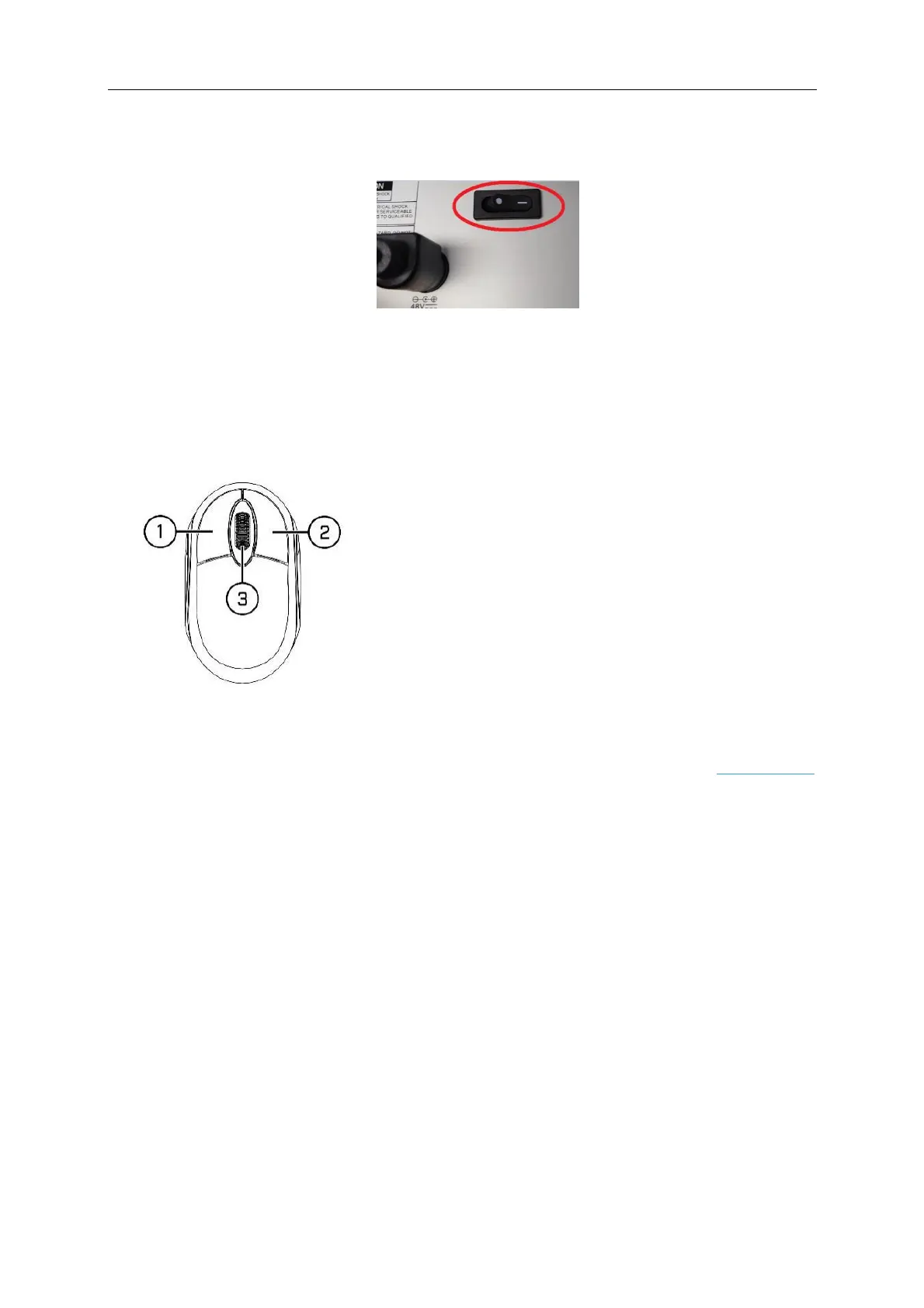
On the rear panel of the NVR set the power switch to the on position
Chapter 3 NVR Common Operations
3.1 Using the Supplied Mouse
1. Left Button:
o
Click to select menu options.
o
During live viewing in split-screen view, double-click on
a channel to view it in full-screen (mainstream).
Double-click the channel again to return to split-screen
viewing.
o
To open the Camera Quick Toolbar single-click on a
channel / camera from the Live Viewing screen. A bar of
icons will then appear
o
Click and hold to drag sliders and scales on menu mode
2. Right Button:
o
Click once to open the Taskbar on the Live Viewing screen. View Taskbar on 4.2.2 Taskbar
o
Continually clicking on the right mouse button will take you back to the live viewing screen.
3. Scroll Wheel:
o
When previewing a camera scroll up / down to digitally zoom in and out.
o
In menus, scroll to move up / down through the menu content.
o
While hovering over the volume control wheel, scroll to turn system volume up / down.



 To Next Page