USER MANUAL
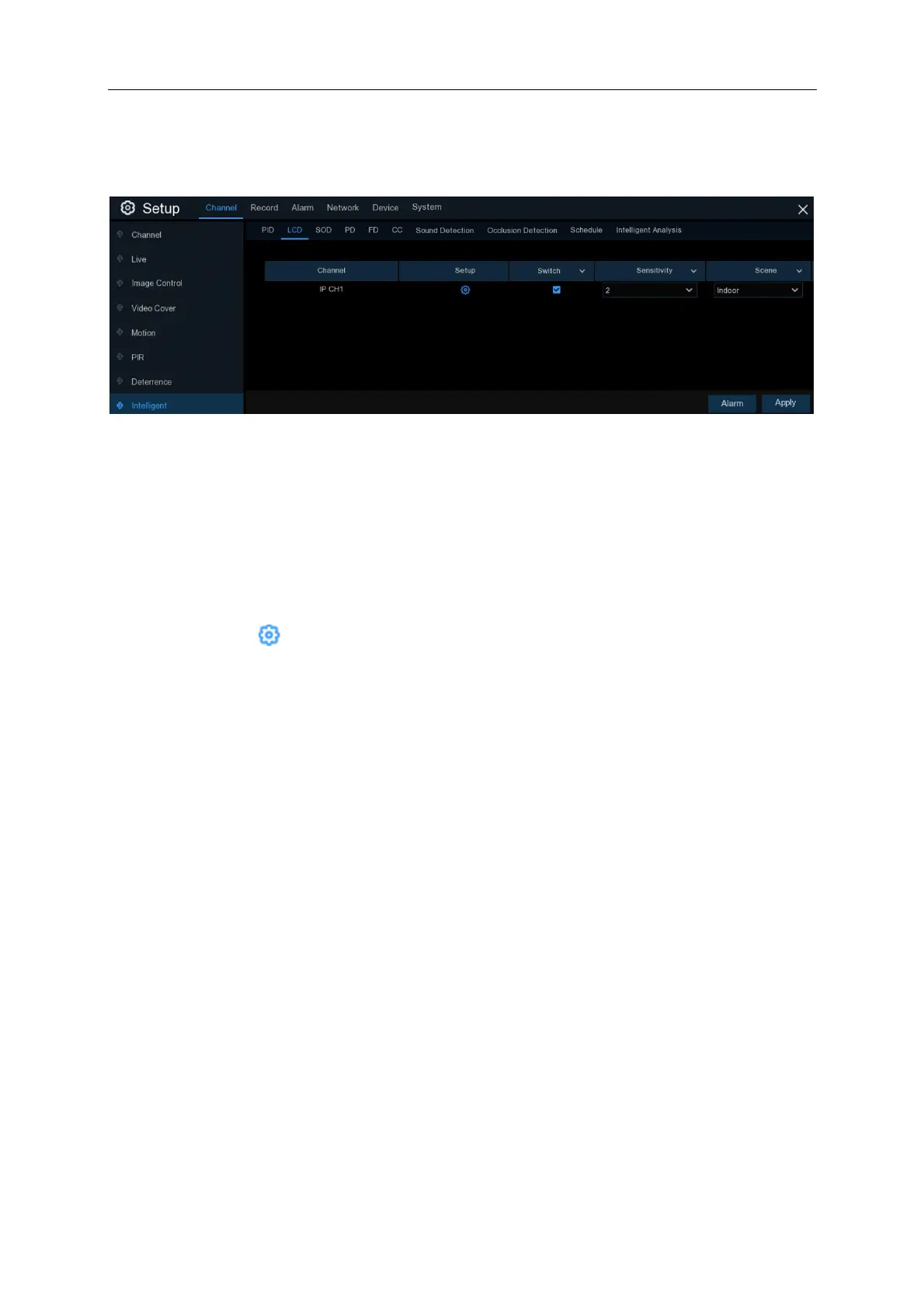
5.1.10.2 LCD (Line Crossing Detection)
Line Crossing Detection function detects people, vehicles or other objects that cross a pre-defined
virtual line, and some certain actions can be taken when the alarm is triggered.
Channel: Select the channel you want to configure
Switch: Ticking will Enable the LCD function. Unticking will disable LCD
Sensitivity: The sensitivity level is from 1 to 4. Higher sensitivity will be easier to trigger the
detection.
Scene: Scene setting includes Indoor and Outdoor. Choose the scene to match the environment
your camera is installed.
Setup: Click on the icon to draw the LCD region. If this icon is greyed out or a camera is not
visible in the LCD menu then it means that the camera does not support LCD function



 To Next Page