USER MANUAL
Setup: Click icon to adjust the motion detection settings for each camera.
5.1.7 PIR (Passive Infrared Motion Detector)
A camera that has an inbuilt PIR sensor means that it can sense movement of warm objects
including people, cars and animals. The advantage of PIR compared to motion only detection is
that it reduces false triggers. Please note that only certain IVSEC camera models support PIR
functionality.
PIR sensors work best when an object moves parallel or passes across their field of view rather
than walking directly at them.
When the PIR is triggered, the purple PIR icon will flash on-screen. If PIR and motion are triggered,
the “running man” as well as the purple PIR icon will flash on-screen
PIR can detect objects outside of the camera’s field of view, so not everything that triggers the
sensor will be visible on your camera.
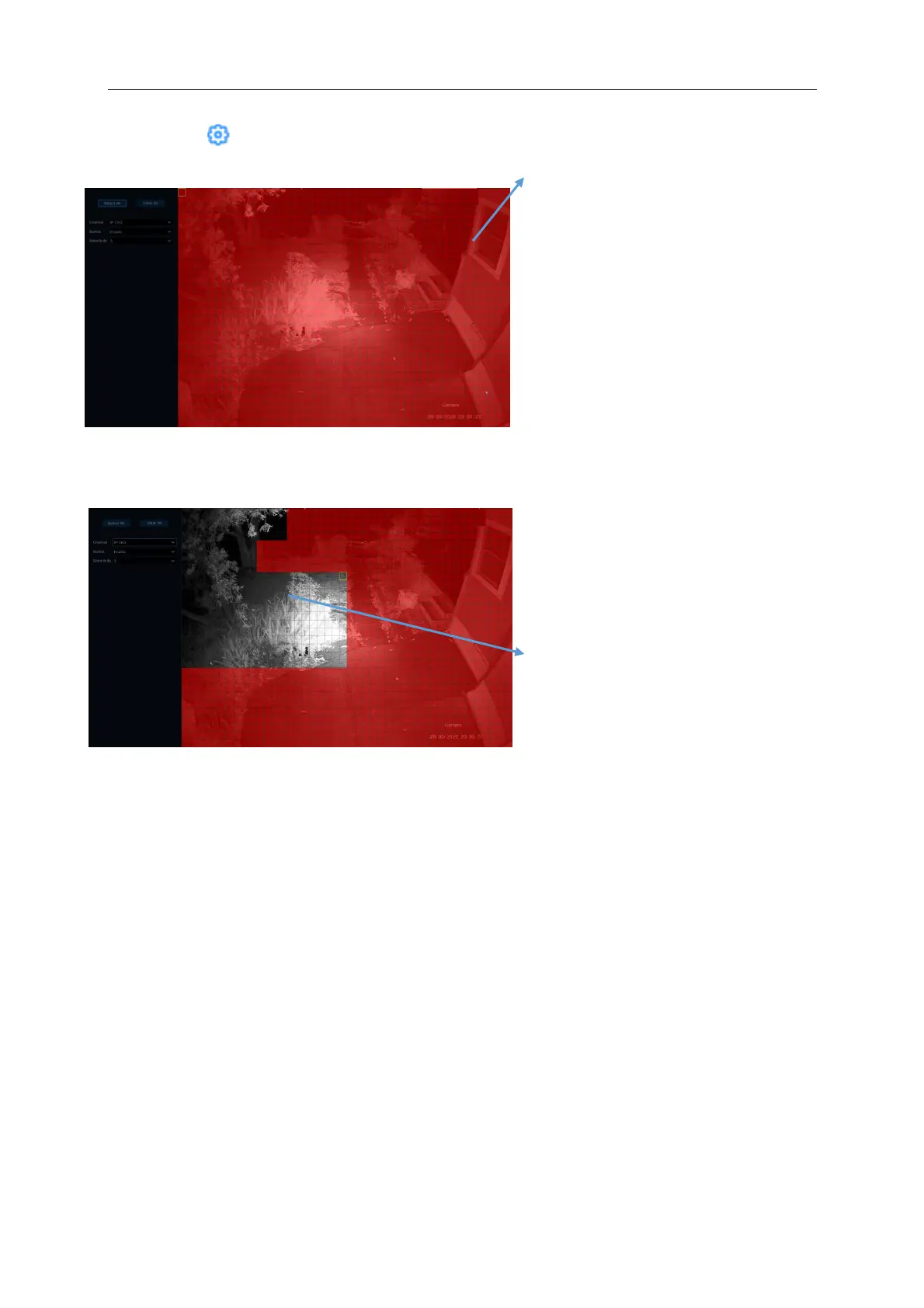
Motion Detection Area:
The image covered in red squares is a
live image of the camera you are editing.
Anything that moves in an area covered
by red squares will trigger an event. By
default, the entire camera screen is
marked for motion detection (red blocks).
To minimise the number of false motion
detections you can de-select areas of the
screen e.g. tree canopies. To disable the
motion detection on a certain area, click
the grid cursor and then drag the mouse
to highlight the scope to unmark the area
into transparent blocks. After changes
have been made, click the right button of
your mouse to return and click Apply on
the bottom right hand corner of the
screen make the area setup effective.
The image shows an area of trees and
bushes that has been de-selected to
minimise false motion detection triggers
in a windy environment



 To Next Page