EasyManua.ls Logo

Ivsec NR308XB - Page 42

Default Icon
129 pages
Print Icon
To Next Page IconTo Next Page
To Previous Page IconTo Previous Page
Loading...
USER MANUAL
37
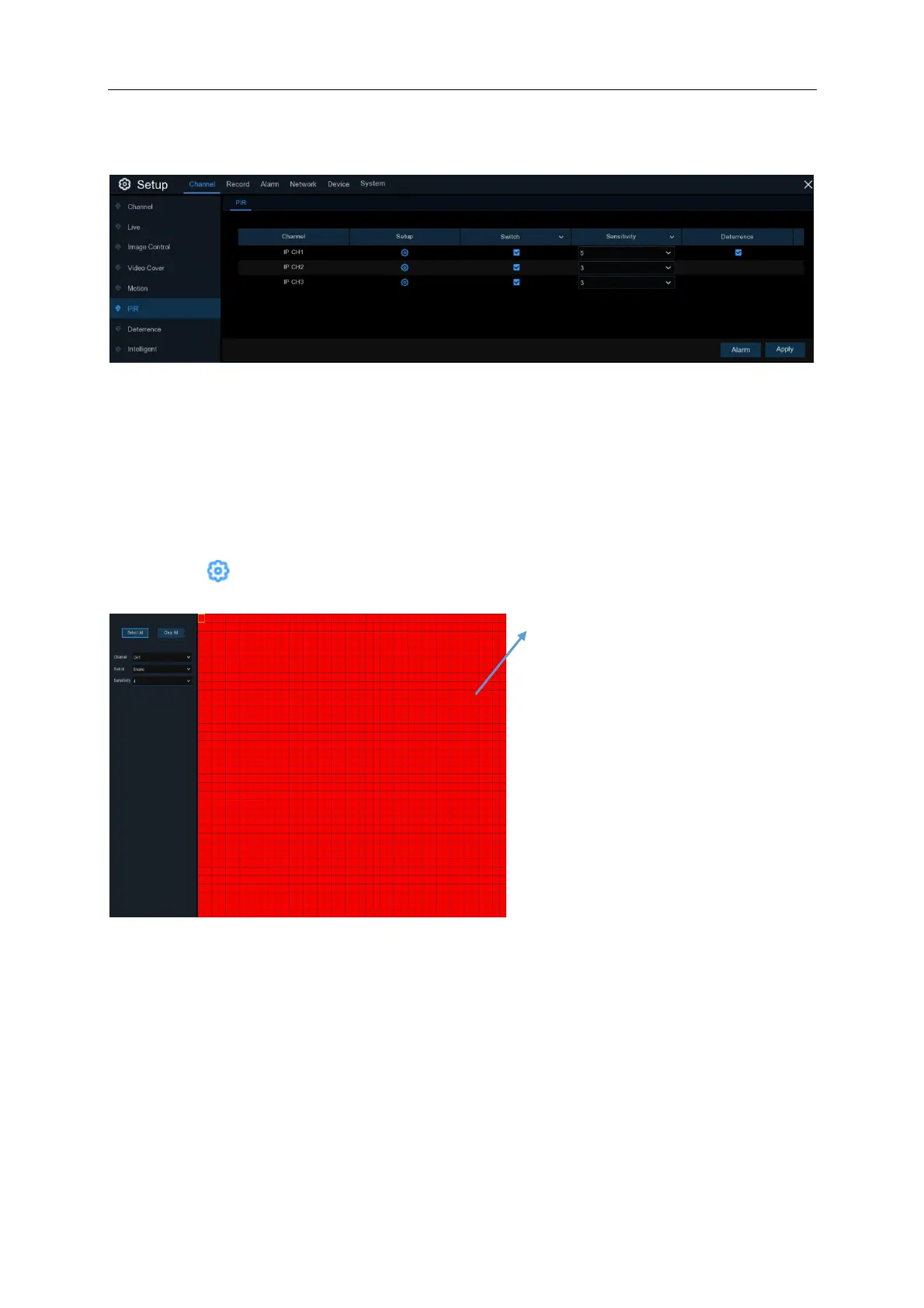
PIR Configuration is very similar to motion detection configuration
Switch: Ticking this box will Enable PIR detection on the camera. Unticking will disable PIR
detection. Click Apply after changing any settings
Sensitivity: Set the sensitivity level. Level 1 the lowest sensitivity level while level 8 is the highest
sensitivity level. The default level set on the cameras is 3
Setup: Click icon to adjust the PIR detection settings for each camera.
PIR Detection Area:
The image covered in red squares is a
live image of the camera you are editing.
By default, the entire camera screen is
marked for PIR detection (red blocks). To
minimise the number of false PIR
detections you can de-select areas of the
screen. To disable the PIR detection on a
certain area, click the grid cursor and
then drag the mouse to highlight the
scope to unmark the area into
transparent blocks. After changes have
been made, click the right button of your
mouse to return and click Apply on the
bottom right hand corner of the screen
make the area setup effective.

Table of Contents