USER MANUAL
Chapter 2 NVR Installation & Connection
2.1 Hard Disk Drive (HDD) Installation
It is recommend that only surveillance grade hard drives are installed into your NVR. Contact your
reseller for hard drive size and pre-installation options.
The NR308X* supports only one 3.5” SATA HDD’s.
The NR316X* supports two 3.5” SATA HDD’s.
The NR532X* and NR564X* supports up to eight 3.5” SATA HDD’s.
CAUTION
:
DO NOT install or remove HDD’s while the NVR is turned on. Ensure the
power supply is disconnected from the NVR while performing this process.
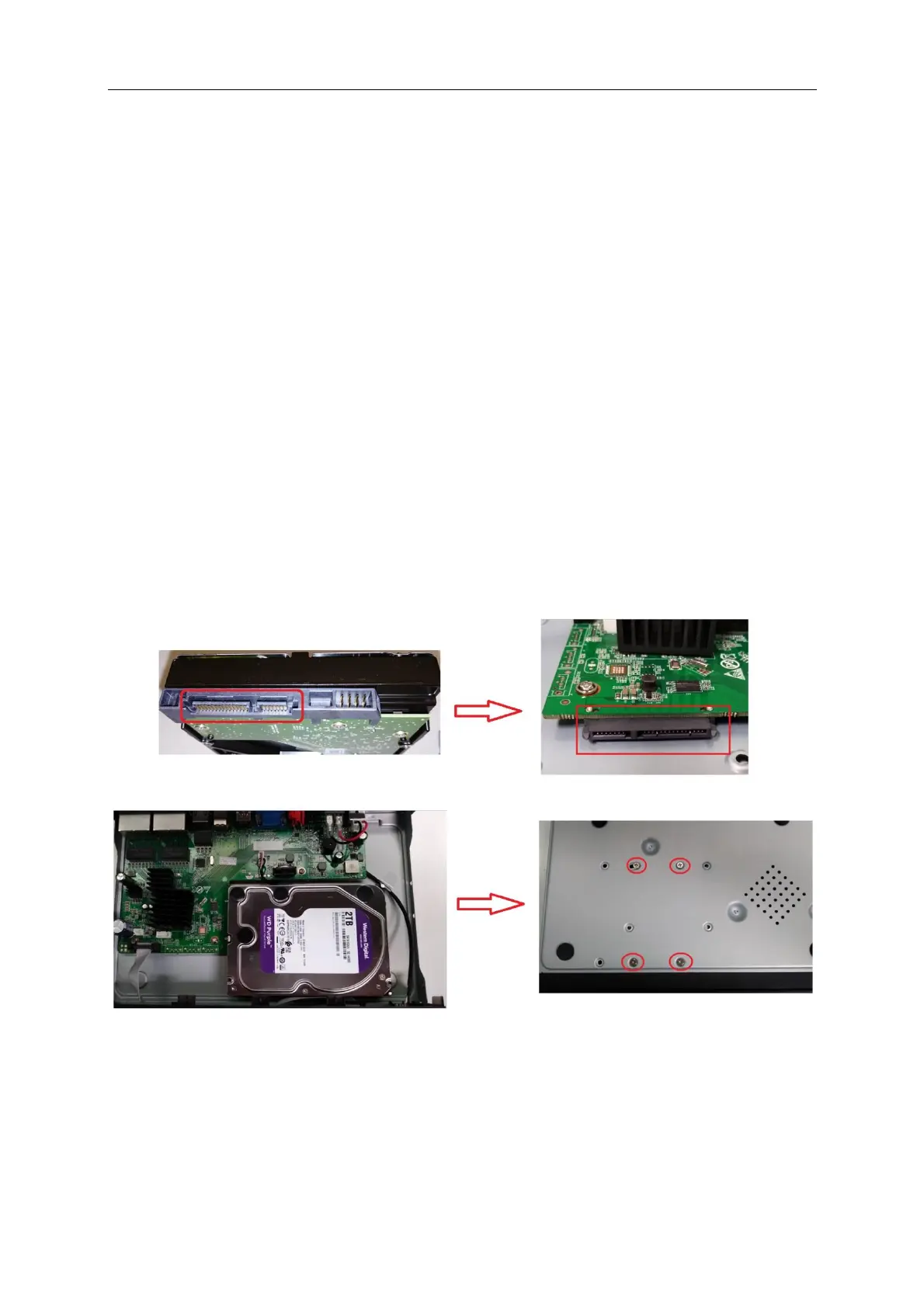
NR308X* HDD Installation
Note: Different NVR models will vary in hard drive installation procedure
a) Carefully slide the SATA connector (L shaped connectors) of the
hard drive onto the SATA slot on the NVR mainboard
b) While holding onto the hard drive carefully flip the NVR case and
secure the hard drive to the NVR with the four (4) screws



 To Next Page