USER MANUAL
Switch: Check the box to enable the monitoring of the event.
Buzzer: Set the buzzer duration when the event occurs (Off/10s/20s/40s/60s). To disable buzzer,
select OFF.
Latch Time: This is an optional function. Determine how long the external alarm device to sound
(10s, 20s, 40s, 60s) if your NVR support to connect external alarm device.
Alarm Out: This is an optional function (NR532XA). Click to enable the external alarm device to
sound. This is an optional function.
Show Message: Check the box to display a message on the screen when No Space on Disk, Disk
Error, or Video Loss event happens.
Send Email: Let the NVR to send you an auto-email when an event occurs.
5.4 Network
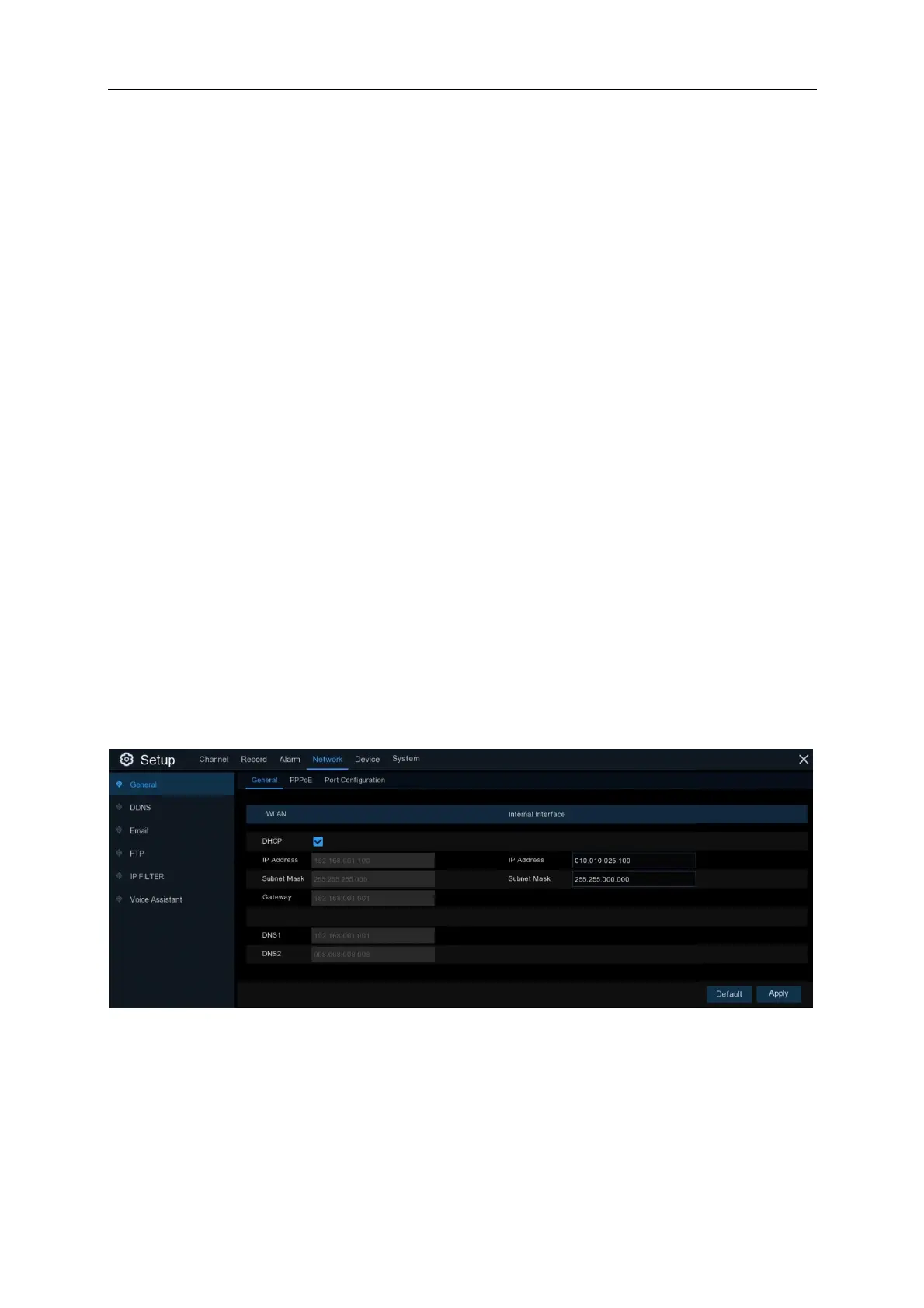
This menu allows you to configure network parameters, such as PPPoE, DHCP. The most
common types are DHCP. Most probably your network type is DHCP, unless the network is
manually addressed. If you need an authentication user name and password to the Internet, then
choose PPPoE.
5.4.1 General
If you connect to a router that uses DHCP, please check the DHCP box. The router will assign
automatically all the network parameters for your NVR. Unless the network is manually addressed
below parameters:
IP Address: The IP address identifies the NVR in the network. It consists of four groups of
numbers between 0 to 255, separated by periods. For example, “192.168.001.100”.



 To Next Page