USER MANUAL
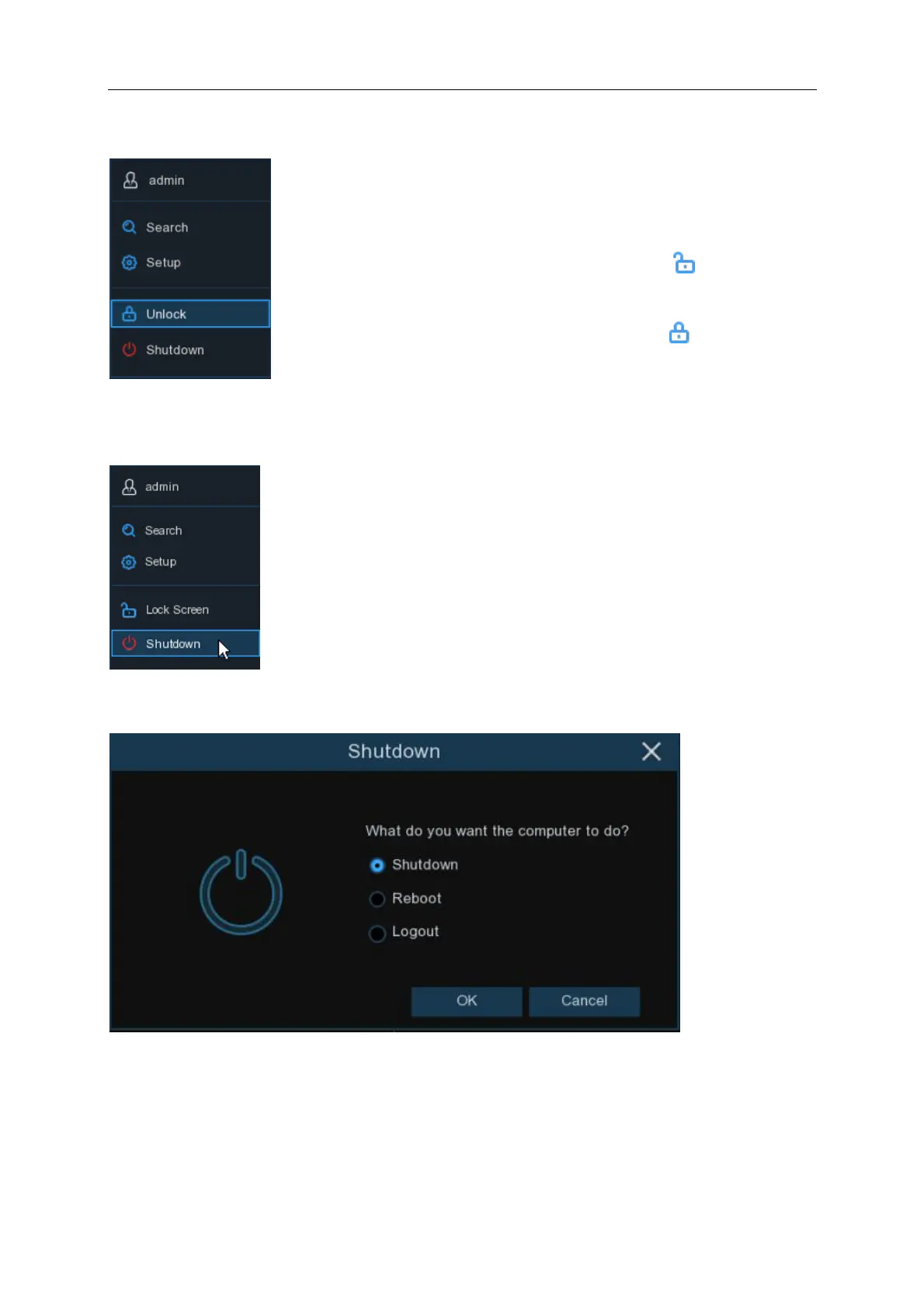
4.2.1 Unlock and Lock Screen
4.2.2 Shutdown
Click the Shutdown button from the Start Menu, select from Shutdown, Reboot or Logout. Click
the OK button; you will be required to enter the Admin password to authenticate.
The screen will automatically lock after 1 minute of inactivity to protect
unauthorised access.
If necessary, you can also lock the screen operation manually. To do so,
go to the Start Menu, then click the Lock Screen icon to lock the
system immediately.
If the system is locked, you can click the Unlock icon to unlock the
system. You will need to enter your password



 To Next Page