USER MANUAL
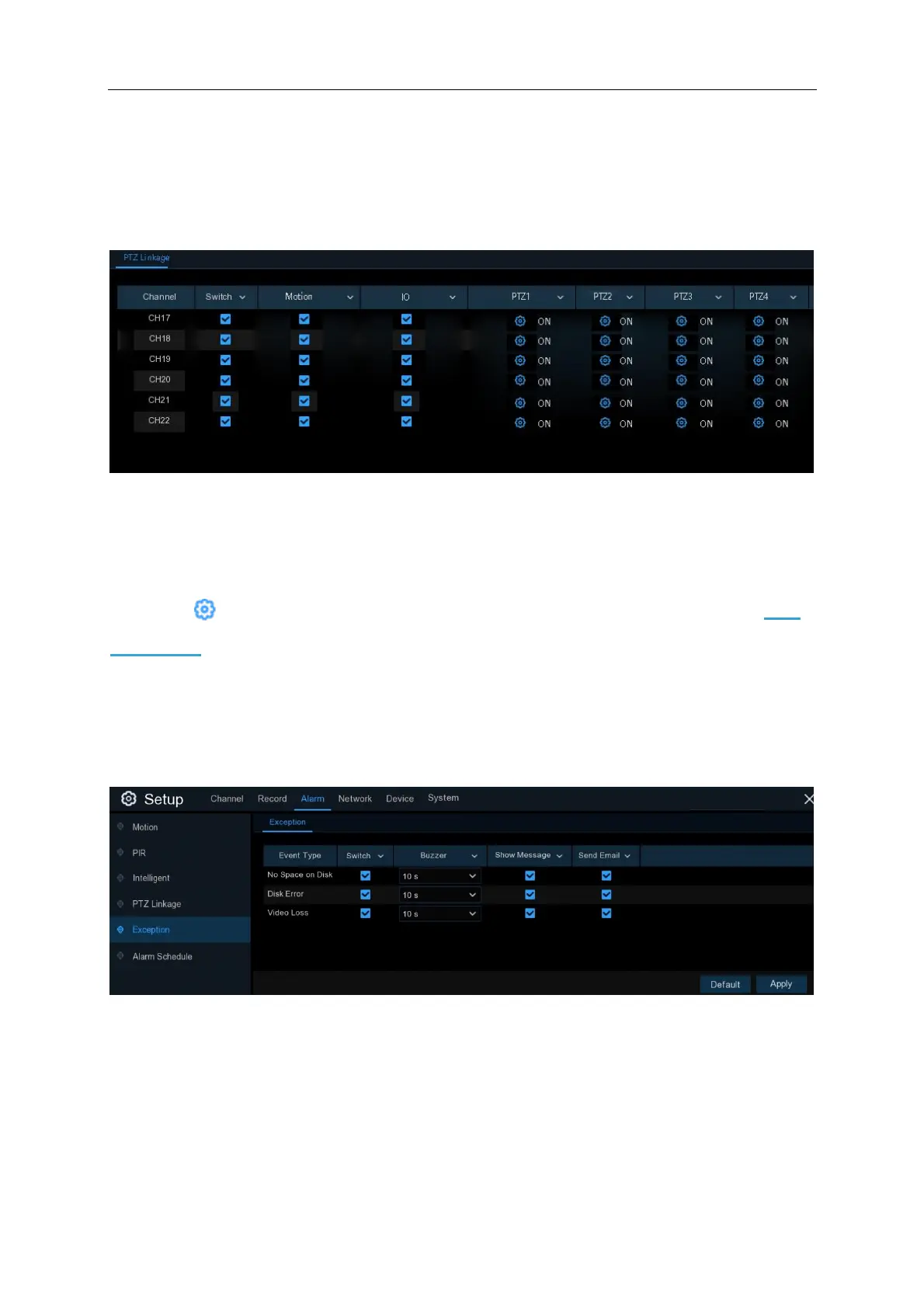
5.3.3 PTZ Linkage
If you have connected PTZ cameras, you can set the linkage between PTZ cameras and Motion
Alarm and/or external I/O sensor alarm. With the linkage function, you can turn your PTZ cameras
focus to the preset point when a motion or I/O alarm happens.
Switch: Enable or disable the PTZ linkage function.
Motion: Motion detection alarm will trigger the PTZ linkage function it is checked.
IO: IO alarm will trigger the PTZ linkage function it is checked.
PTZ: Click icon to associate the PTZ cameras with preset points. View preset point at 4.3.2
PTZ control.
5.3.4 Exception
This menu allows you to set the type of events that you want the NVR to inform you.
Event Type: Select the event type from below options:
- No Space on Disk: When an HDD is full.
- Disk Error: If the HDD is not detected properly.
- Video Loss: If a camera is not connected properly.



 To Next Page