USER MANUAL
5.1.6 Video Cover
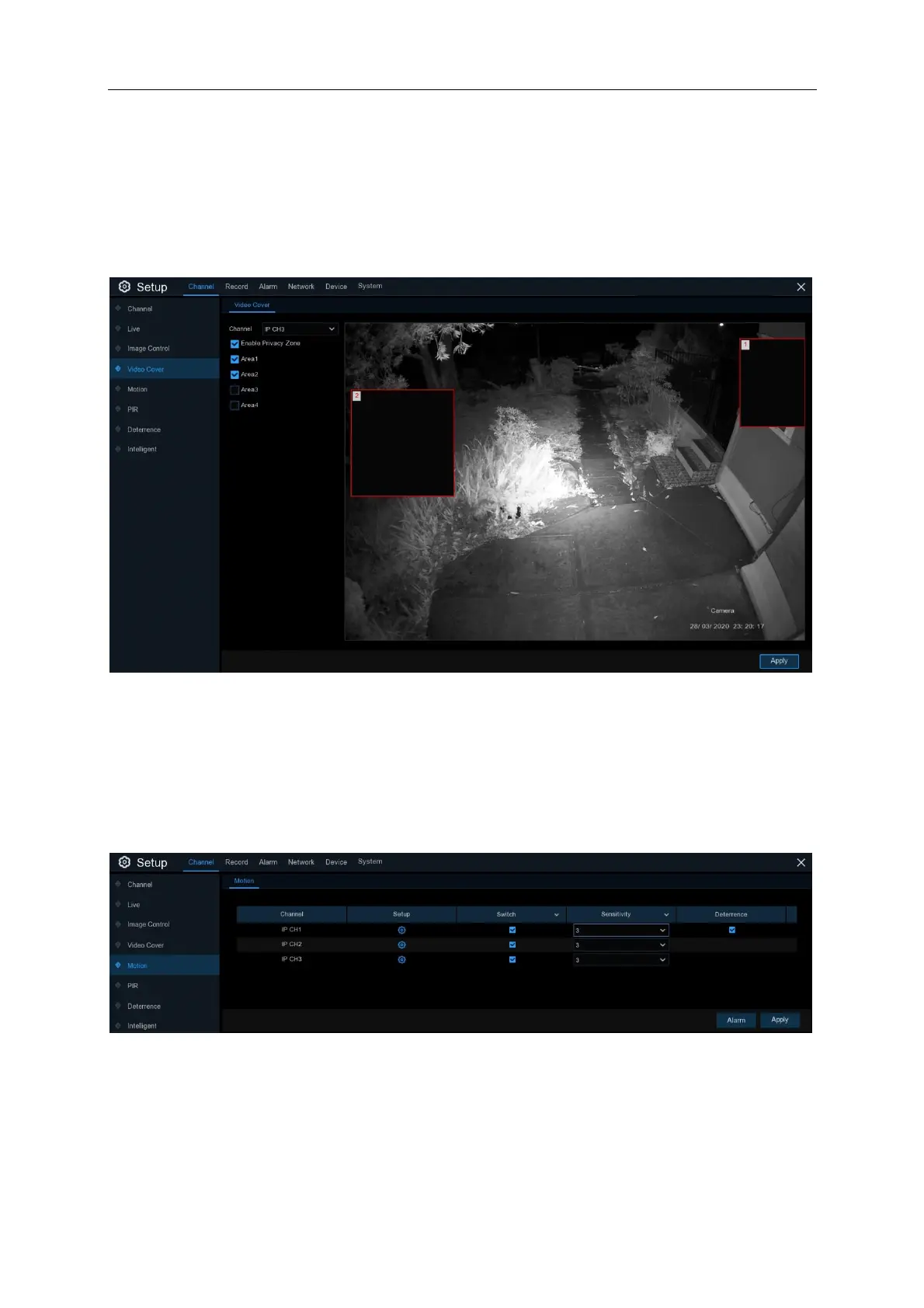
This menu allows you to create privacy zone(s) if you want to partially cover some certain part of
the image. You can create up to 4 privacy zones in any size and location on the camera image.
Enable the Privacy Zone, and choose how many zones you need. The zone(s) appear as “red
box”. Click the edge of the red box and drag it to any size to create a privacy zone.
Note: The area of privacy zones you had set will be invisible in both live view & recording video.
5.1.6 Motion
This menu allows you to configure motion parameters. When motion has been detected by one or
more cameras, your NVR will record the motion events. You can be notified of these events by
configuring push notifications on your mobile application or configuring the email settings.
Switch: Ticking this box will Enable motion detection on the camera. Unticking will disable motion
detection. Click Apply after changing any settings
Sensitivity: Set the sensitivity level. Level 1 the lowest sensitivity level while level 8 is the highest
sensitivity level. The default level set on the cameras is 3



 To Next Page