USER MANUAL
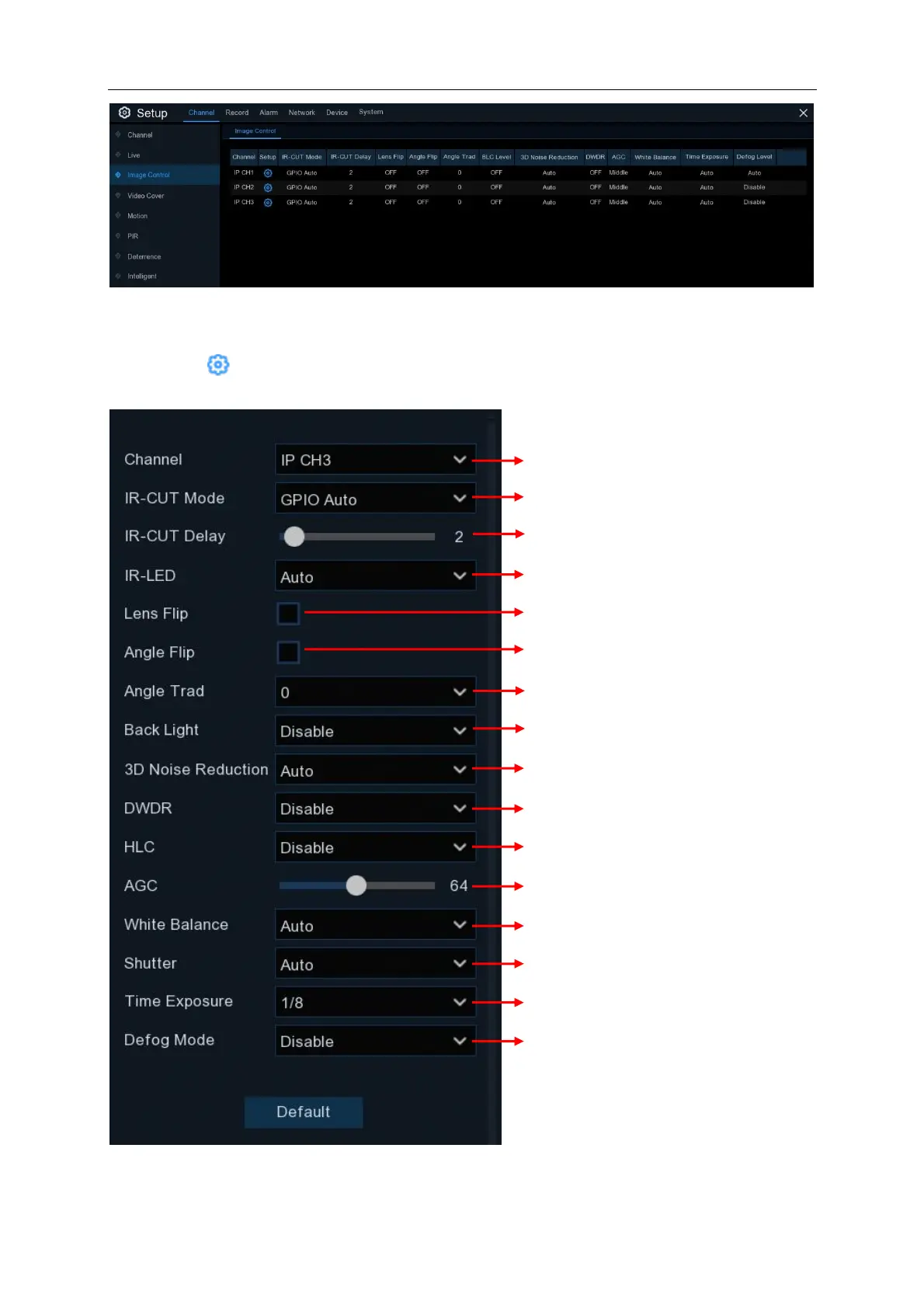
Channel: Channel name.
Setup: Click icon into the setup page.
Enable to automatically adjust the brightness & contrast
in an environment with both dark & bright sources
Choose the exposure time of the camera
To enable or disable 3D noise reduction function
Use in foggy environments to improve the video quality
Choose a channel to configure
GPIO Auto is set as default
Set the delay time of IR-CUT switching
Check to enable vertical lens flip
Check to enable horizontal flip
Select 180 to enable 180 degree clockwise rotation
To enable or disable Backlight compensation



 To Next Page