USER MANUAL
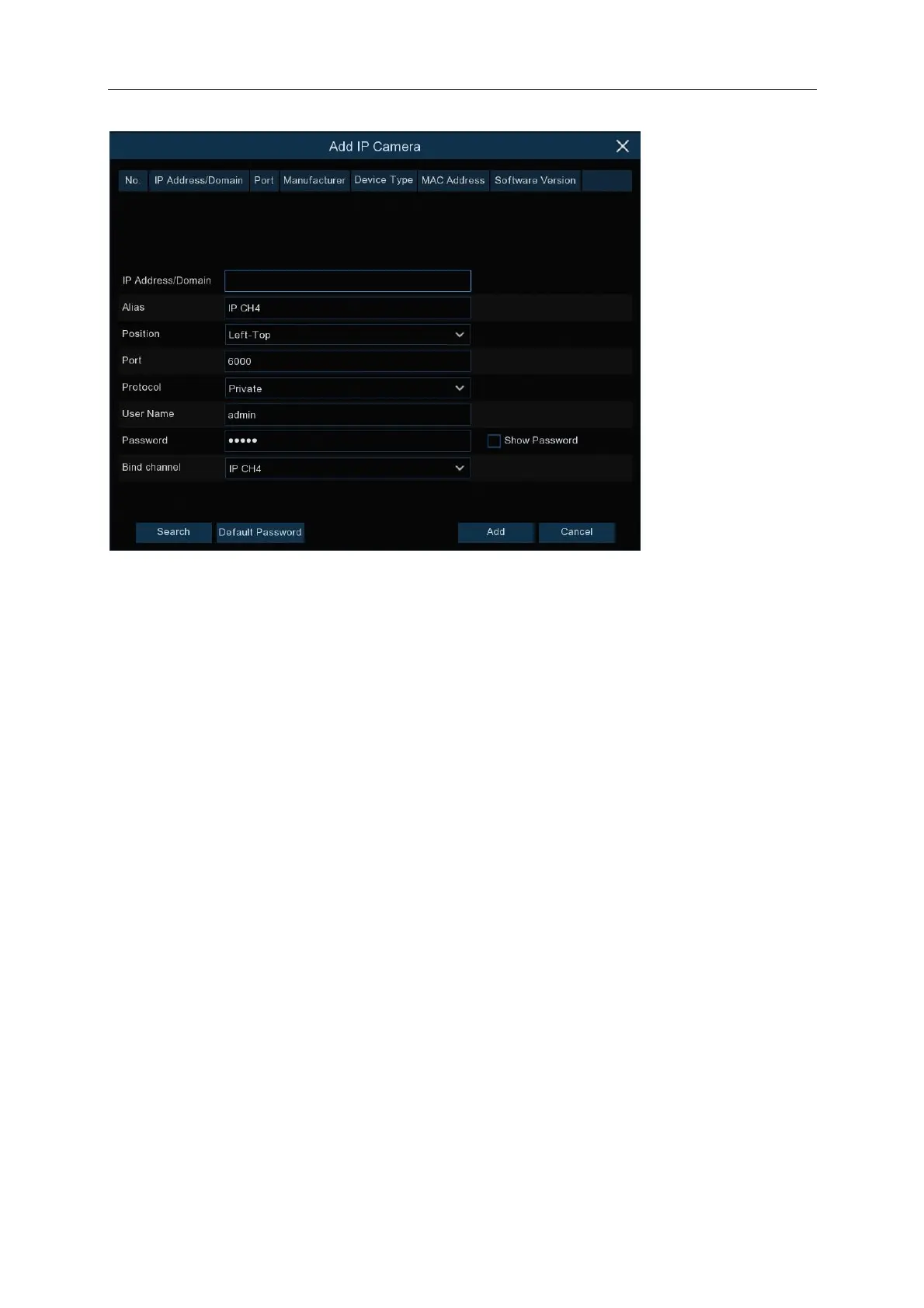
Click Search to search IP cameras from the local network, click Add to add individual IP cameras,
Search: Click button to search IP cameras, and then click one of the IP camera in the device list.
IP Address/Domain: IP address or domain name of the IP camera
Alias: Name of the IP camera
Position: Position to display the camera name on the screen.
Port: Port of the IP camera
Protocol: Choose the protocol of the IP camera from the dropdown menu
User Name: User Name of the IP camera
Password: Password of the IP camera
Bind channel: Choose a channel of the NVR you want to attach to
Auto Assign IP to Camera(s): The added IP camera would be not able to connect if its IP
address is not in the same network segment with NVR. With this function to reassign an IP
address to all added IP cameras.
Channel Delete: Choose one or more added IP cameras, and click this button to delete.



 To Next Page