USER MANUAL
2- Live Video Stream Options:
Mainstream:
View all live videos using high-quality mainstream video settings.
Substream:
View all live videos using middle-quality substream video settings.
Mobile Stream:
View all live video using lower-quality mobile stream video settings to
conserve bandwidth. Available for IP channels only.
3- Main Menus:
Live: View live video from cameras.
Playback: View recorded video which is saved in NVR’s HDD.
Remote Setting: Access functions of the NVR setting menus.
Local Settings: Set download locations for recordings and snapshots taken using Web Client,
and choose file type for video files.
4- Information: Hover over to see system details.
5- Exit.
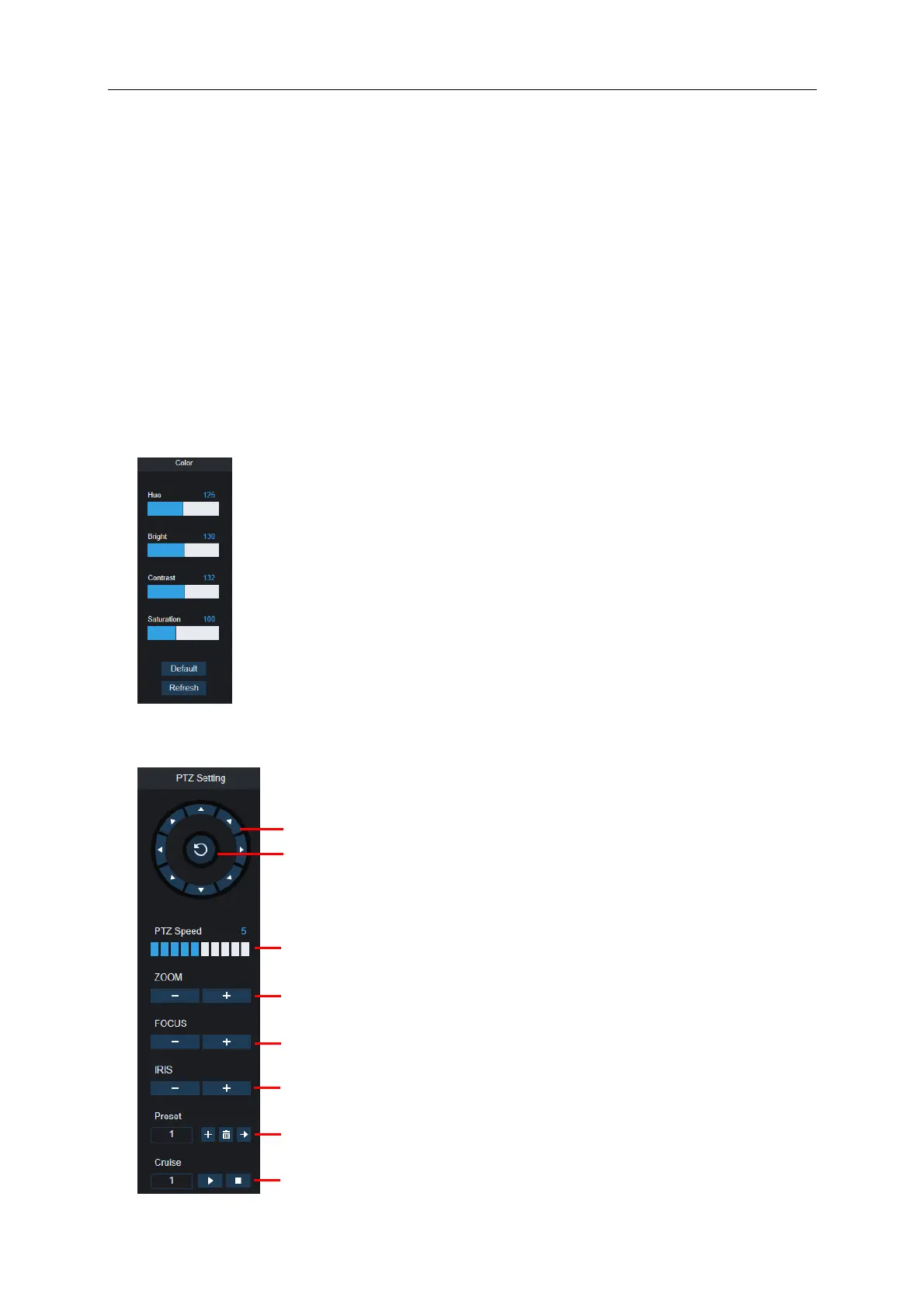
6- Colour Controls. Click to display or hide the colour controls.
7-
PTZ Controls: Click to display or hide the PTZ controls for using PTZ cameras.
8-
PTZ Controls
Directional Arrows: Click to move the PTZ camera
PTZ Speed: Click to set the speed of the PTZ camera’s movement.
Zoom: Click –/+ to zoom in or out.
Focus: Click –/+ to adjust focus.
Iris: Click –/+ to adjust iris.
Preset Point: Add, remove, or go to preset point.
Cruise: Start/stop PTZ cruise



 To Next Page