USER MANUAL
Time Zone: Set the correct time zone (The Default is GMT+ 10 – (applicable for ACT, NSW, QLD,
VIC and TAS).
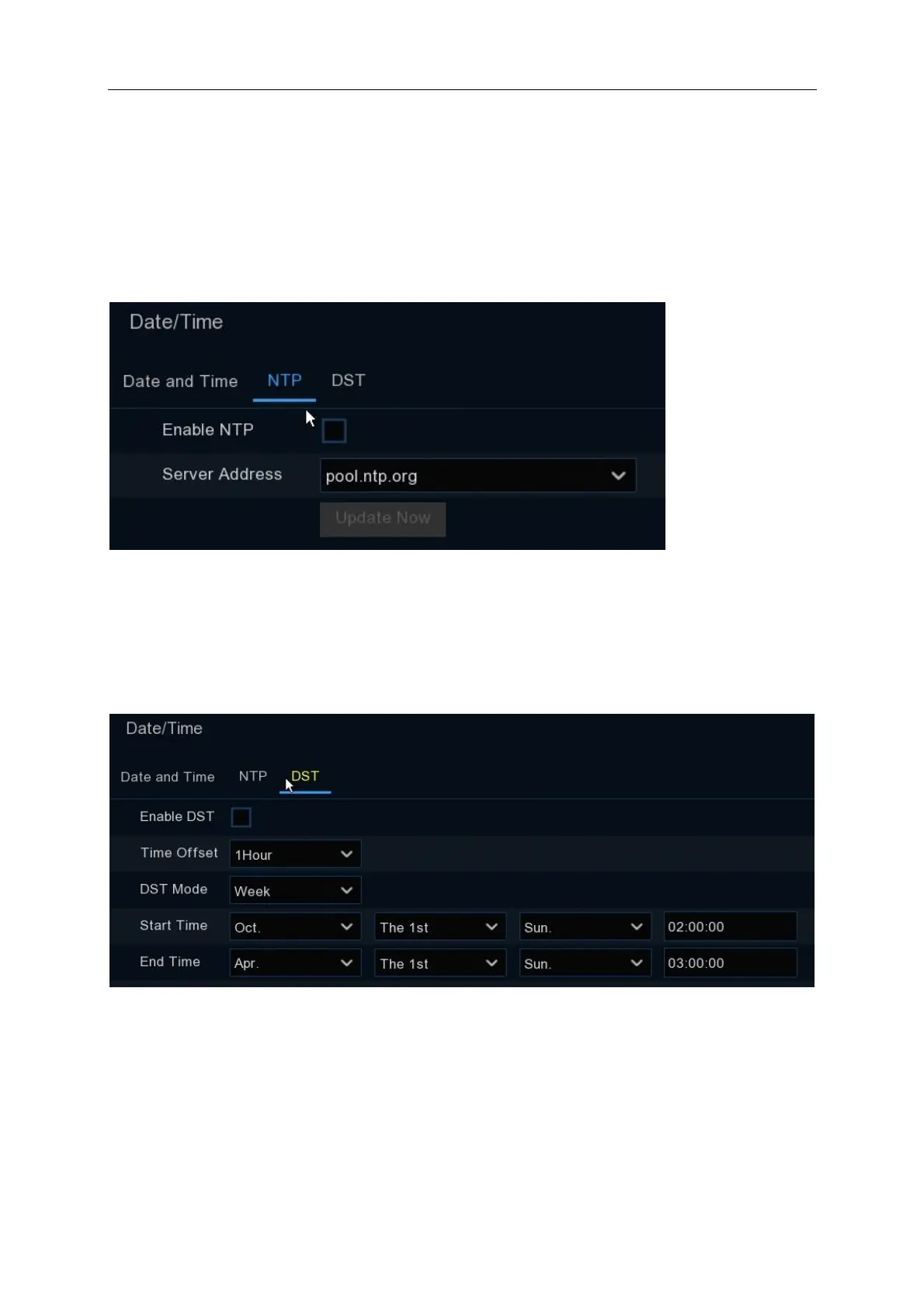
NTP
NTP stands for Network Time Protocol. This feature allows you to synchronise the date and time
automatically on the NVR over the Internet. The default setting is disabled
Tick the “Enable NTP” box, and select pool.ntp.org. Click on “Update Now”
DST
DST stands for Daylight Savings Time.
Enable DST: Enable if Daylight Saving Time (DST) is observed in your region (NSW, VIC, ACT,
SA and TAS). Ensure that you configure the correct Start / End Time settings based on the state
you reside in.
Time Offset: Select the amount of time to offset for DST
Time Mode: Choose to set the daylight saving time in weeks or in days



 To Next Page