USER MANUAL
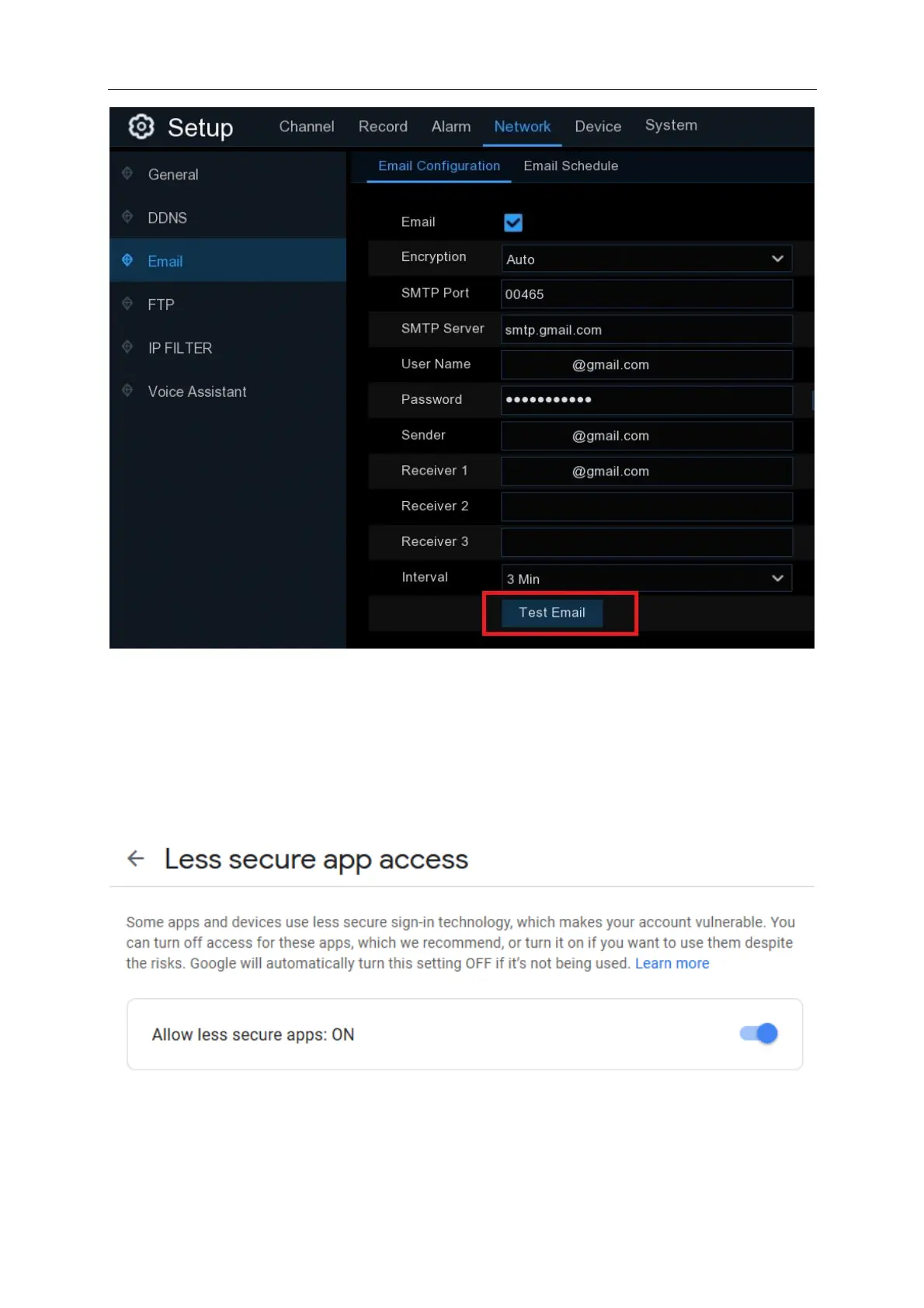
If you are using a Gmail account and all the settings you entered are correct and you haven’t
received an email or you have received an email from Google with “Sign-in attempt was blocked”
you will need to go to myaccount.google.com/security and set “Allow less secure apps” to “ON”.
Once less secure app access has been turned on. Click “Test Email” again from NVR. If you
receive your test email then continue the cloud activation process.



 To Next Page