2011-07-01/00561073 [SCR Power Controller TYA202] 41
4 Operation
4.1.3 Display in the configuration level
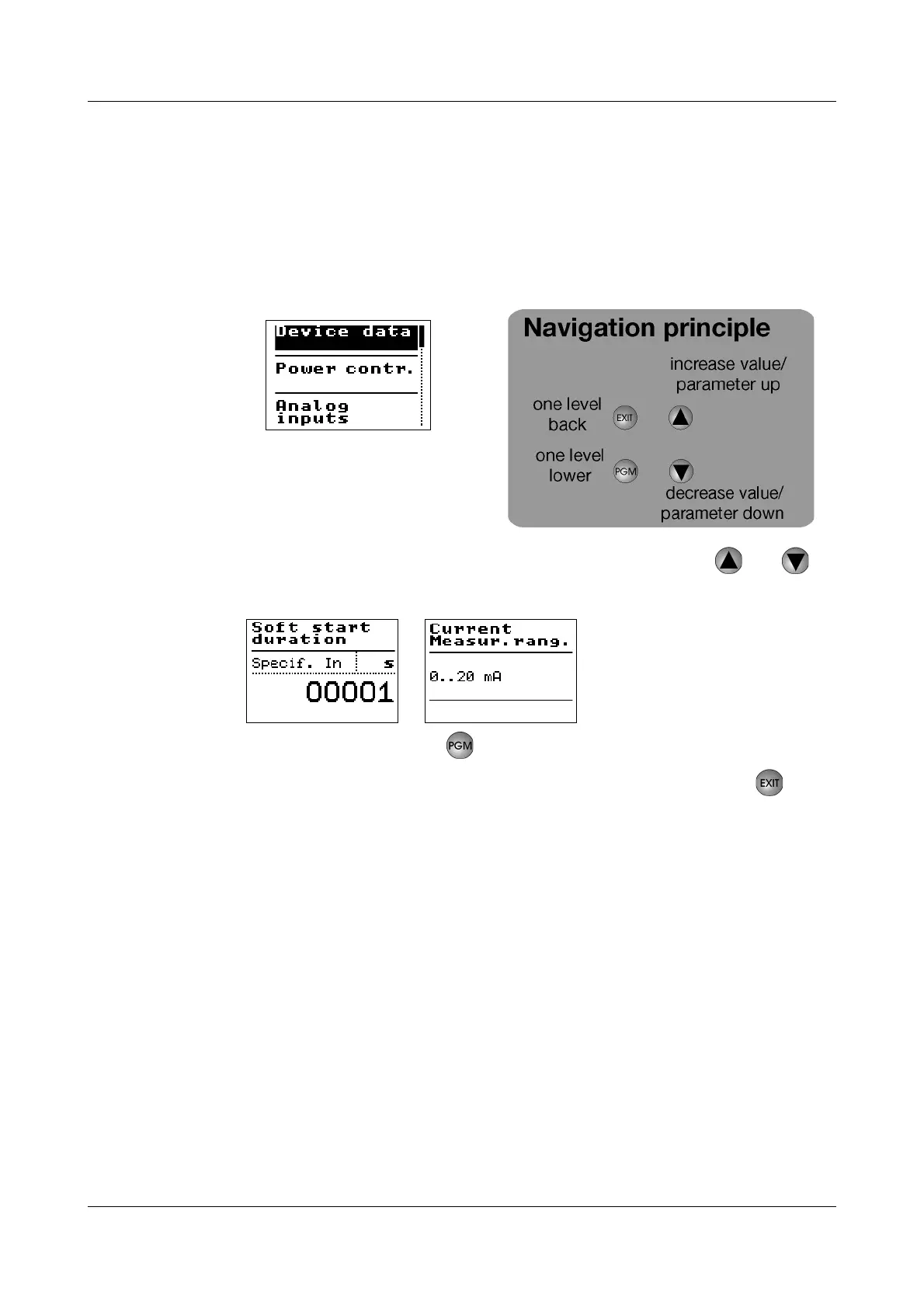
Scroll bar The menu point marked with a black background is selected and contains
further parameters.
If there are more than 3 menu points in a level, a scroll bar appears showing
the current position in the menu.
Navigation
Numerical entry
or
selection
Once you have found the desired parameter, you can use or to
enter a numerical value or select a parameter.
h Save the setting using .
If you do not want to save the value, the entry can be aborted with .


 To Next Page