2011-07-01/00561073 [SCR Power Controller TYA202] 43
4 Operation
4.2 Operator level
This contains the parameters that can be changed during operation without a
restart (reset).
They are factory supplied without a password but can be protected if required
with a 4-digit code.
v Chapter 5.1.11 „Changing codes“
The power controller can be adapted to the system and optimized during
operation.
h From the measured value overview press the key
h Select the operator level and press the key again
Editing a
parameter
The changes will become effective immediately.
If the correct setting e.g. for the display contrast has been found, it can be
saved by pressing .
If you do not want to save the value, the entry can be aborted with .
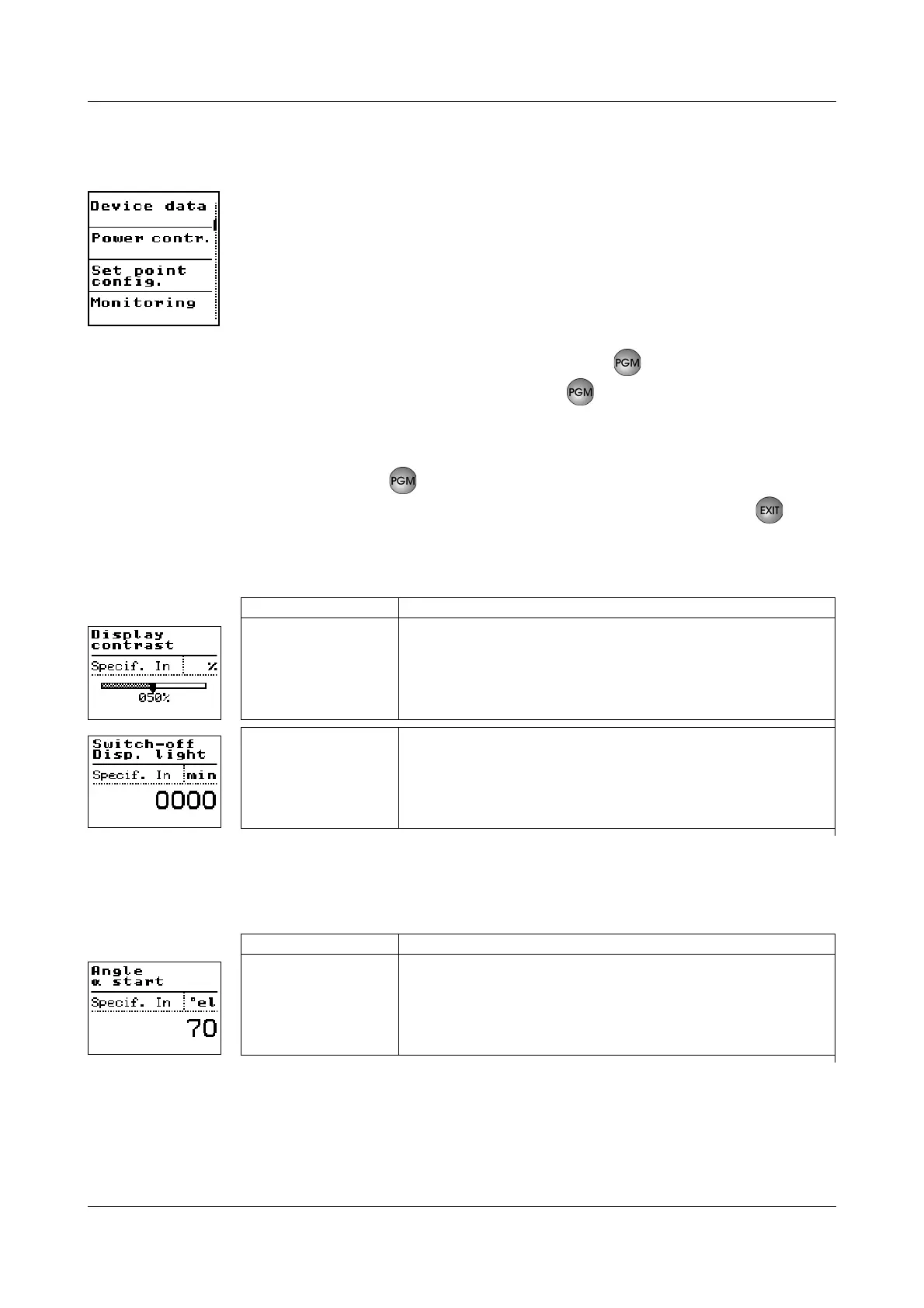
4.2.1 Device data
4.2.2 Power controller
Value range Your setting:
0...50...100 %
0000...1440 min
k / Bold = factory setting
Value range Your setting:
0...70...90°el


 To Next Page