6 Special device functions
68 2011-07-01/00561073 [SCR Power Controller TYA202]
6.2 Manual mode
In this case, the set point value can be manually preset in % without the need
for external wiring via the analog input.
6.2.1 Default set point value in manual mode
Start Manual mode, as set in the factory, can be accessed without entering a code.
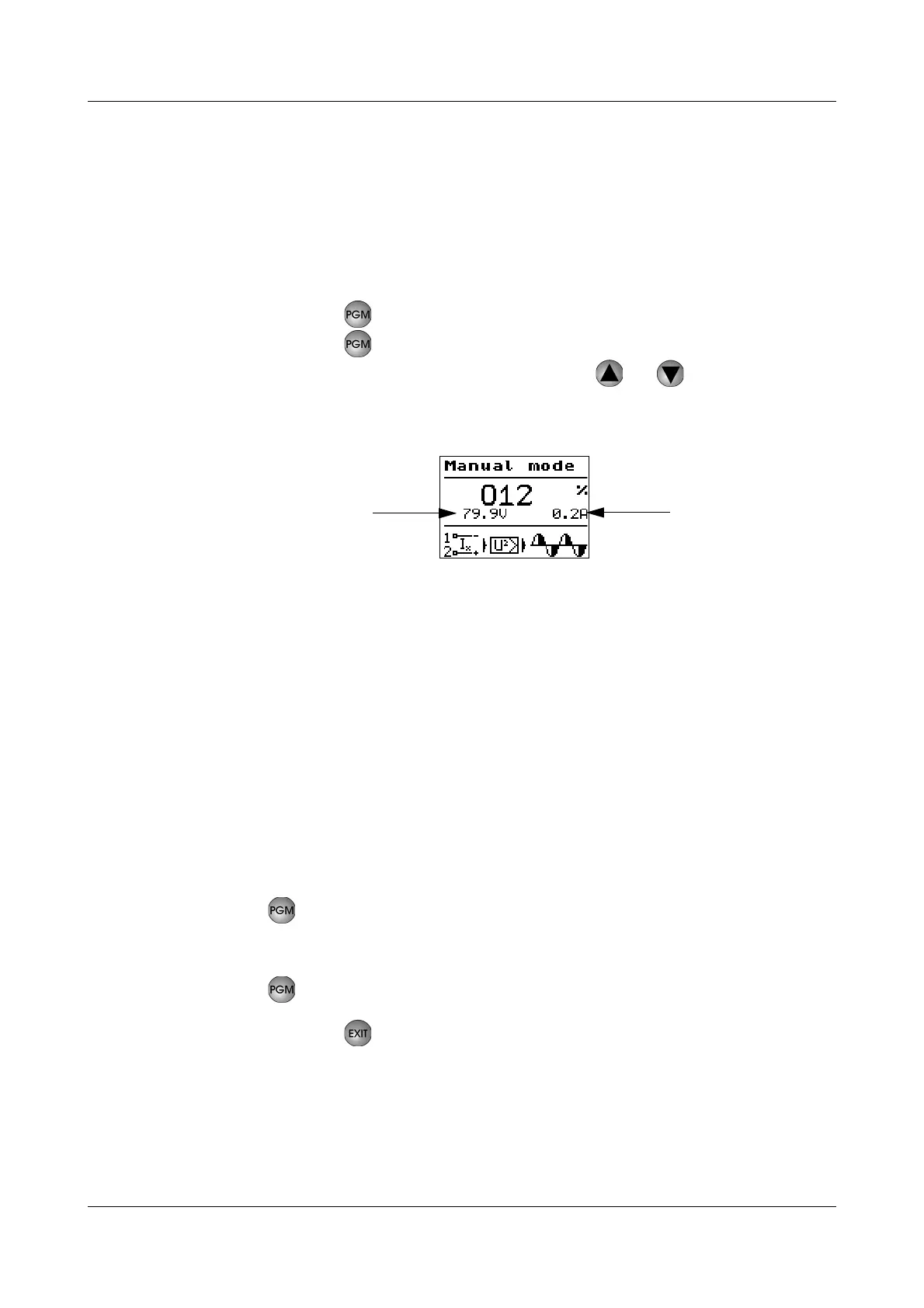
h Press the key 1 x (manual mode)
h Press the key again
h Increase or reduce the set point value with or
The changes will immediately become effective at the load output and are indi-
cated on the display.
6.2.2 Configuring the teach-in (prerequisite for teach-in in manual mode)
The teach-in function records the current/voltage ratio of a load in the OK sta-
tus.
This function is not factory configured.
v Configuration level See “Teach-in type, load monitoring” on page 57.
Configure
"manual"
teach-in
The power controller is in the level "Measured value overview".
h Press the key
h Set to Config.level
➔ Monitoring ➔ Load monitoring ➔ Undercurrent or
Overcurrent
➔ Teach-in type load monit. ➔ "manually“
h Press the key
II
h Press the key 2 x
The device performs a reset.
If the teach-in is being performed for the first time, the message "Teach-in load
monitoring" appears in the bottom line of the display.
The set point value for manual mode is not saved in the event of a pow-
er failure!
After a power failure, the measured value overview is displayed.


 To Next Page