8 Fault messages and alarms
94 2011-07-01/00561073 [SCR Power Controller TYA202]
8.2 Replace defective semi-conductor fuse
Opening the
case
h Disconnect the built-in device from the voltage supply (all poles)
v Chapter 3.3 „Connection diagram“
h Check that the device is isolated (check that green LED Power is NOT lit)
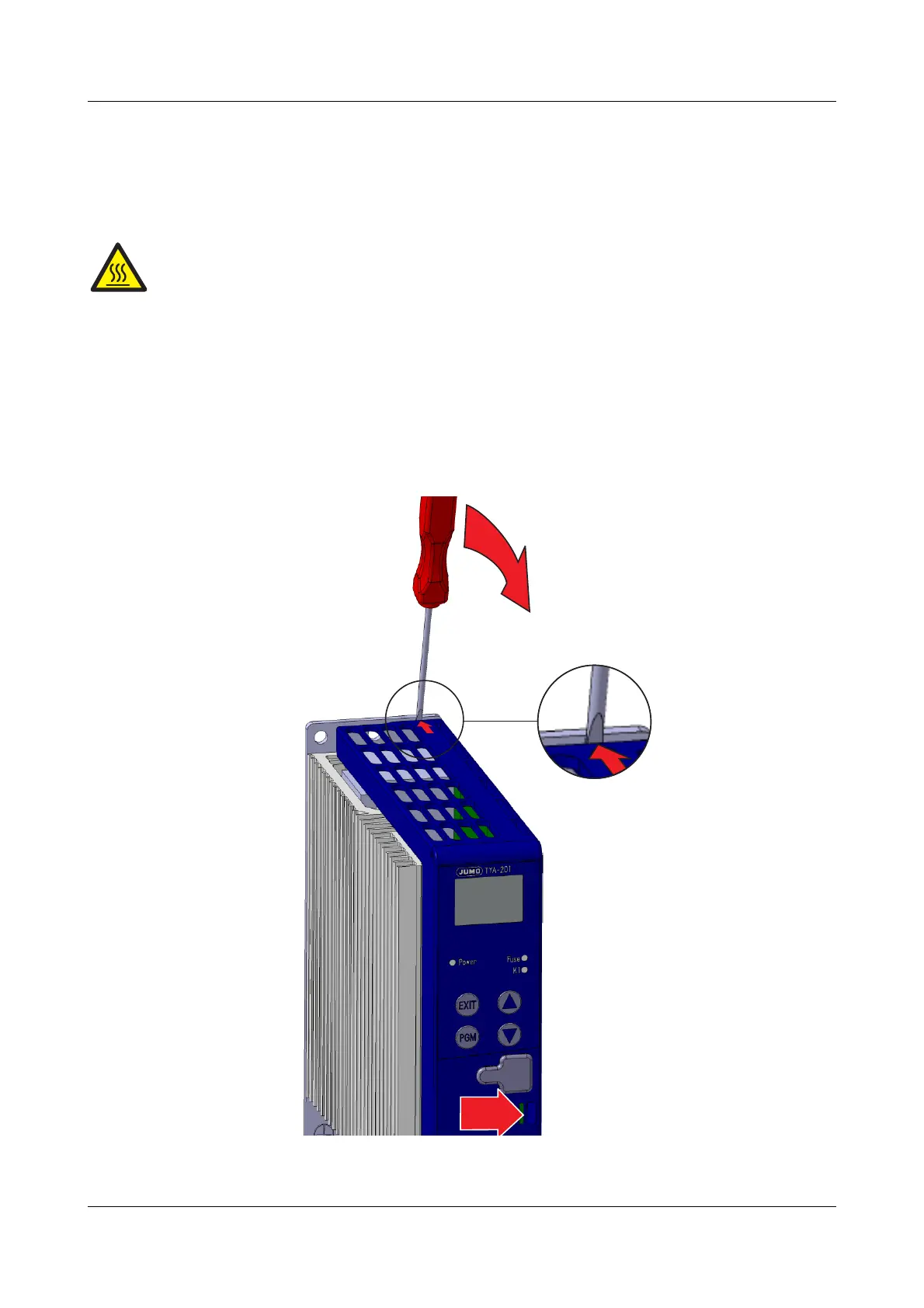
h Press spring clip (A) to the right and lever up the plastic case (at the point
marked with an arrow) using a screwdriver (B).
A plug connection separates the display, keys and interface from the power
section and you will be able to see the semi-conductor fuse.
Caution! Risk of burns!
The device can heat up during operation at the cooling body.
The current device temperature is shown on the display.
v Operating overview (on the first cover page)


 To Next Page