Table 4: SRX100 Services Gateway Specifications (continued)
ValueSpecification
The maximum thermal values for the two models of services gateways
are as follows:
■
Low Memory — AC power: 80 BTU/hour (21.5 W)
■
High Memory — AC power: 80 BTU/hour (21.5 W)
NOTE: These specifications are estimates and subject to change.
Maximum thermal output
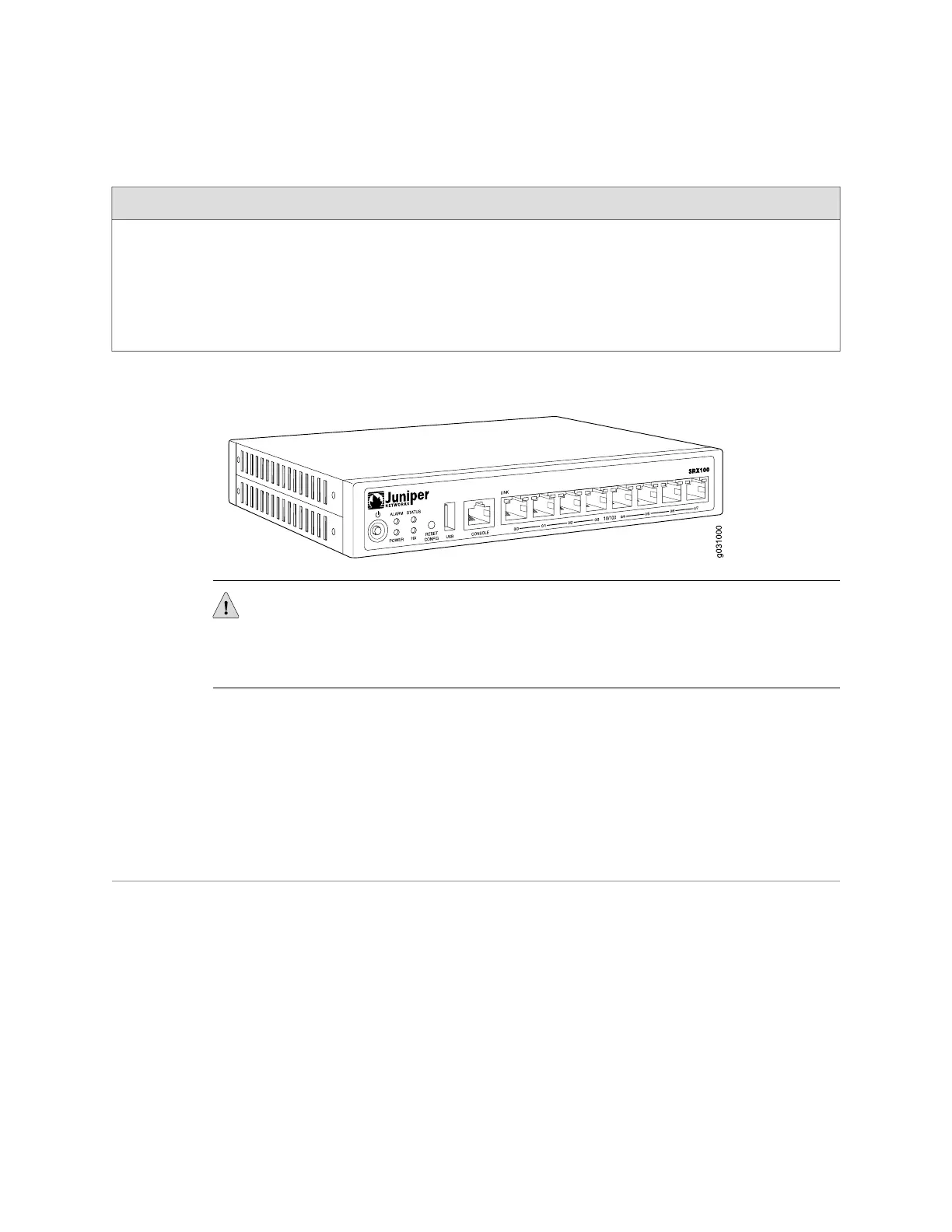
Figure 1: SRX100 Services Gateway
CAUTION: Before removing or installing components of a functioning services
gateway, attach an electrostatic discharge (ESD) strap to an ESD point and place the
other end of the strap around your bare wrist. Failure to use an ESD strap could result
in damage to the services gateway.
Related Topics ■ SRX100 Services Gateway Description on page 3
■ SRX100 Services Gateway Front Panel and Back Panel Views on page 6
■ Monitoring the SRX100 Services Gateway Components Using LEDs on page 81
■ SRX100 Services Gateway Electrical Safety Guidelines and Warnings on page 109
SRX100 Services Gateway Front Panel and Back Panel Views
This topic contains views of the front and back panels of the SRX100 Services
Gateway. This topic includes the following sections:
■ SRX100 Services Gateway Front Panel on page 6
■ SRX100 Services Gateway Back Panel on page 7
SRX100 Services Gateway Front Panel
Figure 2 on page 7 shows the front panel of the SRX100 Services Gateway.
6 ■ SRX100 Services Gateway Front Panel and Back Panel Views
SRX100 Services Gateway Hardware Guide



 To Next Page