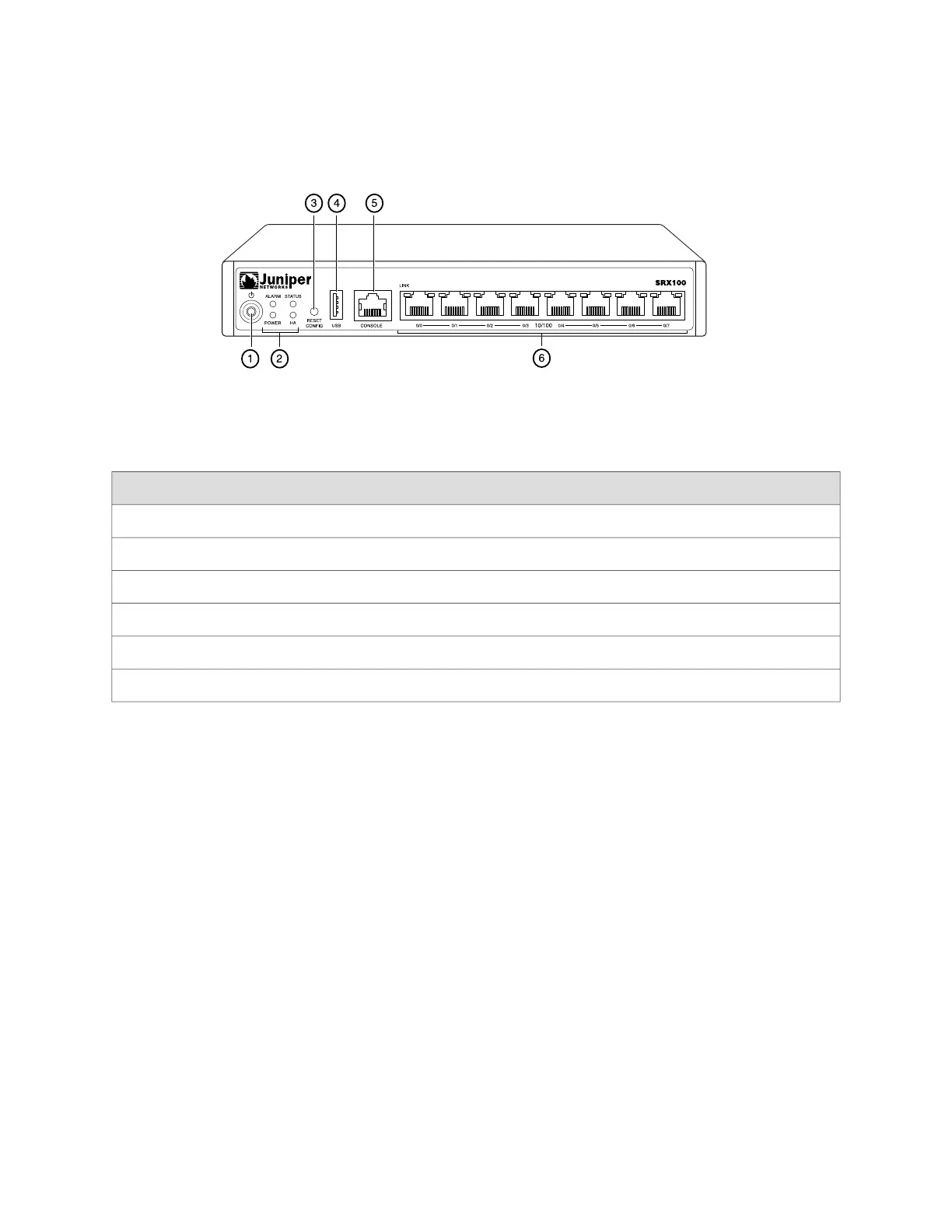
Figure 2: SRX100 Services Gateway Front Panel
Table 5 on page 7 lists the front panel components of the services gateway.
Table 5: SRX100 Services Gateway Front Panel Components
ComponentNumber
Power button1
LEDs: Alarm, Status, Power, HA2
Reset Config button3
Universal serial bus (USB) port4
Console port5
Fast Ethernet ports6
For more information on the front panel components, see the following topics:
■ SRX100 Services Gateway Built-In Interfaces on page 8
■ SRX100 Services Gateway LEDs on page 10
■ SRX100 Services Gateway Boot Devices on page 13
SRX100 Services Gateway Back Panel
Figure 3 on page 8 illustrates the back panel of the SRX100 Services Gateway.
SRX100 Services Gateway Front Panel and Back Panel Views ■ 7
Chapter 2: SRX100 Services Gateway Hardware Components and Specifications



 To Next Page