iv
E-Plex Advanced ACS User’s Guide
Managing Users.....................................................................................................................................3–26
Adding a User......................................................................................................................................3–26
Editing a User......................................................................................................................................3–28
Deleting a User....................................................................................................................................3–30
Batch Enrolling Users (E-Plex 5700 Only) ..........................................................................................3–31
Reading a User Card (E-Plex 5700 Only)...........................................................................................3–33
Managing Doors.....................................................................................................................................3–34
Adding a Door .....................................................................................................................................3–35
Editing a Door......................................................................................................................................3–37
Deleting a Door ...................................................................................................................................3–38
Access Assignment................................................................................................................................3–39
Managing Access Assignment............................................................................................................3–40
Programming Locks...............................................................................................................................3–48
Programming a Lock by Uploading Data from the PC........................................................................3–49
Auditing Locks........................................................................................................................................3–51
Reporting ...............................................................................................................................................3–52
Viewing Reports ..................................................................................................................................3–52
Printing Reports...................................................................................................................................3–53
Saving a Report...................................................................................................................................3–53
Access Schedules Report ...................................................................................................................3–54
Door Groups Report............................................................................................................................3–54
Holidays/Vacations Report..................................................................................................................3–55
Archived PC Activity Log Report.........................................................................................................3–55
Audits and User Tables from Downloaded Doors Report...................................................................3–56
List Door Uploads (M-Unit Uploads) Report .......................................................................................3–59
List Doors Report ................................................................................................................................3–61
List Doors by User Report...................................................................................................................3–63
List PC Activity Log Report .................................................................................................................3–65
List Users Report.................................................................................................................................3–65
List Operators Report..........................................................................................................................3–66
4 Operating the E-Plex Lock at its Keypad ...............................................................................................4–1
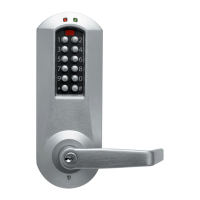
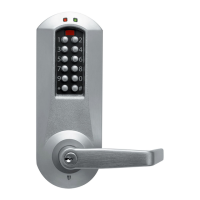
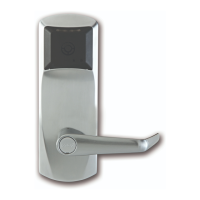
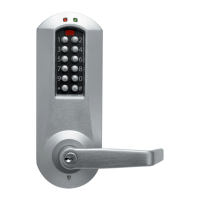
Overview of the Lock ...............................................................................................................................4–2
States of the Lock..................................................................................................................................4–2
Battery Life and Replacement...............................................................................................................4–2
Sequence of Operations .......................................................................................................................4–3
Default Values of the E-Plex 5200 and E-Plex 5700 Lock Programmable Parameters .......................4–4
Configuring the Lock Functions ...............................................................................................................4–4
Initial Programming of the Lock ...............................................................................................................4–4
Entering Pushbutton Programming Mode.............................................................................................4–5
Modifying the Master User PIN (Command 000#)................................................................................4–5
Additional Pushbutton Keypad Commands ..........................................................................................4–6
Resetting the Lock.................................................................................................................................4–7
Summary of Pushbutton Programming Commands ............................................................................. 4–8
Visual Feedback Message Definitions ..................................................................................................4–8
5 Programming and Auditing Locks..........................................................................................................5–1
M-Unit Handheld PDA .............................................................................................................................5–2
M-Unit User Definition ...........................................................................................................................5–3
Programming Locks.................................................................................................................................5–3
Transferring Files from the PC to the Lock through the M-Unit ............................................................5–3
Auditing Locks..........................................................................................................................................5–8
Transferring Files from the Lock to the M-Unit......................................................................................5–8
Transferring Lock Audits from the M-Unit to the PC ...........................................................................5–12
Viewing Lock Diagnostics ......................................................................................................................5–12
To View Lock Diagnostics ...................................................................................................................5–13
Data Management .................................................................................................................................5–13
Managing Lock Data ...........................................................................................................................5–14





 To Next Page