KCP Heavy Industries Co., Ltd. General technical description
3-7
Special features of the cable remote control
Restart pump after EMERGENCY STOP
The red “Fault” indicator lights up and the green “Pump running” indicator is on when the
EMERGENCY STOP button is pressed. You may only start the pump up again as described below:
- unlock the EMERGENCY STOP button by turning it,
- deactivate EMERGENCY STOP (red indicator lamp goes out);
- Switch the pump off and then back on again at the “Pump On /Off”
toggle switch (pump runs and the green indicator lamp light up).
3.4.3 EMERGENCY STOP button
There are a number of EMERGENCY STOP buttons on machine. These are located:
- on every support control block
- on the cable remote control systems
- on the control panel or on the control cabinet
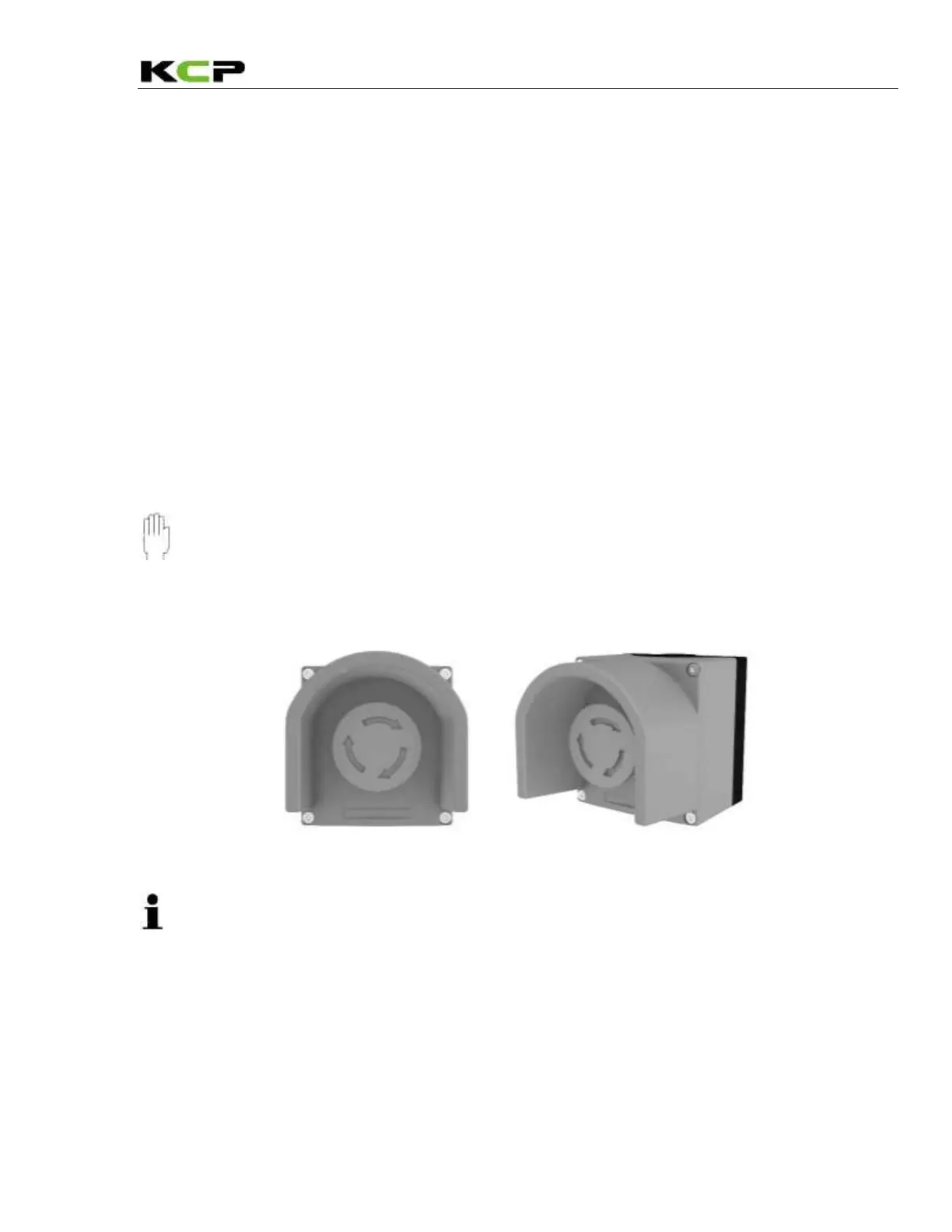
Some possible positions of the EMERGENCY STOP button are shown in the illustration below.
Caution __________________________________________________________________
Familiarize yourself with the positions of the EMERGENCY STOP buttons on your machine.
_________________________________________________________________________
EMERGENCY STOP button
Note _______________________________________________________________________
You need only press one of the EMERGENCY STOP buttons to trigger an EMERGENCY
STOP of the machine. To release the EMERGENCY STOP condition again, you must un-lock
the EMERGENCY STOP button that has been pressed by turning it. You must switch the
pump off and back on again to restart the pump.
____________________________________________________________________________



 To Next Page