KCP Heavy Industries Co., Ltd. Troubleshooting
6-4
6.1.3 Pressure setting of hopper 3-handvalve block
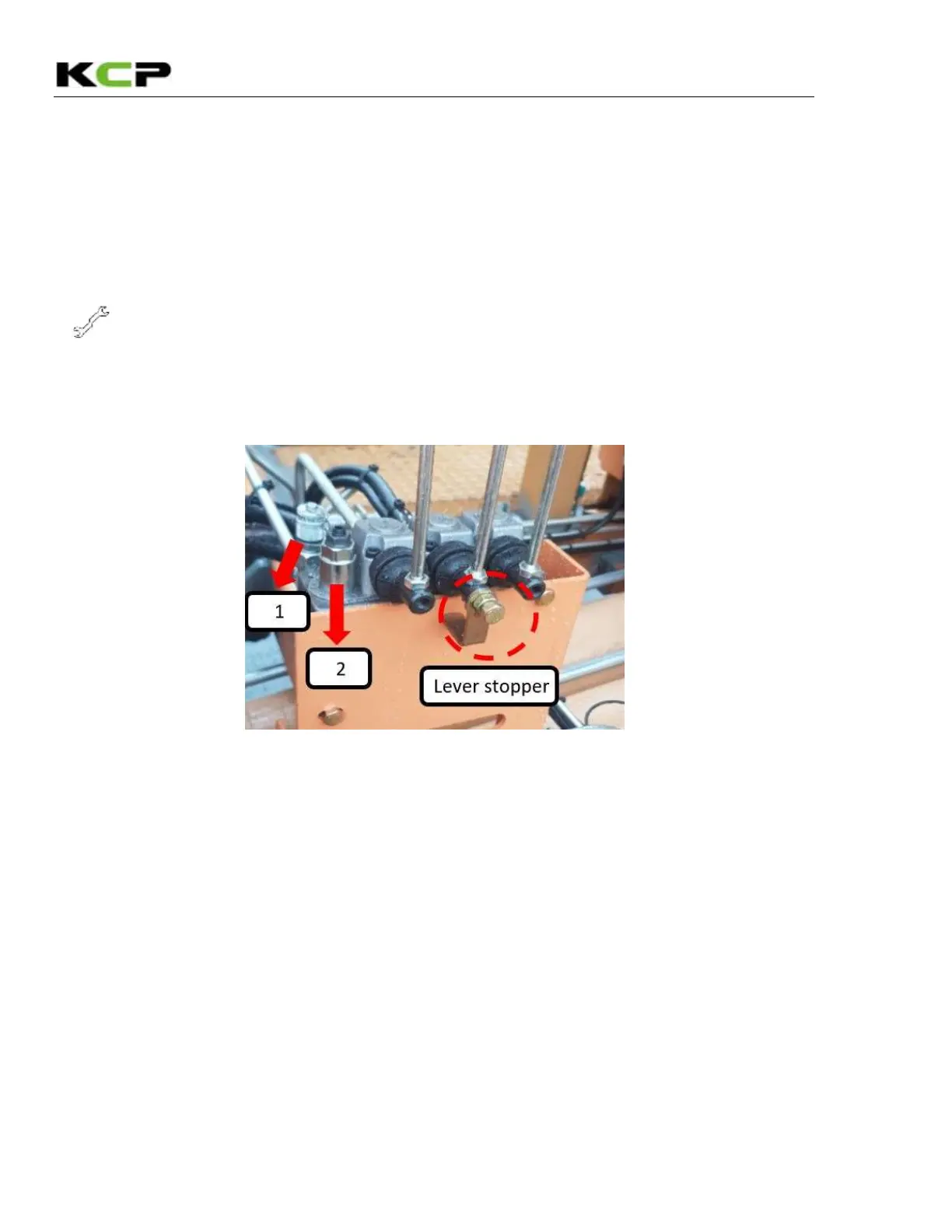
(1) Before setting pressure, remove lever stopper as red-dot-circle and
Push the lever to down position.
(2) Install the pressure gauge into #1-gauge port.
(3) Set the pressure through #2-relief valve.
(Setting pressure: under 150bar required, if over 150bar could make gear oil pump broken).
▶
Setting procedures
Tools: 4mm L-wrench, 13mm wrench and 400BAR
pressure gauge.
① Release the keeper nut with a 13mm wrench.
② Set the proper pressure with a 4mm L-wrench.
(Turning clockwise: pressure increase, anticlockwise: pressure decrease).



 To Next Page