EN UG-020 Link 6 user guide r1.0 102
Controller lights Wrist ring Description
Power knob on controller
illuminates white steadily.
ACK button on the controller does
not illuminate.
Wrist ring illuminates white
steadily.
Move the arm in any direction
with KortexWebApp while
holding the pendant enabling
device in the pressed position.
When the robot is in Manual mode, Link6 operates strictly in Reduced safety speeds to reduce
the possibility of injury.
Exit Manual jog mode by releasing the enabling device. Link6 returns to the Monitored stop state.
Related topics
Safety modes on page 57
Jog Angular panel on page 213
Jog Cartesian panel on page 211
Mode: Hand Guiding
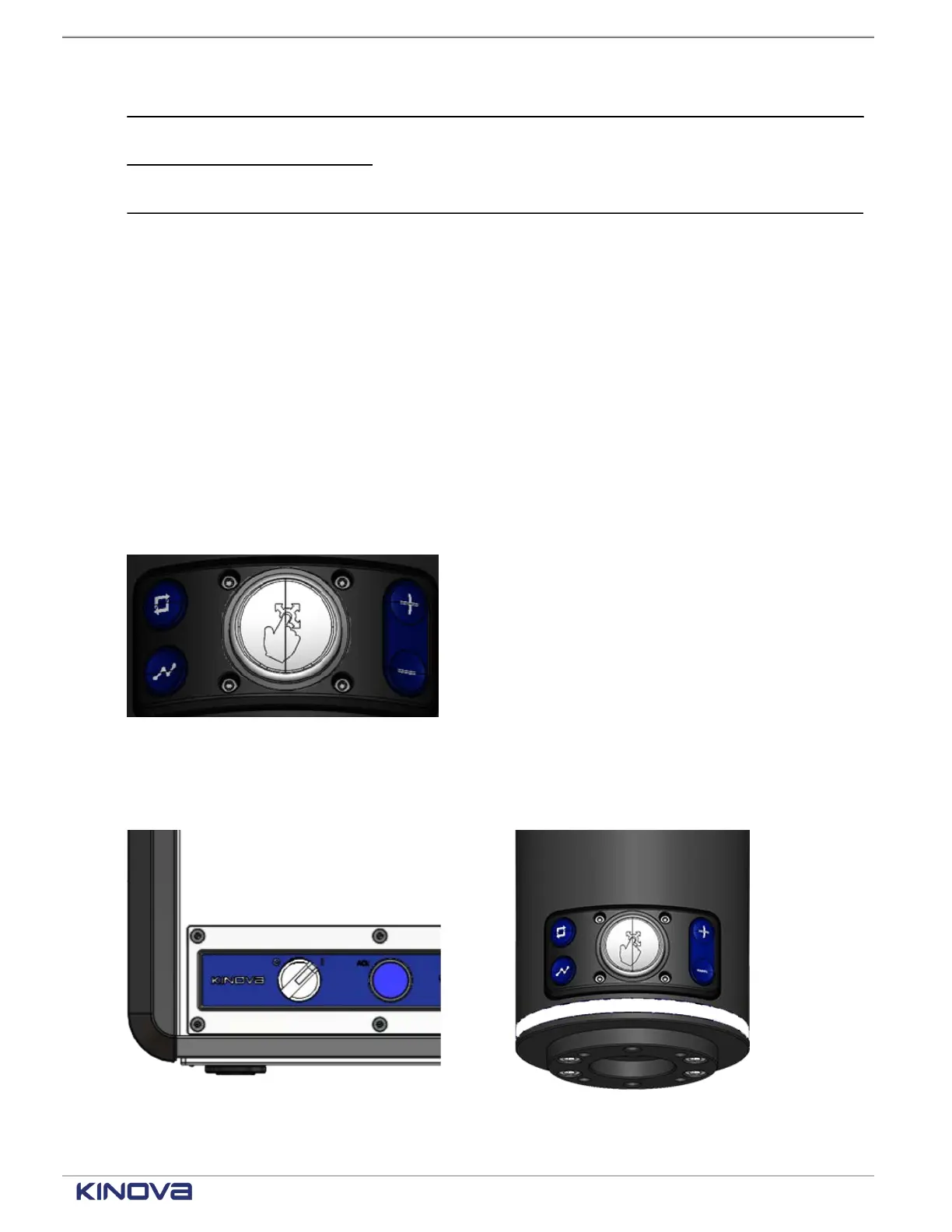
Use Hand Guiding mode to move the robot to a specific location by using one hand.
While keeping the wrist enabling device pressed in the middle position, move the arm up or down,
left or right, forward or backwards, as well as rotate the arm or the wrist around any of the joints.
Figure 86: Center button on the wrist is the wrist enabling device button
The arm stops moving when the wrist enabling device is not pressed or when it is pressed
completely.
Figure 87: Visual cues of the Hand Guiding mode
+1 514-277-3777 kinovarobotics.com
© 2022 Kinova inc. All rights reserved.



 To Next Page