EN UG-020 Link 6 user guide r1.0 247
Table 94: Controller analog configurations
Parameter Description
Mode Select a driver mode.
• High Impedance (disable)
• Voltage Output
• Current Output
• Voltage Input
• Current Input
Enter a meaningful name for that specific analog input or output for the
controller.
Friendly Name
The name is visible in the visual programming interface.
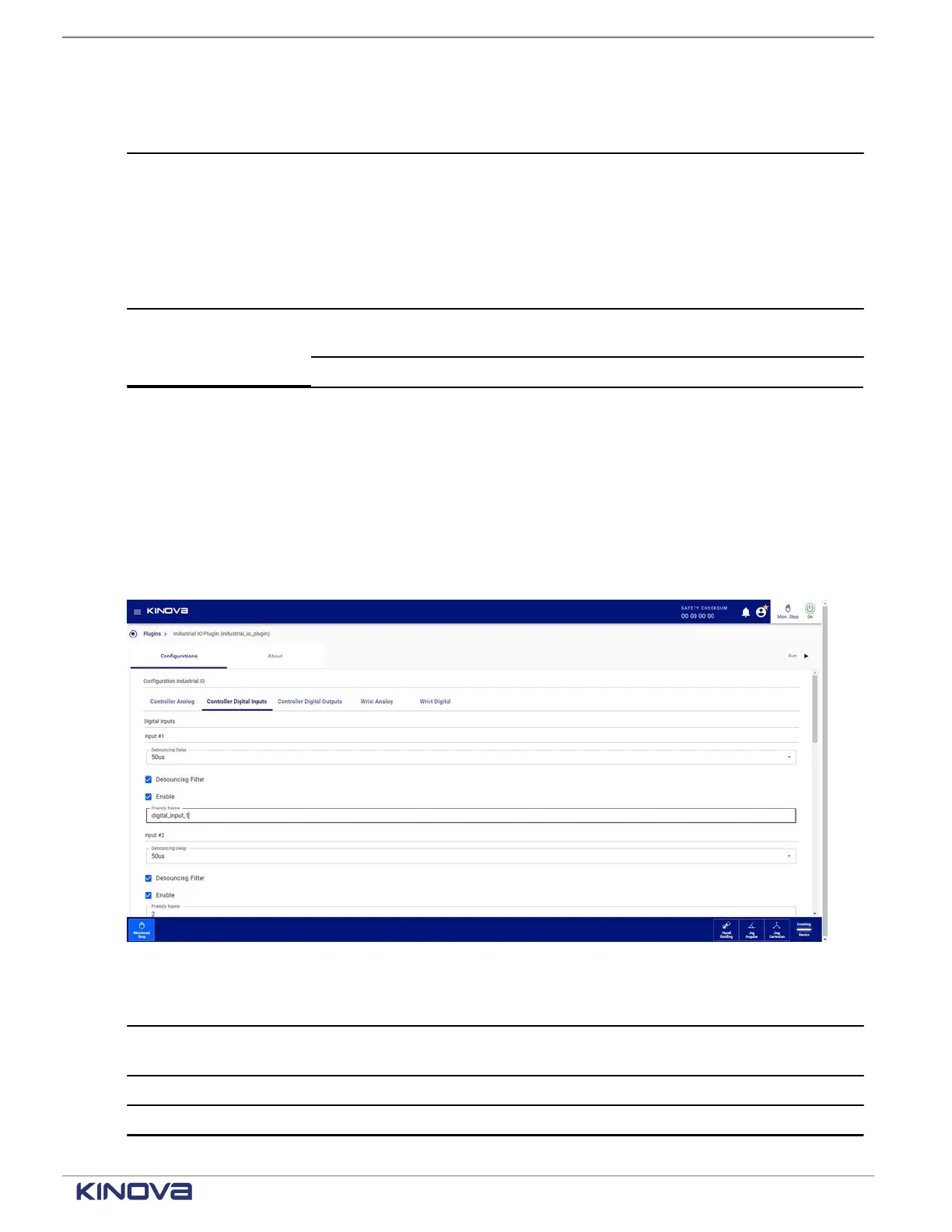
Controller digital inputs on the Industrial I/O plugin page
All digital inputs for the controller must be configured on the Controller Digital Inputs pane of the
Industrial I/O plugin page.
Each digital input for the controller is defined independently from the other digital input for the
controller.
Access the parameters available for the analog inputs and outputs of the controller by tapping
Controller Digital Inputs.
Figure 203: Controller Digital Inputs pane
Parameter Description
Debouncing Delay
The debouncing delay is set in microseconds. Valid values are 50, 100, 400,
800, 1600, 3200, 12800, 20000.
Debouncing Filter Select to configure the debouncing delay.
Enable Select when you want to enable the input.
+1 514-277-3777 kinovarobotics.com
© 2022 Kinova inc. All rights reserved.



 To Next Page