EN UG-020 Link 6 user guide r1.0 71
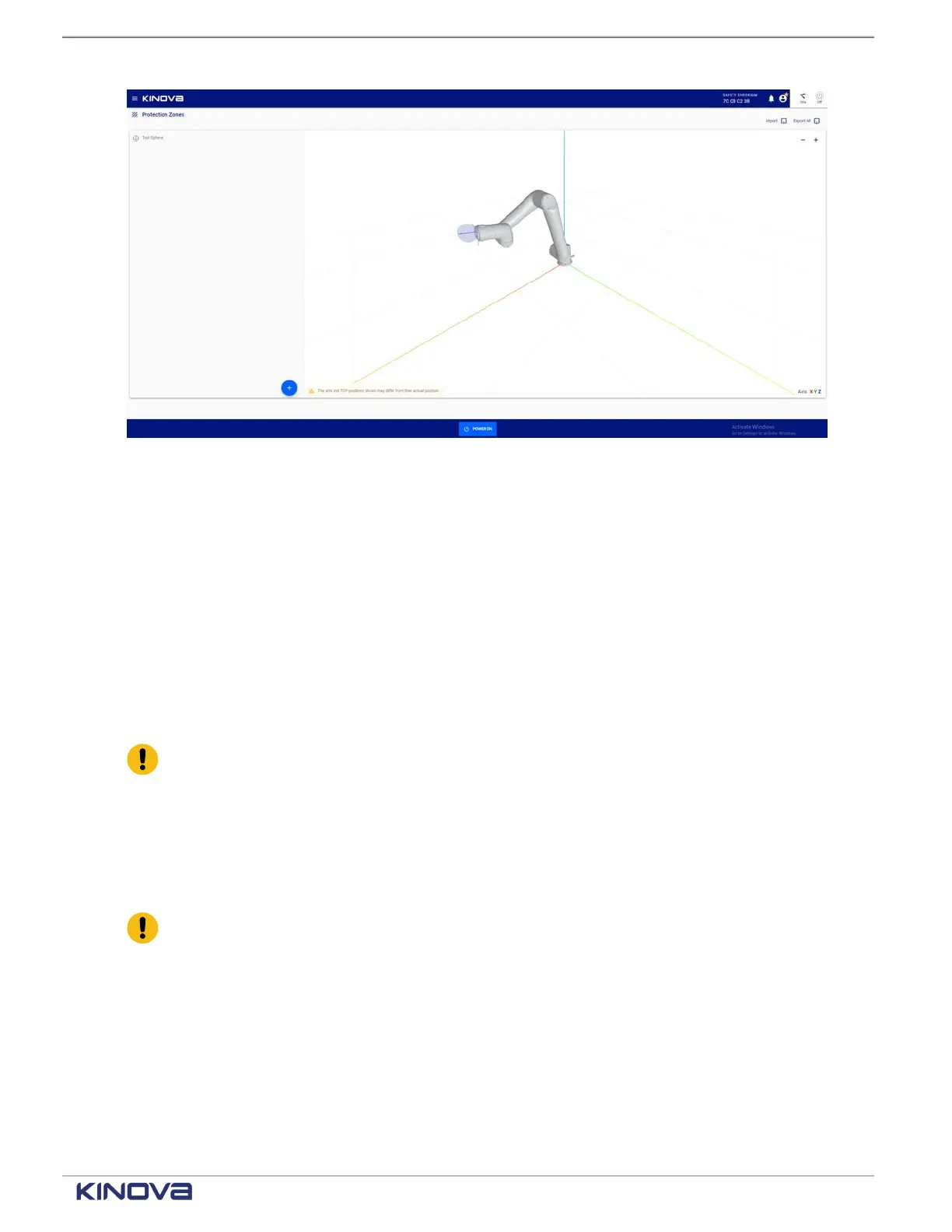
Figure 55: Initial launch of Protection Zones page
Related topics
Effective workspace on page 13
List of safety functions on page 52
Tool sphere
The tool sphere, displayed in the Protection Zones page, is a protection zone for the end effector
on the arm. The tool sphere is the only protection zone that can move.
The end effector and the arm must never collide with each other. Therefore, the tool sphere
is always displayed in the Protection Zones page. It can never be deleted and it can never be
deactivated. However, the zone of the tool sphere can be modified.
Important: Always make sure the tool sphere size and offset reflect reality.
Zones pane
Create, rename, duplicate, and delete zones from the Zones pane. Export individual protection
zones as XML or JSON from a web browser.
The zone for the end effector is always present; in the pane, it is listed as the Tool Sphere.
Important: The zone defined for the tool is the only zone that cannot be deleted. It must
exist so that the robot takes the shape and offset of the end effector into account.
Protection zones that are already defined are listed in the Protection Zones pane..
+1 514-277-3777 kinovarobotics.com
© 2022 Kinova inc. All rights reserved.



 To Next Page