EN UG-020 Link 6 user guide r1.0 72
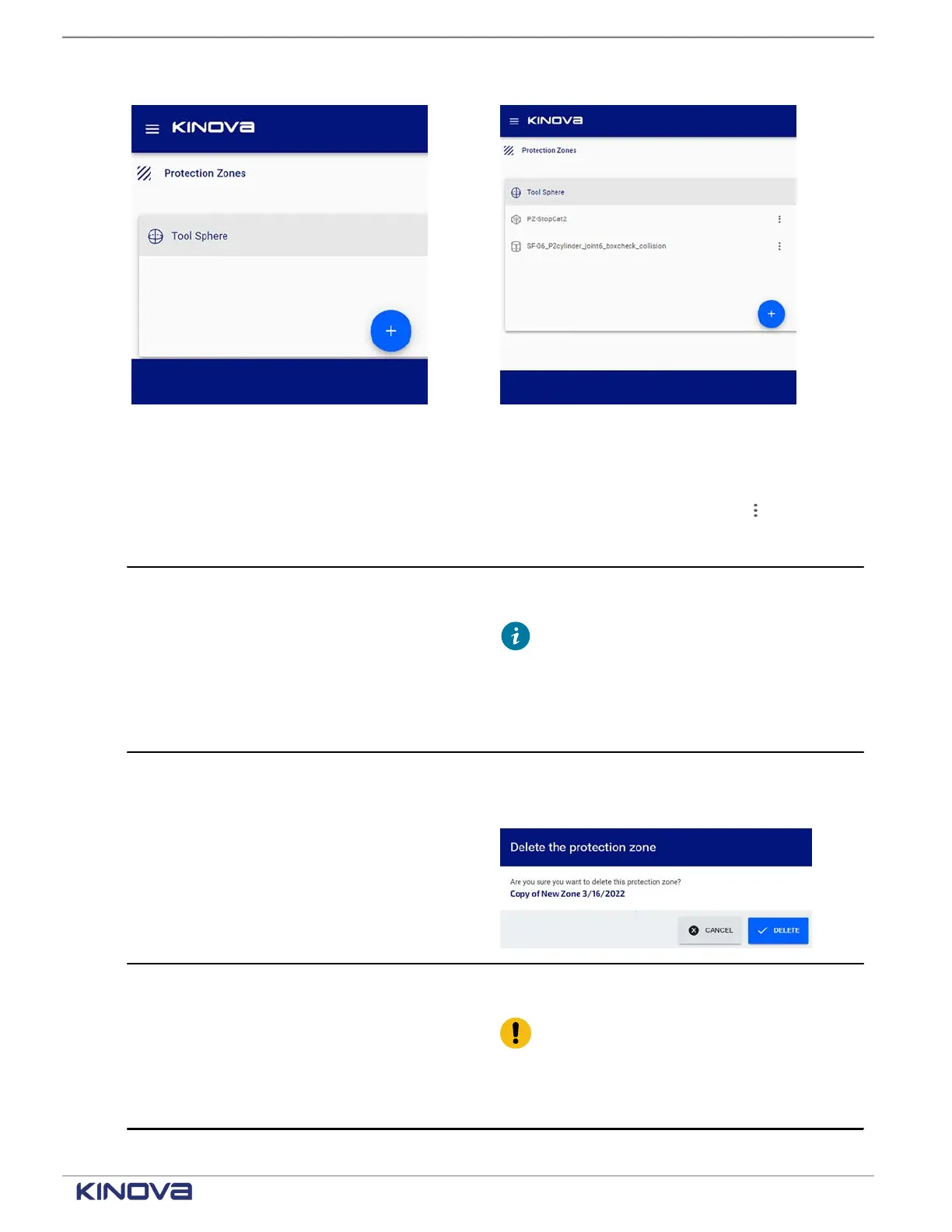
Figure 56: Example when no zones, except for
the tool, are listed in the Zones pane
Figure 57: Example of multiple zones listed in
the Zones pane
Table 49: Actions that can be performed on each protection zone from the kebab ( ) menu
Selected zone actions Description
Duplicate Create a new zone that is a duplicate of the
selected protection zone.
Tip: When the maximum number
of zones are created, a message is
displayed on the page indicating that
no more zones can be added. Also, the
option to duplicate from the menu is not
selectable.
Delete Delete the selected zone.
A confirmation dialog launches. Tap Delete to
delete the zone.
Export XML Export the currently saved configuration of the
selected zone as an XML file.
Important: Export is available on
the teach pendant only when a USB
is connected in the USB port on the
controller. It is available from a web
browser when there is no USB stick.
+1 514-277-3777 kinovarobotics.com
© 2022 Kinova inc. All rights reserved.



 To Next Page