EN UG-020 Link 6 user guide r1.0 128
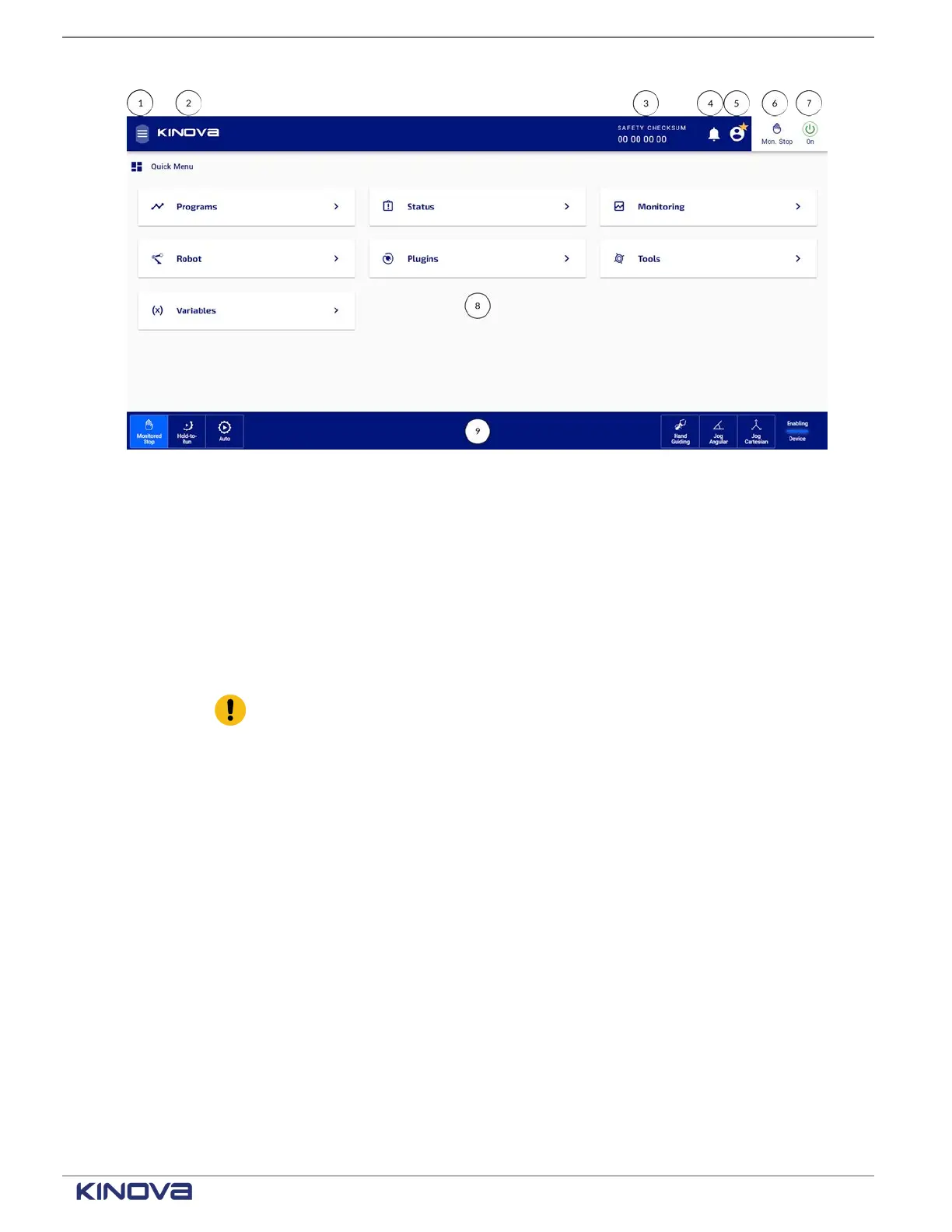
Header
1 Hamburger to access pages
2 Quick Menu to return to the Home page
3 SAFETY CHECKSUM
4 Notification indicator
5 User profile
6 Mode indicator
7 On power button
Important: Tapping the power button switches the arm on or off.
Footer
8 Main information panel
9 Robot control panel
Menu pages
From either the Hamburger and a Quick Menu, you can access the different KortexWebApp
functionalities.
When you first log in to KortexWebApp, you are brought automatically to the Quick Menu page.
All of the most frequently accessed pages are there. Tapping on any of the items in the Main
information panel brings you to the selected function.
+1 514-277-3777 kinovarobotics.com
© 2022 Kinova inc. All rights reserved.



 To Next Page