EN UG-020 Link 6 user guide r1.0 256
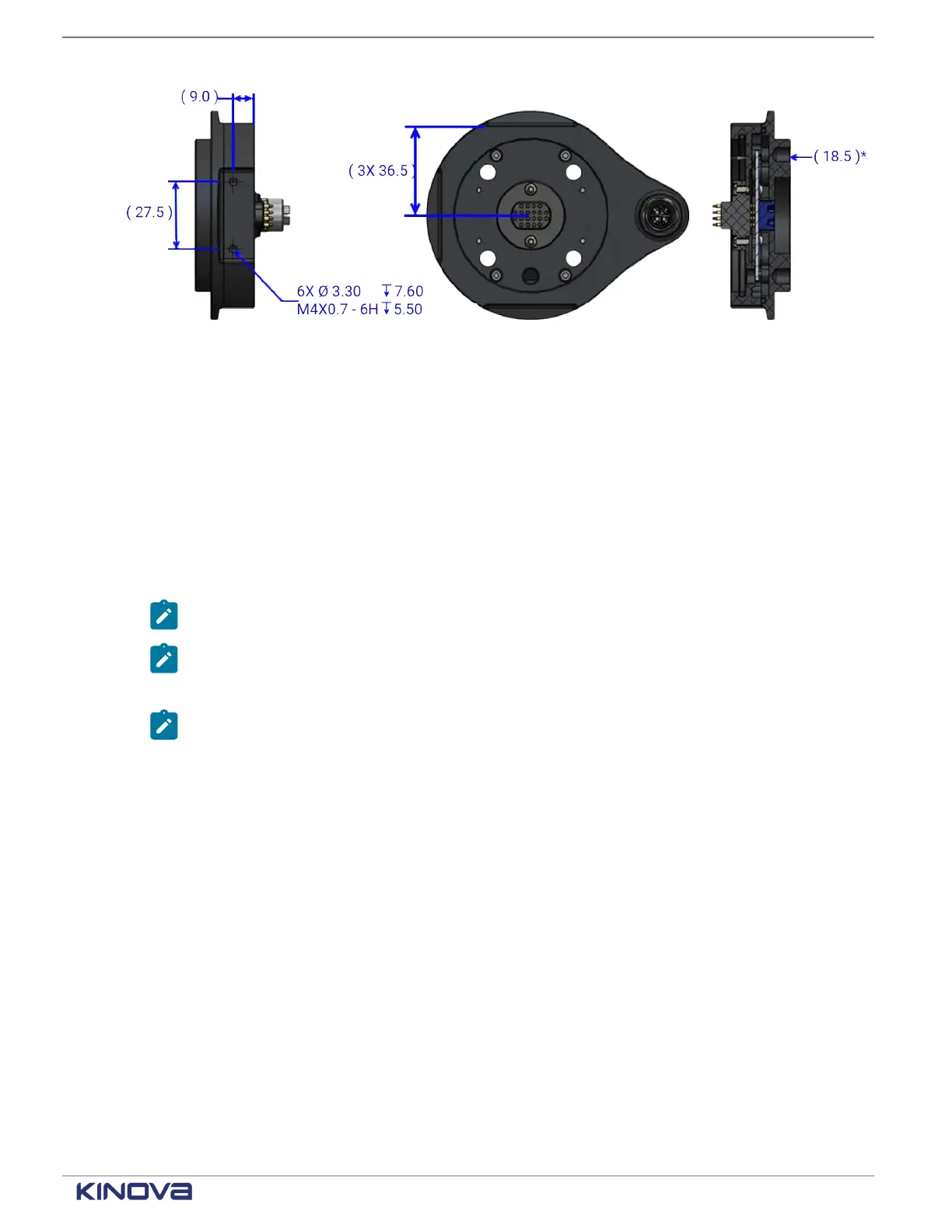
Figure 213: Dimensions of the Kinova Gigabit Ethernet adapter measured in millimeters
Installing the Gigabit Ethernet adapter
The adapter installs directly to the wrist of Link6.
Before you begin
Personnel:
• Number of Workers: 1
Supplies
• 4 x M6-1.0-6h screws
Note: maximum thread engagement depth: 6 mm
Note: Torque: 7-9 N·m
• 2 x 6 mm dowels
Note: The dowels are not used to stabilize the end effector; they are used to guide the
end effector onto the wrist.
• Flange system position: 0° and 180°
About this task
Installation of optional tools is done in a stacking fashion. That is, the Gigabit Ethernet adapter
must be fixed to the wrist before other optional tools are attached to the adapter.
Procedure
1. Remove the end cap from the wrist and the end cap from the adapter.
+1 514-277-3777 kinovarobotics.com
© 2022 Kinova inc. All rights reserved.



 To Next Page