EN UG-020 Link 6 user guide r1.0 70
Important: The zone defined for the tool is the only zone that cannot be disabled.
However, like the other zones, it can be modified. The tool zone must exist so that the
robot takes the size of the end effector into account.
Important: There must be no power in the arm when the zones are being defined.
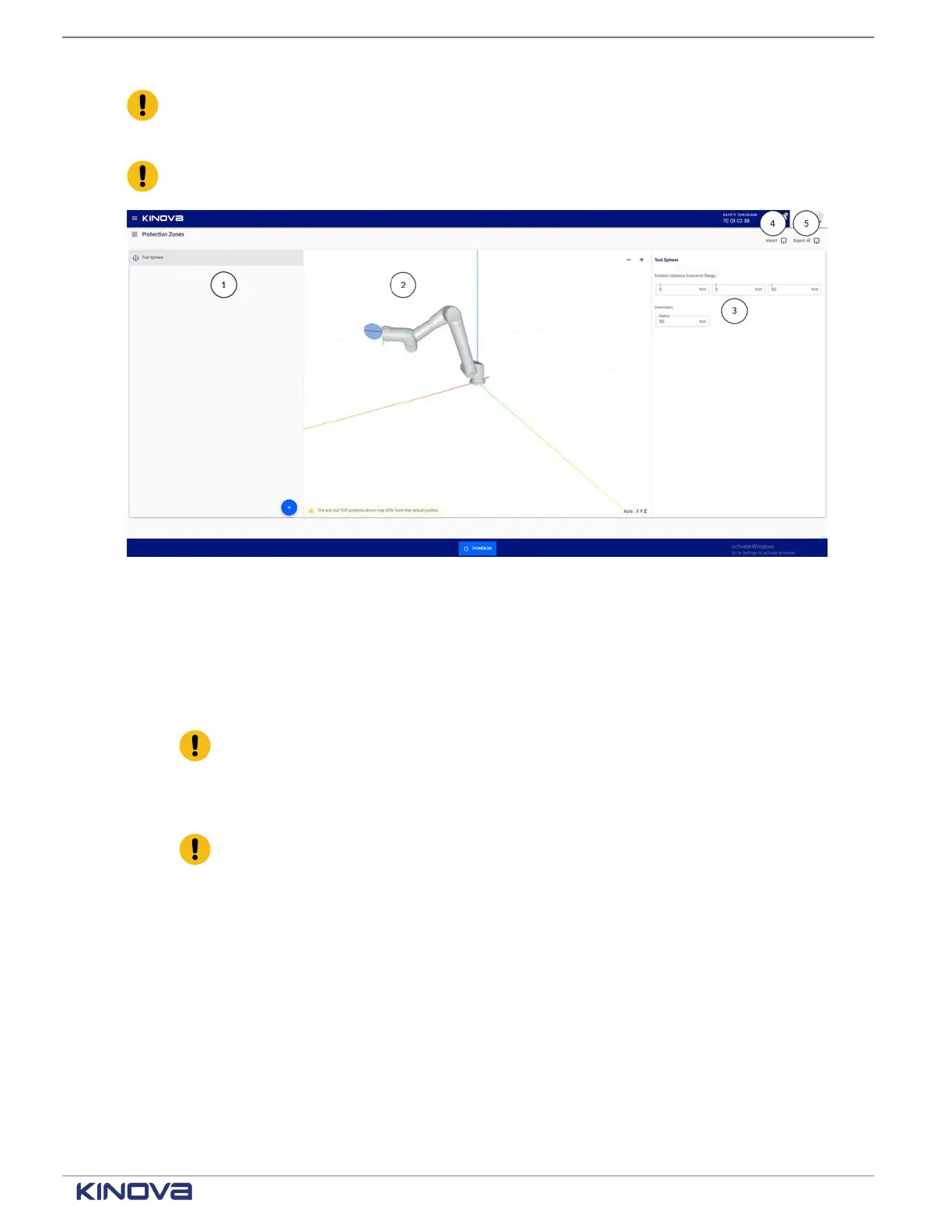
Figure 54: The Protection Zones page
1 Zones pane
2 Visualization pane
3 Zones configuration pane
4 Import
Important: Import is available on the teach pendant only when a USB is connected
in the USB port on the controller. It is available from a web browser when there is
no USB stick.
5 Export All
Important: Export is available on the teach pendant only when a USB is connected
in the USB port on the controller. It is available from a web browser when there is
no USB stick.
When you first access the Protection Zones page, only the Zones and Visualization panes are
visible. Tap on any of the zones in the Zones pane to view its corresponding configuration pane.
+1 514-277-3777 kinovarobotics.com
© 2022 Kinova inc. All rights reserved.


 To Next Page
 Loading...

